

SafeWeb Content Filter Browser
Kidslox inc Utilities iPhoneiPadiPod touch
SafeWeb Content Filter Browser is a free Utilities app for iPhone and iPad by Kidslox inc. Requires iOS 18.0. Updated May 29, 2026.
- Price
- Free
- on the App Store
- Size
- 71 MB
- Age 4+
- Updated
- May 29
- 2026 · v1.0.1
Screenshots


About SafeWeb Content Filter Browser
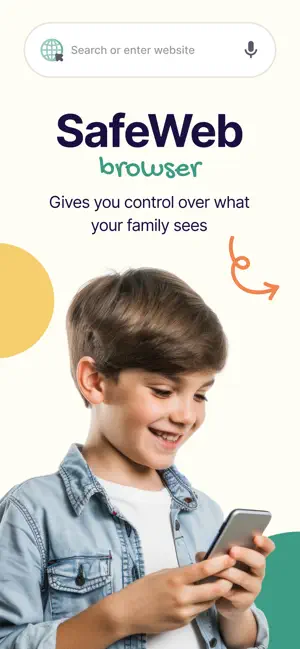
Protect your family with a powerful safe browser for kids. Block harmful websites, monitor activity in real time, and build healthy screen habits — with a simple parent dashboard. Safer browsing starts here. SafeWeb Browser is a parental control browser built for modern families who want smarter, simpler online safety. It combines advanced web filtering, real-time usage insights, and a seamless parent dashboard — so you can protect your child while helping them learn to use the internet safely. Safe Web Browsing for Kids Create a safe environment with powerful content filtering that automatically blocks inappropriate websites. - Block adult content - Advanced DNS-based web filtering across all sites - Friendly “blocked” page instead of unsafe content - Built-in safe search across major search engines - Works on WiFi and cellular for full internet safety Your child gets a clean, ad-free browser experience designed just for them. Parent Dashboard Manage everything from a simple dashboard - View browsing history and search queries - Track screen time per website - See detailed activity reports and usage analytics - Monitor blocked sites and activity logs in real time This is parental monitoring made simple, giving you full visibility without complexity. Encourage safe decision-making and open conversations Set the right level of protection for every child. - Custom content filter levels by age - Tailored safe browsing experience - Flexible controls that grow with your family - Screen Time Insights - Age-Based Profiles Go beyond basic screen time control. - Identify patterns and build healthy screen habits - Make informed decisions with clear usage reports Works Best with Kidslox SafeWeb Browser is made by the team behind Kidslox parental controls. Use Kidslox to: - Lock other browsers so your child only uses SafeWeb Browser - Strengthen your family safety app setup - Combine device controls with safe browsing Fast, Secure, and Private - Built for speed and reliability - Secure browser with anti-tracking protections - No unnecessary data collection - Designed for a smooth iOS browsing experience - Built for Digital Parenting Whether you're protecting young kids or guiding teens, SafeWeb Browser helps you: - Block harmful and inappropriate content - Monitor usage without invading privacy - Create a safer, more trusted online experience - Subscription SafeWeb Browser requires a subscription to access premium features, including: - Parent dashboard - Real-time monitoring - Advanced filtering and reports Give your child the freedom to explore the internet — safely. Download SafeWeb Browser today and take control of your family’s digital safety. Subscription and payment are made via your iTunes account at confirmation of purchase and subscription automatically renews unless auto-renew is turned off at least 24-hours before the end of the current period. Otherwise, the account will be charged for renewal within 24-hours prior to the end of the current period. Help and Support: Once you have downloaded SafeWeb you will find all the help and online support you need from inside the app under our Help section. Find copies of our terms and conditions here: https://safewebbrowser.io/terms.html and privacy policy here: https://safewebbrowser.io/privacy.html SafeWeb requires an internet connection to operate.
What’s new
Version 1.0.1 · Updated May 29, 2026
Minor improvements
App privacy
The developer, Kidslox inc, reported these privacy practices to Apple.
Data Used to Track You
The following data may be used to track you across apps and websites owned by other companies:
- Purchases: Purchase History
- Contact Info: Email Address, Name
- User Content: Photos or Videos
- Browsing History: Browsing History
- Identifiers: User ID
- Usage Data: Product Interaction
- Diagnostics: Crash Data, Performance Data, Other Diagnostic Data
Data Linked to You
The following data, which may be collected and linked to your identity, may be used for the following purposes:
- Contact Info: Email Address, Name
- Purchases: Purchase History
- User Content: Photos or Videos
- Browsing History: Browsing History
- Identifiers: User ID
- Usage Data: Product Interaction
- Diagnostics: Performance Data, Other Diagnostic Data, Crash Data
Used for: Developer’s Advertising or Marketing, Analytics, Product Personalization, App Functionality
Data Not Linked to You
The following data, which may be collected but is not linked to your identity, may be used for the following purposes:
- Usage Data: Product Interaction
- Diagnostics: Crash Data
Used for: Developer’s Advertising or Marketing, Analytics, Product Personalization
Alternatives to SafeWeb Content Filter Browser
Looking for apps like SafeWeb Content Filter Browser? Here are 6 similar apps on the App Store. The highest rated is Polyshell Browser (5.0/5), and all 6 are free to download.
-
 Permission Browser
-
 Wincy: Safe Browser for Kids
3.0
Wincy: Safe Browser for Kids
3.0
-
 Polyshell Browser
5.0
Polyshell Browser
5.0
-
 GlassBrowser
5.0
GlassBrowser
5.0
-
 Wonder Incog - Privacy Browser
4.3
Wonder Incog - Privacy Browser
4.3
-
 Nova: AdBlock Video Browser
4.4
Nova: AdBlock Video Browser
4.4
| App | Rating | Price | Last updated | Compare |
|---|---|---|---|---|
| SafeWeb Content Filter Browser | – | Free | May 29, 2026 | |
| Permission Browser | – | Free | Oct 22, 2026 | Compare |
| Wincy: Safe Browser for Kids | 3.0 / 5 (2) | Free | Aug 26, 2026 | Compare |
| Polyshell Browser | 5.0 / 5 (1) | Free | Apr 29, 2026 | Compare |
| GlassBrowser | 5.0 / 5 (4) | Free | Aug 11, 2026 | Compare |
| Wonder Incog - Privacy Browser | 4.3 / 5 (6) | Free | Oct 26, 2026 | Compare |
| Nova: AdBlock Video Browser | 4.4 / 5 (9) | Free | Aug 27, 2026 | Compare |