

Convertly: Image Converter
Pavlo Dobronos Utilities iPhoneiPadiPod touch
Convertly: Image Converter is a free Utilities app for iPhone and iPad by Pavlo Dobronos. Requires iOS 26.0. Updated May 9, 2026.
- Price
- Free
- on the App Store
- Size
- 31 MB
- Age 4+
- Updated
- May 9
- 2026 · v1.2
Screenshots


About Convertly: Image Converter
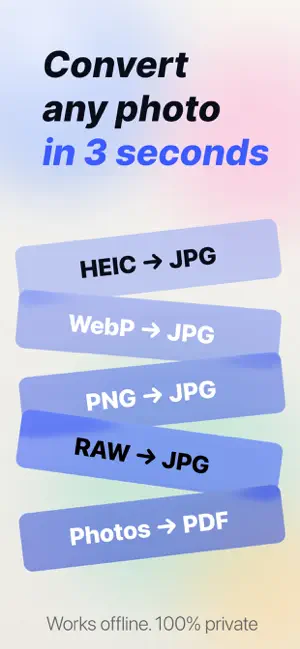
Convertly turns HEIC into JPG, builds PDFs from photos, and compresses files to exact sizes — all on your iPhone. Nothing uploads. Nothing tracks. SUPPORTED FORMATS Read and write: JPEG, PNG, HEIC, HEIF, WebP, AVIF, GIF (animated), PDF. Read-only: TIFF, BMP, Apple ProRAW, Adobe DNG, Canon CR2/CR3, Nikon NEF, Sony ARW, Fujifilm RAF, Panasonic RW2, Olympus ORF, Pentax PEF, Samsung SRW. WHAT IT DOES • Convert one photo or hundreds at once with live progress • Quality slider with real-time output size preview • Target size mode — set "under 200 KB" or "under 2 MB" and Convertly adjusts quality automatically • Resize by pixel cap or social presets (Instagram square, Stories, Twitter) • Three metadata modes: keep all, strip GPS, or strip everything • Built-in EXIF viewer: camera, lens, date, GPS, color space, ICC profile • PDF Builder: multi-page PDFs from photos, drag to reorder, A4/Letter/fit-to-image • PDF Extractor: export pages as images at any resolution • RAW Editor: exposure, white balance, noise reduction, then export anywhere • Background Removal: one-tap subject extraction via Neural Engine (transparent PNG) • Shortcuts & App Intents: Convert, Resize, Strip Metadata, Create PDF • Action Button compatible — no app launch required • Share Extension: convert from any app via the Share Sheet • Save to Photos, Files, Clipboard, or share to any installed app • History with thumbnails: re-export anything you've converted PRIVACY Convertly has no network entitlement in the main app. Ads run on an isolated code path with no access to your photo data. Your photos, RAW files, and PDFs never leave your device — verifiable in the App Privacy label. ACCESSIBILITY Full VoiceOver labels, Dynamic Type, semantic colors that respect high contrast and invert-colors settings. WHAT IT DOESN'T DO No cloud sync, no backup, no filters, no watermarks, no OCR, no document scanning. Convertly is a converter. Requires iOS 26 or later. Terms of Use (EULA): https://convertly-imageconverter.web.app/terms
What’s new
Version 1.2 · Updated May 9, 2026
We’re always making changes and improvements to Convertly. To make sure you don’t miss a thing, just keep your Updates turned on.
App privacy
The developer, Pavlo Dobronos, reported these privacy practices to Apple.
Data Used to Track You
The following data may be used to track you across apps and websites owned by other companies:
- Location: Coarse Location
- Identifiers: Device ID
- Usage Data: Product Interaction, Advertising Data
Data Linked to You
The following data, which may be collected and linked to your identity, may be used for the following purposes:
- Location: Coarse Location
- Identifiers: Device ID
- Usage Data: Product Interaction, Advertising Data
Used for: Third-Party Advertising
Data Not Linked to You
The following data, which may be collected but is not linked to your identity, may be used for the following purposes:
- Purchases: Purchase History
Used for: App Functionality
Alternatives to Convertly: Image Converter
Looking for apps like Convertly: Image Converter? Here are 6 similar apps on the App Store.
-
 Image Converter: JPG-PNG-HEIC
-
 かんたん画像圧縮 -写真リサイズ・軽量化-
-
 ConvertAll - File Converter
-
 Convert Image PNG-JPEG
-
 LunaLog: Period Tracker
-
 Snipkit Photo Compress Convert
| App | Rating | Price | Last updated | Compare |
|---|---|---|---|---|
| Convertly: Image Converter | – | Free | May 9, 2026 | |
| Image Converter: JPG-PNG-HEIC | – | Free | Sep 3, 2026 | Compare |
| かんたん画像圧縮 -写真リサイズ・軽量化- | – | Free | Oct 24, 2026 | Compare |
| ConvertAll - File Converter | – | Free | Sep 20, 2026 | Compare |
| Convert Image PNG-JPEG | – | Free | Aug 8, 2026 | Compare |
| LunaLog: Period Tracker | – | Free | Jul 23, 2026 | Compare |
| Snipkit Photo Compress Convert | – | Free | May 3, 2026 | Compare |