

PhotoVideoBackup: SSD Transfer
Gerard DUVAL Photo & Video iPhoneiPadiPod touch
PhotoVideoBackup: SSD Transfer is a free Photo & Video app for iPhone and iPad by Gerard DUVAL. Requires iOS 17.0. Updated October 21, 2026.
- Price
- Free
- on the App Store
- Size
- 5 MB
- Age 4+
- Updated
- Oct 21
- 2026 · v2.6.0
Screenshots
About PhotoVideoBackup: SSD Transfer
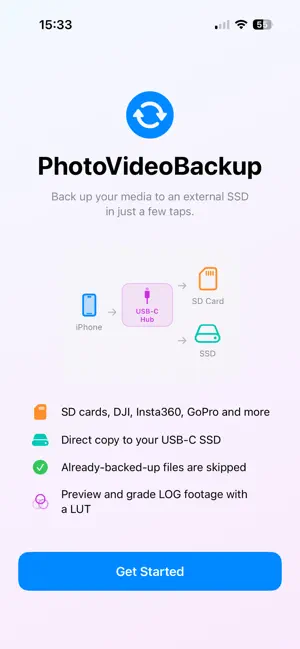
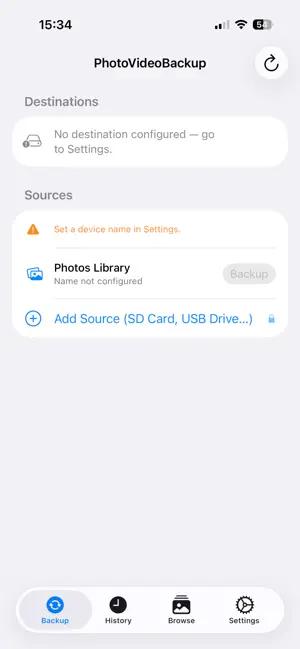
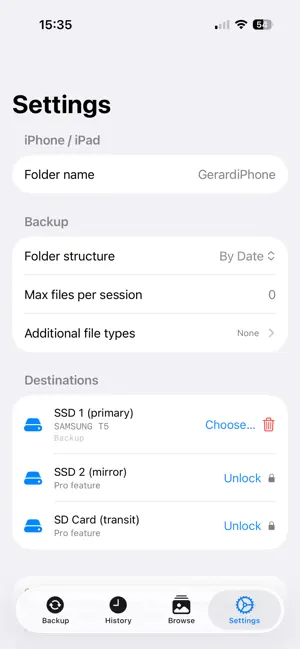
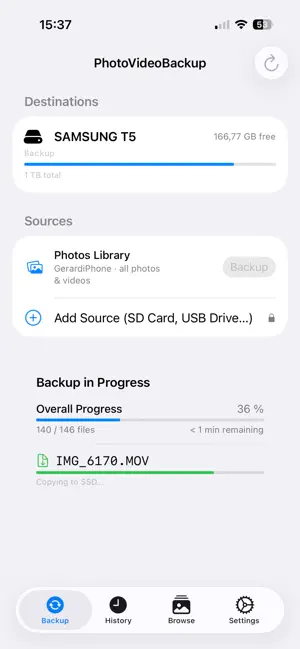
PhotoVideoBackup transfers your photos and videos from your iPhone directly to an external SSD over USB-C fast, private, and offline. No cloud. No subscription. No middleman. WHY PHOTOVIDEOBACKUP? Most backup solutions send your files to a cloud server you don't control. PhotoVideoBackup sends them straight to your drive. Your memories stay yours. HOW IT WORKS 1. Plug in your USB-C SSD 2. Select the destination folder once 3. Tap Backup — done Access is preserved across launches via secure bookmarks. You never have to pick the folder again. FREE FEATURES - Back up your iPhone Photos Library (photos & videos) - Single SSD destination - Real-time progress with file-by-file status - Full backup report: copied, skipped, failed, duration - History of all past backup sessions PRO FEATURES — one-time $4.99 - Add external sources: SD cards, USB drives, Insta360, DJI, Blackmagic cameras, and more - Mirror backup to a second SSD simultaneously - Perfect for photographers and videographers who shoot on multiple devices No subscription. Pay once. Use forever. PRIVACY PhotoVideoBackup does not collect, transmit, or store any of your data. Everything stays on your device and your drive.
What’s new
Version 2.6.0 · Updated October 21, 2026
Automatic file naming • New in Settings → Backup → File naming: give your photos and videos a clean name as they are backed up, for example "2026-09-28 11H35M25 MyCamera.dng". Choose the pattern with date, time, device and original-name tokens, and see a live example. Files get their final name from the very first copy, so there is nothing to rename afterwards. The manual rename in the Browse tab is replaced by this. Smarter duplicate detection • Files you already backed up are recognised by their name and by the app's record of what it copied, so they are skipped even if you edited them afterwards (for example by rewriting their metadata in another app). • Two different shots taken in the same second are both kept: the second gets a -1 suffix. A different file is never overwritten. • A backup with nothing new to copy now takes seconds instead of minutes. The backup remembers itself • The app now keeps its record of what was backed up inside the backup itself (a hidden file at the root of each destination). Reinstall the app or back up from another iPhone or Mac, and it picks up exactly where you left off. Fixes • The Done button above the keyboard in Settings now closes the keyboard in every field. • A folder named like another one (for example "Backup" and "Backup 2") can no longer be mistaken for it.
App privacy
The developer, Gerard DUVAL, reported these privacy practices to Apple.
Data Not Collected
The developer does not collect any data from this app.
Alternatives to PhotoVideoBackup: SSD Transfer
Looking for apps like PhotoVideoBackup: SSD Transfer? Here are 6 similar apps on the App Store.
-
 DepiDrive – USB Photo Backup
-
 OffloadPro
-
 Airdrive: Video Backup Vault
-
 PhotoTransfer: Sync with Drive
-
 Portage Photo Backup
-
 PixiSafe: USB Photo & Video
| App | Rating | Price | Last updated | Compare |
|---|---|---|---|---|
| PhotoVideoBackup: SSD Transfer | – | Free | October 21, 2026 | |
| DepiDrive – USB Photo Backup | – | Free | Oct 23, 2026 | Compare |
| OffloadPro | – | Free | Jun 7, 2026 | Compare |
| Airdrive: Video Backup Vault | – | Free | Jul 16, 2026 | Compare |
| PhotoTransfer: Sync with Drive | – | Free | Oct 20, 2026 | Compare |
| Portage Photo Backup | – | Free | Sep 26, 2026 | Compare |
| PixiSafe: USB Photo & Video | – | Free | Aug 18, 2026 | Compare |