

brevva notes
Muhammad Hossain Productivity iPhoneiPadiPod touch
brevva notes is a free Productivity app for iPhone and iPad by Muhammad Hossain. Requires iOS 26.2. Updated May 15, 2026.
- Price
- Free
- on the App Store
- Size
- 117 MB
- Age 4+
- Updated
- May 15
- 2026 · v1.3
Screenshots
About brevva notes
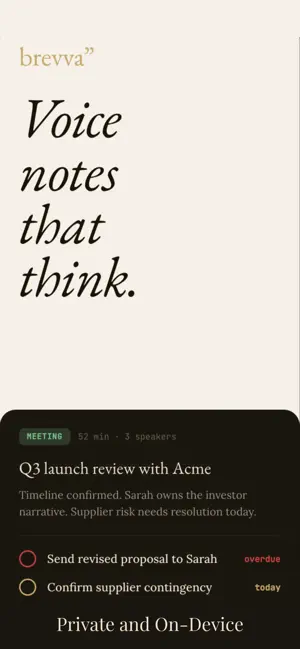
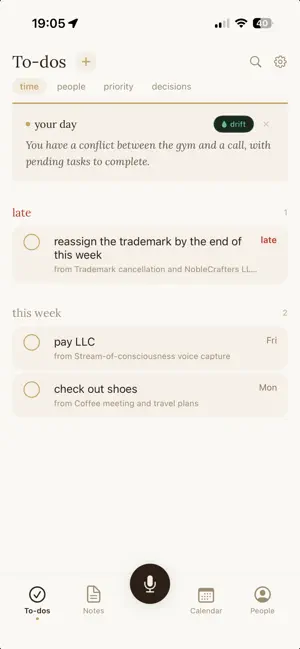
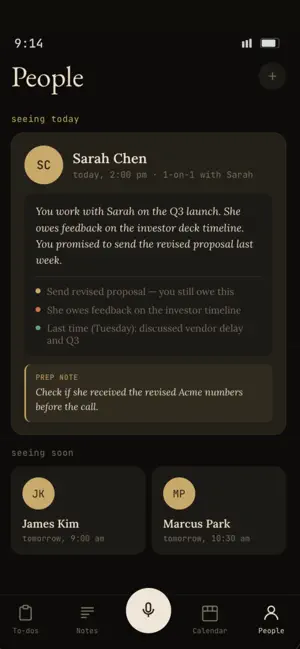
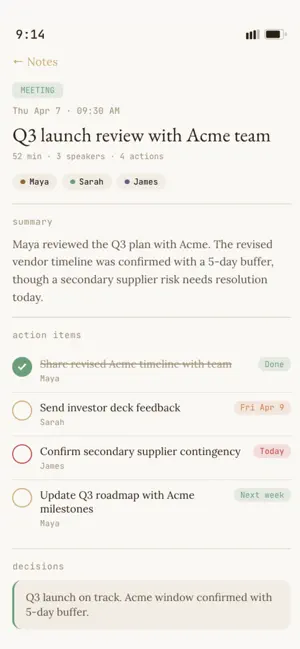
You said it. Then you forgot it. brevva turns your voice into structured notes, automatically. Record a thought while driving, a meeting with a coworker, a reminder before bed. Come back later and find a clean title, a summary in your own words, and a list of what you committed to, with deadlines already set. Everything happens on your iPhone. No cloud. No accounts. No subscriptions. How it works You tap record and talk. brevva transcribes your words, identifies who said what, and extracts the important parts: what was decided, what needs to happen, and who is responsible. It organizes everything into four views. To-dos: every action item from every recording, grouped by urgency. Late, today, this week, later. Swipe to complete. Notes: all your recordings in one place. Voice notes and meetings, each with a title, summary, and the full transcript. Calendar: your week at a glance. Recordings appear alongside your calendar events so you can see what happened and what is coming. People: the people in your conversations. Who you are seeing next, what is open between you, and when you last spoke. brevva builds this from your voice, not from typing. Your morning briefing brevva gathers your day from your calendar, your to-dos, and your recent notes, then writes you a short personal paragraph delivered as a notification. You wake up and know what matters today. Plays back what you said Tap any sentence in a transcript and hear the exact moment. Speaker labels show who said what. Key moments are marked so you can jump to the important parts. Works with your keyboard brevva comes with a custom keyboard for quick dictation anywhere on your phone. Privacy is not a feature. It is the architecture. Every recording is transcribed and processed on your iPhone. Nothing is sent to a server. There is no account to create. There is no data to breach. You own everything. $49, one time. No subscription. No in-app purchases. Requires iPhone 15 Pro or later.
What’s new
Version 1.3 · Updated May 15, 2026
Added swipe gesture typing. Personal dictionary pulled from universal dictionary so it writes the same way you always did. Backspace gesture for quick erase. Much better auto-correct and keyboard typing experience.
App privacy
The developer, Muhammad Hossain, reported these privacy practices to Apple.
Data Not Collected
The developer does not collect any data from this app.
Alternatives to brevva notes
Looking for apps like brevva notes? Here are 6 similar apps on the App Store. The highest rated is Artiful Reader: Read & Listen (5.0/5), and all 6 are free to download.
-
 MemofyAI
-
 Plotted: Planner & To Do List
-
 Artiful Reader: Read & Listen
5.0
Artiful Reader: Read & Listen
5.0
-
 Super Reminder App
5.0
Super Reminder App
5.0
-
 Local AI Notes
3.0
Local AI Notes
3.0
-
 HeyCue: AI Personal Assistant
5.0
HeyCue: AI Personal Assistant
5.0
| App | Rating | Price | Last updated | Compare |
|---|---|---|---|---|
| brevva notes | – | Free | May 15, 2026 | |
| MemofyAI | – | Free | Jul 22, 2026 | Compare |
| Plotted: Planner & To Do List | – | Free | Sep 11, 2026 | Compare |
| Artiful Reader: Read & Listen | 5.0 / 5 (12) | Free | Sep 3, 2026 | Compare |
| Super Reminder App | 5.0 / 5 (2) | Free | Jul 18, 2026 | Compare |
| Local AI Notes | 3.0 / 5 (1) | Free | Jul 6, 2026 | Compare |
| HeyCue: AI Personal Assistant | 5.0 / 5 (1) | Free | Aug 16, 2026 | Compare |
Compare brevva notes with the top alternatives: ratings, updates, ASO score and keyword gaps →