

SnapToBuild: DIY Planner
Oliver Strebel-Mark Lifestyle iPhoneiPadiPod touch
SnapToBuild: DIY Planner is a free Lifestyle app for iPhone and iPad by Oliver Strebel-Mark. Rated 5.0/5 from 3 ratings. Requires iOS 18.6.
- Rating
- 5.0
- 3 ratings
- Price
- Free
- on the App Store
- Size
- 82 MB
- Age 12+
- Updated
- Oct 16
- 2026 · v1.2.4
Screenshots



About SnapToBuild: DIY Planner
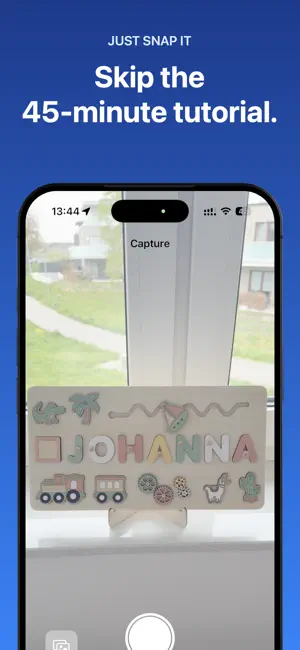
Turn any DIY photo into a ready-to-build plan. Materials, tools, steps, and a shopping list — in 90 seconds. Saw a shelf on Pinterest? A birdhouse at the park? A table at a cafe? Snap it. SnapToBuild tells you exactly what to buy, what tools you need, and how to build it — before you leave the house. WHAT YOU GET FROM A SINGLE PHOTO • Materials list with quantities • Tool checklist • Step-by-step instructions • Difficulty rating PERFECT FOR • Weekend DIYers tired of 45-minute YouTube tutorials • First-time woodworkers who don't know what to buy • Anyone who's ever stood in the hardware store feeling lost • Inspiration from Pinterest, Instagram, or real life SAVE YOUR PROJECTS Sign in with Apple or Google and every analysis lands in your personal library. Come back to any project anytime, edit the results, and export your shopping list when you're ready to build. PRIVATE BY DEFAULT Your projects stay in your library. No public feed, no community pressure, nothing is shared unless you choose to share it. FREE TO START Try your first 3 project analyses free. Upgrade to Premium any time for unlimited analyses, starting at €4.99/week. SUBSCRIPTIONS • Premium Weekly: €4.99 / week • Premium Monthly: €11.99 / month • Premium Yearly: €49.99 / year Payment is charged to your Apple ID account at confirmation of purchase. Subscriptions automatically renew unless auto-renewal is turned off at least 24 hours before the end of the current period. Manage subscriptions in your Apple ID account settings. Terms of Service: https://snaptobuild.app/en/terms Privacy Policy: https://snaptobuild.app/en/privacy
What’s new
Version 1.2.4 · Updated October 16, 2026
A small update with two fixes: • If you reinstalled the app while signed in, you could get stuck on the sign-in screen. You now go straight to your projects. • A project's difficulty is now shown in your language instead of a raw value. Thanks for building with us – happy building!
App privacy
The developer, Oliver Strebel-Mark, reported these privacy practices to Apple.
Data Linked to You
The following data, which may be collected and linked to your identity, may be used for the following purposes:
- Contact Info: Email Address
- Usage Data: Product Interaction
- Purchases: Purchase History
- User Content: Photos or Videos
- Identifiers: User ID
Used for: Analytics, Product Personalization, App Functionality
Data Not Linked to You
The following data, which may be collected but is not linked to your identity, may be used for the following purposes:
- Diagnostics: Crash Data, Performance Data
Used for: Analytics, App Functionality
Alternatives to SnapToBuild: DIY Planner
Looking for apps like SnapToBuild: DIY Planner? Here are 6 similar apps on the App Store. The highest rated is CollectibleX (5.0/5), and all 6 are free to download.
-
 Craft DIY - Restore & Create
-
 Buildr – DIY Project Planner
2.0
Buildr – DIY Project Planner
2.0
-
 CollectibleX
5.0
CollectibleX
5.0
-
 Makely: DIY Project Planner
-
 DIY Hero - Provider
-
 DIYZIGN
| App | Rating | Price | Last updated | Compare |
|---|---|---|---|---|
| SnapToBuild: DIY Planner | 5.0 / 5 (3 ratings) | Free | October 16, 2026 | |
| Craft DIY - Restore & Create | – | Free | Apr 13, 2026 | Compare |
| Buildr – DIY Project Planner | 2.0 / 5 (1) | Free | Apr 14, 2026 | Compare |
| CollectibleX | 5.0 / 5 (2) | Free | Feb 4, 2026 | Compare |
| Makely: DIY Project Planner | – | Free | Jul 11, 2026 | Compare |
| DIY Hero - Provider | – | Free | Sep 9, 2024 | Compare |
| DIYZIGN | – | Free | Sep 30, 2026 | Compare |