

Clipster: Clipboard Manager
Hugo Sablot Productivity iPhoneiPadiPod touch
Clipster: Clipboard Manager is a free Productivity app for iPhone and iPad by Hugo Sablot. Requires iOS 16.0. Updated September 24, 2026.
- Price
- Free
- on the App Store
- Size
- 20 MB
- Age 4+
- Updated
- Sep 24
- 2026 · v1.0.3
Screenshots

About Clipster: Clipboard Manager
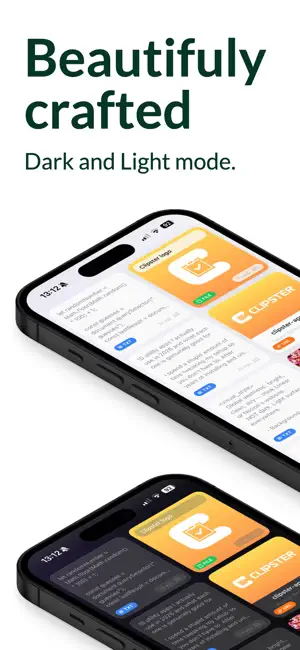
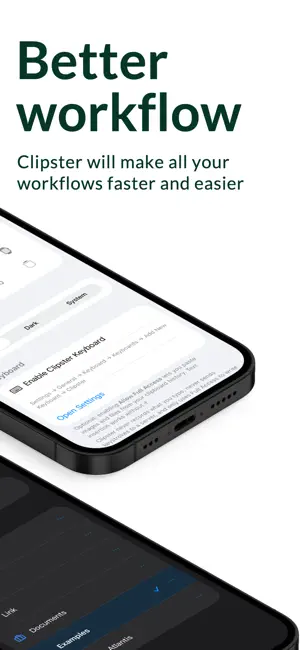
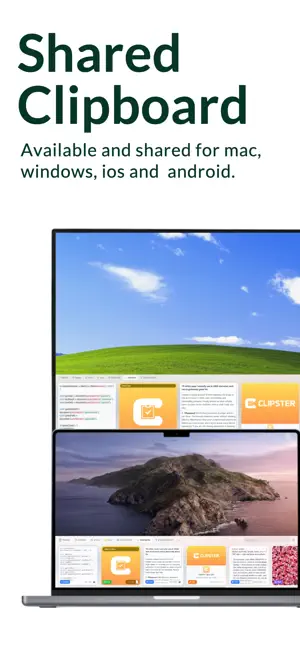
Copy once. Find it forever. Save anything from any app, find it in a second, and paste it anywhere with the Clipster keyboard. Stop emailing yourself snippets and losing what you copied. SAVE FROM ANYWHERE • Share menu: send text, links, photos and files to Clipster from any app • Clipster keyboard: save the text you select, and paste any Clip while you type — no app-switching ORGANIZE WHAT MATTERS • Pins: boards that group your most-used Clips (code, prompts, addresses, replies) • Full-text search across your whole history • Rich previews for text, links, images, files and documents ONE CLIPBOARD, EVERY DEVICE (Pro) • What you copy on your Mac or Windows PC shows up on your iPhone — and the other way around • Your history and Pins stay in sync across up to 7 devices PRIVATE BY DESIGN • End-to-end, zero-knowledge encryption (AES-256-GCM) • Your Clips are encrypted on your device before they sync. The server only stores ciphertext it can't read — not even we can. PLANS • Free: 40 Clips, 1 Pin, full search — no account needed • Plus: 250 Clips and 30 Pins, kept on your device • Pro: everything in Plus, synced end-to-end encrypted across Mac, Windows and iPhone Download Clipster and never lose a copy again. Clipster Plus and Clipster Pro are auto-renewable subscriptions, offered monthly or yearly. Prices are shown in the app before purchase. Payment is charged to your Apple Account at confirmation. A subscription renews automatically unless auto-renew is turned off at least 24 hours before the end of the current period. Manage or cancel in your Apple Account settings. Terms of Use (EULA): https://www.apple.com/legal/internet-services/itunes/dev/stdeula/ Privacy Policy: https://clipster-app.com/privacy
What’s new
Version 1.0.3 · Updated September 24, 2026
• Deleting a board now deletes its Clips on all your devices — the confirmation says so up front • Boards created offline sync reliably with their Clips, and a new device no longer misses any Clip • The keyboard handles large photos and files safely, and tells you when a file is too big to paste from it • Small fixes and polish We read every piece of feedback: [email protected]
App privacy
The developer, Hugo Sablot, reported these privacy practices to Apple.
Data Linked to You
The following data, which may be collected and linked to your identity, may be used for the following purposes:
- Contact Info: Email Address
- Identifiers: User ID, Device ID
Used for: App Functionality
Alternatives to Clipster: Clipboard Manager
Looking for apps like Clipster: Clipboard Manager? Here are 6 similar apps on the App Store. The highest rated is Inbox Imp: AI Email Organizer (5.0/5), and all 6 are free to download.
-
 Share to Note
-
 Vault Notes - Notes You Own
-
 MyMemo Web Clipper
-
 Inbox Imp: AI Email Organizer
5.0
Inbox Imp: AI Email Organizer
5.0
-
 Mantle Launcher
-
 HighlighterAI.com
| App | Rating | Price | Last updated | Compare |
|---|---|---|---|---|
| Clipster: Clipboard Manager | – | Free | September 24, 2026 | |
| Share to Note | – | Free | Jul 25, 2026 | Compare |
| Vault Notes - Notes You Own | – | Free | Oct 2, 2026 | Compare |
| MyMemo Web Clipper | – | Free | Sep 20, 2026 | Compare |
| Inbox Imp: AI Email Organizer | 5.0 / 5 (1) | Free | Oct 22, 2026 | Compare |
| Mantle Launcher | – | Free | Jun 7, 2026 | Compare |
| HighlighterAI.com | – | Free | Feb 26, 2026 | Compare |