

Pick-to-Draw: Photo Palette
Jun Park Graphics & Design iPhoneiPadiPod touch
Pick-to-Draw: Photo Palette is a free Graphics & Design app for iPhone and iPad by Jun Park. Rated 5.0/5 from 1 ratings. Requires iOS 15.0.
- Rating
- 5.0
- 1 ratings
- Price
- Free
- on the App Store
- Size
- 26 MB
- Age 4+
- Updated
- Aug 26
- 2026 · v1.2.1
Screenshots


About Pick-to-Draw: Photo Palette
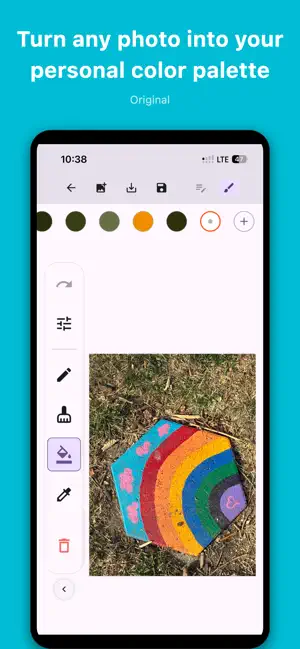
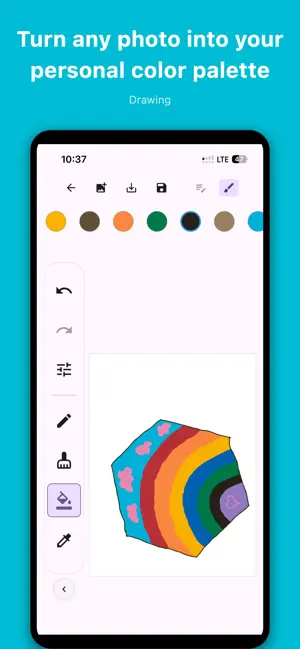
Pick-to-Draw turns any photo into your personal color palette — then gets out of your way so you can draw. How it works Pick a photo from your gallery. Pick-to-Draw instantly extracts the most prominent, distinct colors from it and builds you a custom palette. Then draw — every stroke uses colors that belong to your image, so your artwork always feels cohesive and inspired. Two layers, one canvas Work like a real artist. Rough out your ideas on the Sketch layer first, then trace over them on the Ink layer for clean final linework. Toggle between layers in a single tap — both are always visible at once. A toolkit that stays out of the way - Pen — draw freely with adjustable thickness - Eraser — clean up without losing your work - Fill — flood-fill any area in one tap - Eyedropper — sample any color already on canvas - Custom colors — mix your own RGB color and add it to your palette - Undo / Redo — step back and forward through every action Reference image overlay Keep your source photo visible as a transparent overlay while you draw. Adjust its opacity to see exactly as much or as little as you need. Background removal (iPhone & iPad, iOS 17+) Remove the background from your reference photo in one tap — so your palette and linework focus on the subject, not the clutter behind it. Advanced palette control Fine-tune how colors are extracted: set palette size, adjust color merging sensitivity, boost vivid colors, or hunt for subtle accent tones. You're always in control of your palette. Projects Save your work as named projects and pick up exactly where you left off. Your canvas, layers, palette, and reference image are all preserved. Save to Gallery Export your finished artwork as a full-resolution image directly to your photo library. Light & Dark mode Fully supports system light and dark themes. Whether you're a hobbyist, manga artist, portrait painter, or just getting started, Pick-to-Draw helps you create art inspired by the world around you!
What’s new
Version 1.2.1 · Updated August 26, 2026
• New: Duplicate a project to try a new palette without losing the original • New: Save a color palette and reuse it in any project • New: Version history in the About screen
App privacy
The developer, Jun Park, reported these privacy practices to Apple.
Data Not Collected
The developer does not collect any data from this app.
Alternatives to Pick-to-Draw: Photo Palette
Looking for apps like Pick-to-Draw: Photo Palette? Here are 6 similar apps on the App Store.
-
 Hexnut: Hex Color Picker
-
 まほうのぬりえメーカー
-
 Trazu: Paint, Sketch, Draw
-
 iSquiggle
-
 VibeSketch - AI Mood Canvas
-
 Palettia - Photo Color Pick
| App | Rating | Price | Last updated | Compare |
|---|---|---|---|---|
| Pick-to-Draw: Photo Palette | 5.0 / 5 (1 rating) | Free | August 26, 2026 | |
| Hexnut: Hex Color Picker | – | Free | Jun 29, 2026 | Compare |
| まほうのぬりえメーカー | – | Free | Oct 27, 2026 | Compare |
| Trazu: Paint, Sketch, Draw | – | Free | Oct 24, 2026 | Compare |
| iSquiggle | – | Free | Jul 22, 2026 | Compare |
| VibeSketch - AI Mood Canvas | – | Free | Nov 11, 2025 | Compare |
| Palettia - Photo Color Pick | – | Free | Oct 28, 2026 | Compare |