

Lumenicer · Video Light Panel
Alexander Zimmermann Photo & Video iPhoneiPadiPod touchApple Watch
Lumenicer · Video Light Panel is a free Photo & Video app for iPhone and iPad by Alexander Zimmermann. Rated 5.0/5 from 1 ratings. Requires iOS 26.0.
- Rating
- 5.0
- 1 ratings
- Price
- Free
- on the App Store
- Size
- 11 MB
- Age 4+
- Updated
- Oct 14
- 2026 · v1.6.0
Screenshots

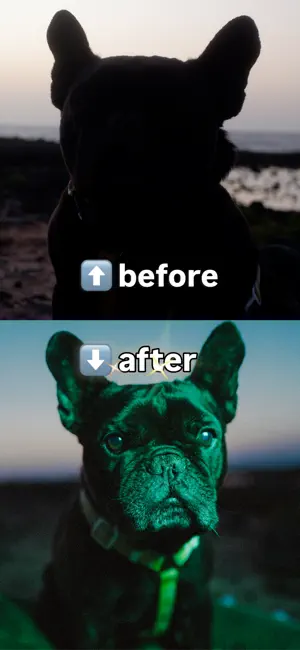


About Lumenicer · Video Light Panel
Lumenicer lets you use an iPhone, iPad or MacBook as a controllable light panel. Connect it to a TV or projector via AirPlay or HDMI and you get a much larger surface to light a scene with. Your iPhone and Apple Watch work as the remote, so you can adjust everything without walking back to the screen. I built it because I kept running into the same situation as a cinematographer: small productions, travel shoots, no budget for a proper light kit — but always a few screens within reach. It's free to use in Light Mode, and you can try the Pro features for 7 days before deciding anything. WHAT YOU CAN DO Light Mode (free, no time limit, no ads) · Set color temperature from warm candlelight to cool daylight (2800K–7500K) · Fine-tune green/magenta tint Color Mode (Pro) · Full color wheel to match a scene or set a mood — as saturated as your display can physically show · Save up to 10 colors so they stay consistent across shooting days · See / type in HSB, RGB, CMY and HEX values for each color Effects (Pro) · Live lighting effects you can send to your big screens: fireplace glow, police lights, party light, TV flicker, strobe, a slow pulse, a lava lamp and a two-color fade · I add new ones regularly EDR Boost (Pro) · Metal-powered ultra-bright mode. Pushes supported Apple displays beyond standard limits (up to 8x brighter) (Note: Peak brightness and duration depend on your specific device hardware, temperature, and battery level) A few details that matter on set: a locked fullscreen mode so nothing interrupts the light mid-take, no accidental screen dimming, effects that hold their direction when the phone rotates, haptic feedback and a clean, distraction-free layout. And you can put Lumenicer in Control Center, on the Lock Screen or on the Action button — one tap and the light is on, or straight into Boost when you need maximum output right now. PRO Light Mode stays free forever. Pro unlocks Color Mode, all effects and EDR Boost. Start with a 7-day free trial — monthly, annual or a one-time lifetime option. Found a bug or have an idea? Email me at [email protected] with your device and iOS version. I read everything and it genuinely helps. Terms of Use (EULA): https://www.apple.com/legal/internet-services/itunes/dev/stdeula/ Privacy Policy: https://lumenicer.app/privacy
What’s new
Version 1.6.0 · Updated October 14, 2026
Thanks for all the great feedback!!! Here's what's new and improved in Version 1.6.0: · New: Lumenicer now speaks more languages — English, German, Spanish, French, Italian and Portuguese · New: optimized for iPhone Duo — on the outer and the inner display · Improved: ready for iOS 27 · Improved: Lava Lamp and Fade keep each color on the side you set it, even when you rotate your device · Fixed: turning an effect off from your Apple Watch now turns the screen fully dark · Fixed: various bugs, plus performance improvements Enjoy the update!
App privacy
The developer, Alexander Zimmermann, reported these privacy practices to Apple.
Data Not Collected
The developer does not collect any data from this app.
Alternatives to Lumenicer · Video Light Panel
Looking for apps like Lumenicer · Video Light Panel? Here are 6 similar apps on the App Store. The highest rated is ShutterFlow (5.0/5), and all 6 are free to download.


| App | Rating | Price | Last updated | Compare |
|---|---|---|---|---|
| Lumenicer · Video Light Panel | 5.0 / 5 (1 rating) | Free | October 14, 2026 | |
| PhotoLight Pro | – | Free | Aug 5, 2025 | Compare |
| Swallery | – | Free | Oct 29, 2026 | Compare |
| ShutterFlow | 5.0 / 5 (2) | Free | Mar 24, 2026 | Compare |
| Glowfie: The Pocket Light | – | Free | Aug 17, 2026 | Compare |
| video-light | 5.0 / 5 (2) | Free | Sep 12, 2025 | Compare |
| Light Kit Pro | 5.0 / 5 (1) | Free | Apr 2, 2026 | Compare |