

eSign PDF: Sign & Fill
QUANTUMPARADOX STUDIO PRIVATE LIMITED Business iPhoneiPadiPod touch
eSign PDF: Sign & Fill is a free Business app for iPhone and iPad by QUANTUMPARADOX STUDIO PRIVATE LIMITED. Rated 5.0/5 from 1 ratings. Requires iOS 26.0.
- Rating
- 5.0
- 1 ratings
- Price
- Free
- on the App Store
- Size
- 23 MB
- Age 4+
- Updated
- Oct 5
- 2026 · v2.2.6
Screenshots


About eSign PDF: Sign & Fill
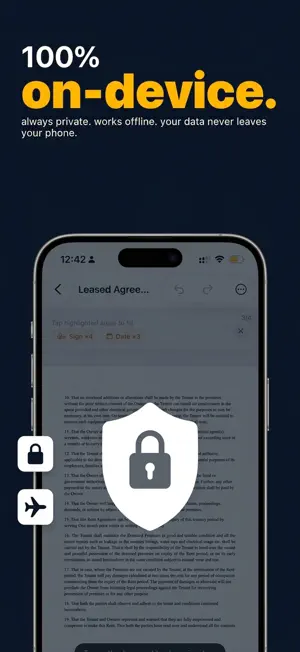
Sign and fill PDFs in seconds — without printing, scanning, or creating an account. AI auto-detects form fields so you can tap and type. Draw your signature, type it, or import from a photo. Everything stays on your device. WHY ESIGN PDF AI AUTO-FILLS PDF FORMS Tap a PDF and watch fillable fields appear. Text boxes, checkboxes, signature lines, dates — detected with on-device Vision AI. No server uploads. SIGN IT YOUR WAY • Draw with Apple Pencil or finger — multi-stroke, palm rejection • Type your name in handwriting-style fonts • Import a signature from a photo — background auto-removed • Save multiple signatures and reuse them FILL ANY FORM • Tap a field to type. Dates can auto-fill today • Checkboxes, initials, stamps, text boxes, drawings • Place anywhere, resize freely PRIVACY THAT’S ACTUALLY PRIVATE • 100% on-device processing — no server uploads • No account required • Works completely offline • Optional iCloud backup (your Apple account, your keys) TAMPER-PROOF EXPORT Export a flattened PDF so signatures become permanent. Tamper-evident verification included. PRICING • Weekly: $4.99/week • Yearly: $29.99/year • Lifetime: $59.99 one-time Try your first export free. Unlock full access with Weekly, Yearly, or Lifetime. Prices may vary by region; see the purchase screen for your storefront. Payment is charged to your Apple ID. Subscriptions renew automatically unless cancelled at least 24 hours before the end of the period. Manage or cancel in Settings → Apple ID → Subscriptions. Perfect for freelancers, renters, and anyone who signs leases, contracts, NDAs, invoices, job applications, or school forms. Questions? Email [email protected] — a human will reply. Terms of Use: https://www.apptodesign.com/esign-pdf/terms/ Privacy Policy: https://www.apptodesign.com/esign-pdf/privacy/
What’s new
Version 2.2.6 · Updated October 5, 2026
Signature Quality Improved Faster path: open a PDF → fill → sign → flatten → share Clearer on-device signing — no account required Stability and bug fixes
App privacy
The developer, QUANTUMPARADOX STUDIO PRIVATE LIMITED, reported these privacy practices to Apple.
Data Not Collected
The developer does not collect any data from this app.
Alternatives to eSign PDF: Sign & Fill
Looking for apps like eSign PDF: Sign & Fill? Here are 6 similar apps on the App Store.
-
 ZentoPDF: Edit, Sign & Fill
-
 Carryover: Capture to Delivery
-
 eSign: Sign & Fill PDF
-
 eSign PDF – Fill & Sign
-
 QuickSign: Sign PDF & eSign
-
 Sign Documents - E Signature
| App | Rating | Price | Last updated | Compare |
|---|---|---|---|---|
| eSign PDF: Sign & Fill | 5.0 / 5 (1 rating) | Free | October 5, 2026 | |
| ZentoPDF: Edit, Sign & Fill | – | Free | Apr 15, 2026 | Compare |
| Carryover: Capture to Delivery | – | Free | Jun 30, 2026 | Compare |
| eSign: Sign & Fill PDF | – | Free | Jul 21, 2026 | Compare |
| eSign PDF – Fill & Sign | – | Free | May 16, 2026 | Compare |
| QuickSign: Sign PDF & eSign | – | Free | Oct 29, 2026 | Compare |
| Sign Documents - E Signature | – | Free | Aug 6, 2026 | Compare |