

Videk Director
Andrei Nevar Photo & Video iPhoneiPadiPod touchMac
Videk Director is a free Photo & Video app for iPhone and iPad by Andrei Nevar. Requires iOS 18.6. Updated October 21, 2026.
- Price
- Free
- on the App Store
- Size
- 13 MB
- Age 4+
- Updated
- Oct 21
- 2026 · v2.0
Screenshots


About Videk Director
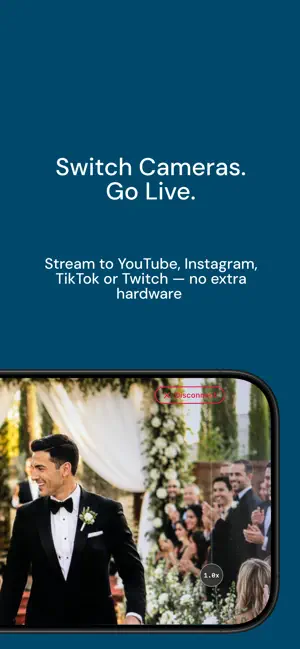
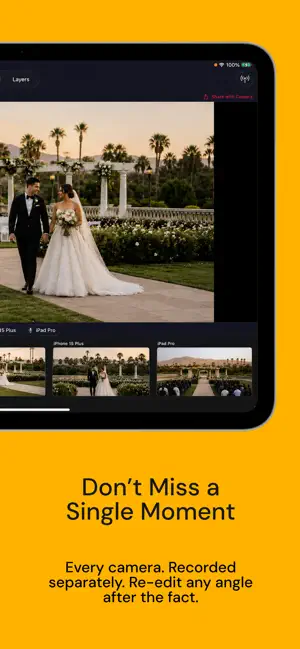
Videk Director is the command center of the Videk multi-camera system - a professional production suite built entirely from your existing iPhones and iPads. Pair with the free Videk Camera app (installed on any iPhone or iPad you want to use as a camera source), and you have a fully controllable multi-camera studio in your pocket. No dongles, no capture cards, no extra hardware. Just your Apple devices and a Wi-Fi network. CONTROL ALL YOUR CAMERAS FROM ONE DEVICE See every connected camera in a live grid and tap to switch your program source instantly. Monitor all feeds in real time with decoded H.264 video. Choose which camera's microphone is active - or use the Director device's own mic. LIVE OVERLAYS Add text and image overlays to your program output in real time. Import PNGs or animated GIFs from your photo library, drag to position, pinch to scale, rotate freely, and adjust opacity. Overlays persist across sessions so your branded graphics are always ready. SESSION RECORDING - RECORD EVERYTHING, EDIT LATER Record all camera sources simultaneously as individual video tracks. The Director tracks which camera you selected at every moment. After your shoot, review the full multi-track session, change camera selections in the timeline, and export a finished MP4 — all without leaving the app. LIVE STREAMING VIA RTMP Stream directly to YouTube, Twitch, Instagram, TikTok, or any custom RTMP destination. Choose 720p, 1080p, or 4K output with H.264 or HEVC encoding. Adaptive bitrate keeps your stream stable even as network conditions change. VIDEO COMPOSITING Built-in GPU-accelerated compositor with multiple layout modes: single camera full-screen, side-by-side, or a full multi-camera grid - all with Metal-accelerated rendering and aspect-ratio-preserving letterboxing. ZERO CONFIGURATION NETWORKING Devices discover each other automatically over your local Wi-Fi via Bonjour. No internet required. Your video never leaves your network unless you explicitly stream it out. Share a 6-digit session code with each Camera device and you're live in seconds. REQUIRES VIDEK CAMERA Videk Director works as part of the Videk two-app system. Install Videk Camera (free, separate download) on every iPhone or iPad you want to use as a camera source. PERFECT FOR: • Live events - concerts, conferences, ceremonies • Content creation - YouTube, podcasts, tutorials • Weddings and celebrations • Sports and performances • Houses of worship • Education and lectures • Real estate walk-throughs TECHNICAL SPECS: • Requires iOS 17.0 or later • Output: up to 4K at 60 fps • Streaming: RTMP to YouTube, Twitch, Instagram, TikTok, or custom server • Recording: MP4 per-source tracks with editable timeline • Video: H.264 or HEVC with adaptive bitrate • Audio: 64–320 kbps, selectable source • Networking: Bonjour + custom TCP, local Wi-Fi only PRIVACY: All video processing happens on-device. Camera streams travel only over your local network. No accounts, no sign-ups, no tracking. Your data stays yours TERMS OF USE: https://videk.app/terms
What’s new
Version 2.0 · Updated October 21, 2026
Videk 2.0 — a smarter control room. • Overlays now open right beside the program picture on iPad and Mac, so you can keep switching cameras while you edit them. • Recorded sessions show every camera's video playing in sync, with the camera on air highlighted. • Timed switching: give each camera its own time on air and build your own order, like 1, 2, 1, 3. • Random switching: set the shot length, how often each camera comes up, and an optional home camera to return to between shots. • Motion Detect: adjustable sensitivity with live motion meters, per-camera priority, a minimum shot length, and a camera to cut to when it's quiet. • Switching settings are remembered between sessions, with Reset to Default in each panel. • COMP and LIMT buttons under the level meter switch the compressor and limiter on in one tap. • Camera connections are now encrypted. • A redesigned top bar, sliders and toggles. • Smoother recording with many cameras: no more freeze when you start or stop. Videk Director 2.0 works with Videk Camera 2.0. Older cameras are asked to update from the App Store.
App privacy
The developer, Andrei Nevar, reported these privacy practices to Apple.
Data Not Linked to You
The following data, which may be collected but is not linked to your identity, may be used for the following purposes:
- Identifiers: Device ID
- Usage Data: Product Interaction
- Diagnostics: Crash Data, Performance Data
Used for: Analytics
Alternatives to Videk Director
Looking for apps like Videk Director? Here are 6 similar apps on the App Store. The highest rated is Mevo Studio (4.7/5), and all 6 are free to download.
-
 Live Switcher Mobile
3.5
-
 TopDirector (NDI,SRT,UVC,RTSP)
4.1
-
 Switcher: Live Streaming App
4.6
-
 Larix Broadcaster: Live Stream
3.6
-
 Mevo Studio
4.7
-
 CameraFi Live
4.4
| App | Rating | Price | Last updated | Compare |
|---|---|---|---|---|
| Videk Director | – | Free | October 21, 2026 | |
| Live Switcher Mobile | 3.5 / 5 (15) | Free | Sep 13, 2026 | Compare |
| TopDirector (NDI,SRT,UVC,RTSP) | 4.1 / 5 (114) | Free | Oct 15, 2026 | Compare |
| Switcher: Live Streaming App | 4.6 / 5 (2,368) | Free | Oct 20, 2026 | Compare |
| Larix Broadcaster: Live Stream | 3.6 / 5 (131) | Free | Oct 12, 2026 | Compare |
| Mevo Studio | 4.7 / 5 (2,503) | Free | Sep 28, 2026 | Compare |
| CameraFi Live | 4.4 / 5 (316) | Free | Oct 21, 2026 | Compare |
Compare Videk Director with the top alternatives: ratings, updates, ASO score and keyword gaps →