

Photo to PDF Converter, Maker
Mustafa Utku Coskun Productivity iPhoneiPadiPod touch
Photo to PDF Converter, Maker is a free Productivity app for iPhone and iPad by Mustafa Utku Coskun. Requires iOS 17.6. Updated May 6, 2026.
- Price
- Free
- on the App Store
- Size
- 11 MB
- Age 4+
- Updated
- May 6
- 2026 · v6.81.1
Screenshots
About Photo to PDF Converter, Maker
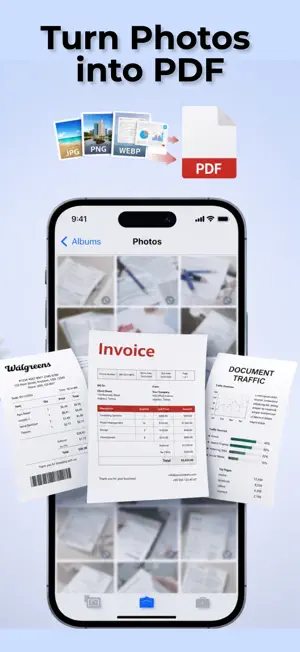
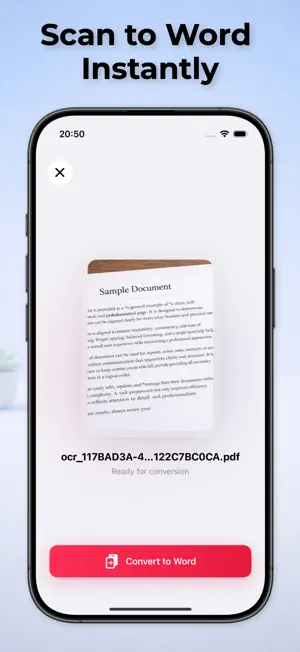
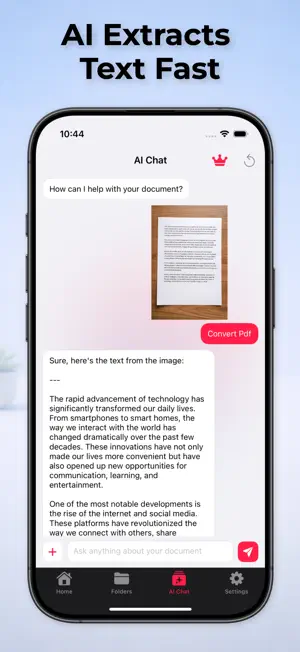
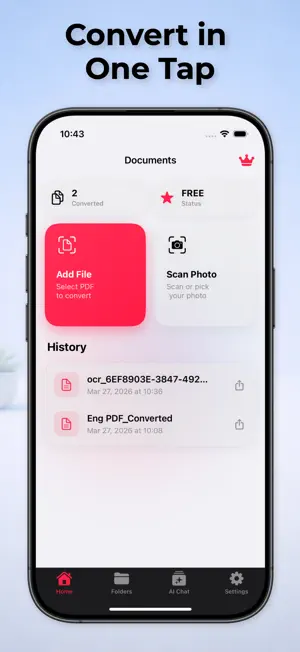
Professional Photo to PDF Conversion and Document Management. Transform your visual content into high-quality, industry-standard PDF documents with precision. This file converter provides a seamless transition from images to editable and shareable document formats, ensuring that resolution and layout integrity are maintained throughout the process. Designed for business professionals, students, and administrative experts, this tool optimizes your digital workflow by eliminating manual data entry. Technical Precision and Document Scanning Equipped with advanced Optical Character Recognition (OCR), this converter extracts text from images and scans with exceptional accuracy. Whether you are digitizing receipts, contracts, or handwritten notes, the output is a clean, organized, and professional file ready for archival or distribution. Comprehensive Feature Set: High-Fidelity Image Conversion: Convert JPG, PNG, and HEIC files into professional PDF documents without quality loss. Integrated Document Scanner: Utilize the camera to capture physical documents, whiteboards, and business cards with automatic edge detection. Advanced Image Editor: Crop, rotate, and adjust contrast or brightness to ensure every scan is perfectly legible before conversion. Batch Processing: Save time by converting large volumes of images simultaneously with a high-performance processing engine. Document Security: Add professional digital signatures and fill out forms directly within the interface for a complete paperless experience. File Organization: Merge multiple PDF files into a single document or split large files into individual pages for better management. Optimization Tools: Compress files for efficient sharing via email or cloud storage while preserving text sharpness and image clarity. Cloud Integration: Import from and export to major storage providers to keep your documents accessible and synchronized. Designed for Efficiency and Privacy The interface is built for speed and reliability, focusing on a zero-friction user experience. We prioritize data security; all document processing is handled with the highest standards of privacy, ensuring your sensitive information remains protected. Streamline your document management and handle your professional files with the accuracy they deserve. Download Photo to PDF Converter Maker today. Note: Creating PDFs requires a subscription. Free access is limited, and premium features are available via in-app purchase. Terms of Use - https://www.apple.com/legal/internet-services/itunes/dev/stdeula/ Privacy Policy - https://sites.google.com/view/phototopdfptp/privacy-policy
What’s new
Version 6.81.1 · Updated May 6, 2026
Bugs Fixed.
App privacy
The developer, Mustafa Utku Coskun, reported these privacy practices to Apple.
Data Used to Track You
The following data may be used to track you across apps and websites owned by other companies:
- Identifiers: User ID, Device ID
- Usage Data: Product Interaction, Advertising Data
Data Linked to You
The following data, which may be collected and linked to your identity, may be used for the following purposes:
- Identifiers: User ID, Device ID
- Usage Data: Product Interaction, Advertising Data
Used for: Developer’s Advertising or Marketing, Analytics
Alternatives to Photo to PDF Converter, Maker
Looking for apps like Photo to PDF Converter, Maker? Here are 6 similar apps on the App Store.
-
 OilMo
OilMo
-
 Liefer-Max
-
 PDF Scanner: Scan Docs - Lumi
-
 PDF AI: Reader, Scanner & Chat
-
 PDF Editor: Scan & Compress
-
 PDF Scanner & Editor: Privio
| App | Rating | Price | Last updated | Compare |
|---|---|---|---|---|
| Photo to PDF Converter, Maker | – | Free | May 6, 2026 | |
| OilMo | – | Free | Nov 16, 2023 | Compare |
| Liefer-Max | – | Free | Aug 22, 2024 | Compare |
| PDF Scanner: Scan Docs - Lumi | – | Free | May 14, 2026 | Compare |
| PDF AI: Reader, Scanner & Chat | – | Free | Jun 2, 2026 | Compare |
| PDF Editor: Scan & Compress | – | Free | Aug 4, 2026 | Compare |
| PDF Scanner & Editor: Privio | – | Free | Aug 16, 2026 | Compare |