

PDF AI: Chat, Edit & Sign
Yusuf Omer Erem Productivity iPhoneiPadiPod touch
PDF AI: Chat, Edit & Sign is a free Productivity app for iPhone and iPad by Yusuf Omer Erem. Requires iOS 17.0. Updated October 13, 2026.
- Price
- Free
- on the App Store
- Size
- 34 MB
- Age 4+
- Updated
- Oct 13
- 2026 · v1.08
Screenshots
Save to Pinterest


About PDF AI: Chat, Edit & Sign
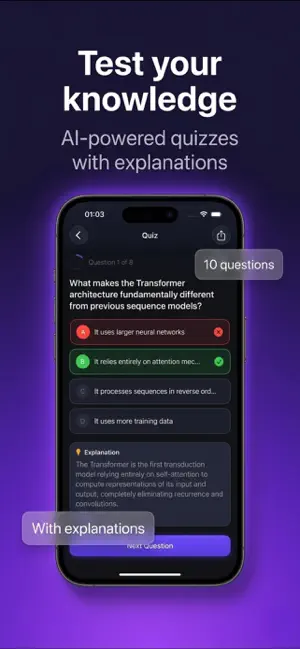
PDF AI transforms any PDF into powerful study materials using advanced AI. Whether you're a student, researcher, or professional, PDF AI helps you understand documents faster and study smarter. CHAT WITH YOUR PDFs Ask any question about your PDF and get instant, accurate answers with page references. The AI understands context across your entire document, so you can have natural conversations about complex topics. AI STUDY TOOLS Generate comprehensive study materials from any PDF with a single tap: - Summary: Concise overview with key points and page citations - Detailed Summary: In-depth analysis with headings, data, and conclusions - Study Notes: Organized bullet-point notes with key concepts - Flashcards: Interactive Q&A cards for active recall practice - Quiz: Multiple-choice questions with explanations to test your knowledge - Glossary: Key terms and definitions extracted from the document - Key Insights: The most important findings and takeaways MULTI-LANGUAGE SUPPORT Generate all AI content in 10 languages: English, Turkish, Spanish, French, German, Arabic, Chinese, Japanese, Korean, and Portuguese. OCR TEXT EXTRACTION Extract text from scanned PDFs and image-based documents using Apple Vision framework. Works offline with high accuracy. MULTI-DOCUMENT WORKSPACE Create workspaces to chat across multiple PDFs simultaneously. Perfect for research projects, exam prep, or comparing documents. PDF & IMAGE TOOLS A complete toolkit for document management: - PDF to JPG, Merge PDFs, Split PDF, Compress PDF, Rotate PDF - Image conversion: HEIC, PNG, JPG, WebP - Image resize, Images to PDF, TXT to PDF PRIVACY FIRST Your PDF files stay on your device. When you use AI features, only the text needed for your request is sent securely for processing, and we don't store your documents. SUBSCRIPTION INFORMATION PDF AI Premium unlocks AI chat with your PDFs, all AI study tools, PDF editing and signing. Subscription auto-renews unless cancelled at least 24 hours before the end of the current period. Payment will be charged to your iTunes Account at confirmation of purchase. Privacy Policy: https://pdfaiapp.github.io/privacy Terms of Use: https://pdfaiapp.github.io/terms
What’s new
Version 1.08 · Updated October 13, 2026
What's new in PDF AI 1.08: • New scanner: every page stops for review — adjust the corners, retake it or add the next page • Subscriptions activate right away, and choosing the yearly plan is clearer • Edit PDF text: replace, erase or add text, with undo • Faster and more stable: smoother scrolling, quicker AI replies and many fixes
App privacy
The developer, Yusuf Omer Erem, reported these privacy practices to Apple.
Data Not Collected
The developer does not collect any data from this app.
Alternatives to PDF AI: Chat, Edit & Sign
Looking for apps like PDF AI: Chat, Edit & Sign? Here are 6 similar apps on the App Store.
-
 ChatPDF: AI PDF Summarizer
-
 PDF AI: Chat & Summarize
-
 Chat PDF AI: Summary & Quiz
-
 Diksiyon
-
 Satr PDF: Arabic Editor
-
 Minutely: AI Voice Recorder
| App | Rating | Price | Last updated | Compare |
|---|---|---|---|---|
| PDF AI: Chat, Edit & Sign | – | Free | October 13, 2026 | |
| ChatPDF: AI PDF Summarizer | – | Free | Oct 17, 2026 | Compare |
| PDF AI: Chat & Summarize | – | Free | Jun 24, 2026 | Compare |
| Chat PDF AI: Summary & Quiz | – | Free | Nov 7, 2026 | Compare |
| Diksiyon | – | 0.99 USD | Jun 7, 2026 | Compare |
| Satr PDF: Arabic Editor | – | Free | Oct 18, 2026 | Compare |
| Minutely: AI Voice Recorder | – | Free | Sep 11, 2026 | Compare |