

CatchPDF: AI Editor, Converter
hasan cemre kaplan Productivity iPhoneiPadiPod touch
CatchPDF: AI Editor, Converter is a free Productivity app for iPhone and iPad by hasan cemre kaplan. Requires iOS 15.1. Updated April 20, 2026.
- Price
- Free
- on the App Store
- Size
- 103 MB
- Age 4+
- Updated
- Apr 20
- 2026 · v1.6.0
Screenshots
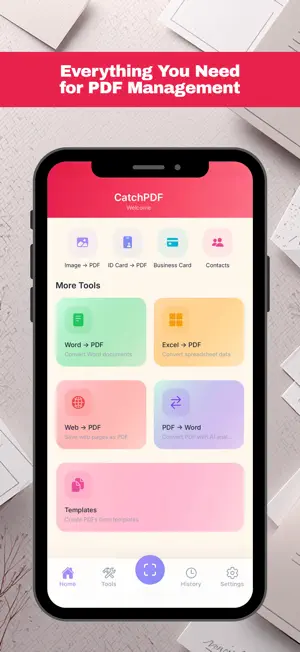


About CatchPDF: AI Editor, Converter
CatchPDF is your all-in-one AI-powered document management hub. Convert photos, notes, and text into perfect PDF files in seconds. Whether you're a student or a business professional, boost your productivity with CatchPDF's next-generation tools. AI-POWERED FEATURES • AI Doc Builder: Simply describe what you need, and the AI will draft contracts, reports, or letters and turn them into professional PDFs instantly. • Chat with PDF: No time to read a long file? Ask your PDF questions and get summaries, key points, and extracted tables in seconds. SMART SCANNER & OCR • Document Scanner: Scan your receipts, invoices, or contracts in high quality using your device's camera. • Precise OCR: Extract text from scanned documents, copy it, or translate it. • Business Card Scanner: Scan business connections and directly save contacts to your phone. POWERFUL PDF EDITING • Merge & Split: Separate pages or combine different files into one. • Sign & Watermark: Digitally sign your documents or add custom text watermarks. • Encrypt: Protect your sensitive PDFs with secure passwords. • Reorder & Rotate: Easily change page order with drag and drop. • Compress: Reduce large PDF sizes to save space without losing quality. • Converters: Image to PDF, Word to PDF, Excel to PDF, and more. TOKEN SHOP & PREMIUM SUBSCRIPTION CatchPDF offers flexible models tailored to your needs: • Premium Subscription: Enjoy unlimited document creation, ad-free experience, and unrestricted access to all AI tools with a Monthly or Yearly plan. Save big with the annual option! • Token System (Pay-As-You-Go): Don't want a subscription? Just pay for what you use! Buy "Tokens" from the Token Shop to use AI tools, OCR, and advanced document converters whenever you need them. Your tokens never expire! Download CatchPDF now and experience the AI revolution in mobile document management! Terms of Use: https://catchpdf.app/terms.html Privacy Policy: https://catchpdf.app/privacy.html
What’s new
Version 1.6.0 · Updated April 20, 2026
PDF to Word Conversion — Rebuilt from Scratch! • New AI-powered conversion engine: Tables, headings, and formatting are perfectly preserved. • Faster conversion: Completes in about 15 seconds on average. • Automatic landscape page support for wide tables. AI Performance Improvements • AI Doc Builder and PDF editing now produce higher quality output. • Timeout errors fixed for a more stable AI experience. Bug Fixes & Improvements • General stability and performance enhancements.
App privacy
The developer, hasan cemre kaplan, reported these privacy practices to Apple.
Data Not Linked to You
The following data, which may be collected but is not linked to your identity, may be used for the following purposes:
- Identifiers: Device ID
Used for: App Functionality
Alternatives to CatchPDF: AI Editor, Converter
Looking for apps like CatchPDF: AI Editor, Converter? Here are 6 similar apps on the App Store. The highest rated is Kairox: Quit Doomscrolling (5.0/5), and all 6 are free to download.
-
 Tiny Thinkys
-
 Kairox: Quit Doomscrolling
5.0
-
 Detachd: Screen Time Control
4.4
-
 Sqroll: Screen Time Control
3.0
-
 Festina e-learning
-
 Dahi Ders Evi
| App | Rating | Price | Last updated | Compare |
|---|---|---|---|---|
| CatchPDF: AI Editor, Converter | – | Free | April 20, 2026 | |
| Tiny Thinkys | – | Free | Jul 1, 2026 | Compare |
| Kairox: Quit Doomscrolling | 5.0 / 5 (4) | Free | Aug 10, 2026 | Compare |
| Detachd: Screen Time Control | 4.4 / 5 (5) | Free | Jul 22, 2026 | Compare |
| Sqroll: Screen Time Control | 3.0 / 5 (2) | Free | Sep 9, 2026 | Compare |
| Festina e-learning | – | Free | Jul 3, 2024 | Compare |
| Dahi Ders Evi | – | Free | Aug 14, 2026 | Compare |