

Sign PDF & Document Scanner
ProcessFlow, Inc. Business iPhoneiPadiPod touch
Sign PDF & Document Scanner is a free Business app for iPhone and iPad by ProcessFlow, Inc. Requires iOS 17.0. Updated April 28, 2026.
- Price
- Free
- on the App Store
- Size
- 27 MB
- Age 4+
- Updated
- Apr 28
- 2026 · v1.2.3
Screenshots

About Sign PDF & Document Scanner
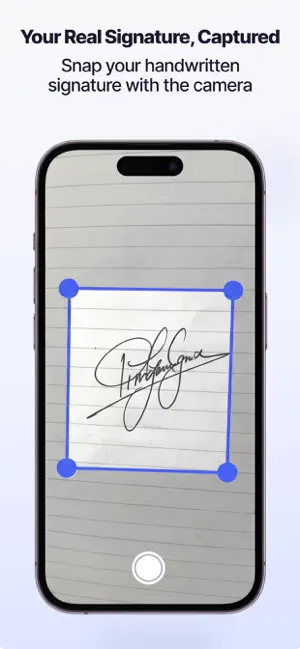
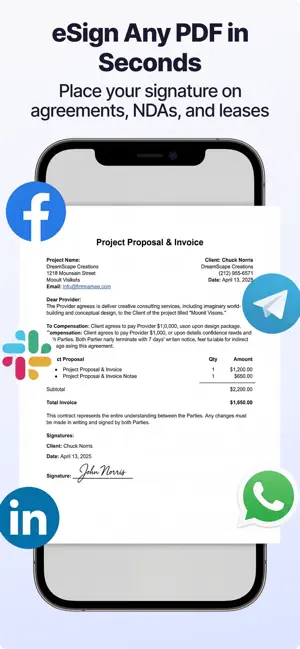
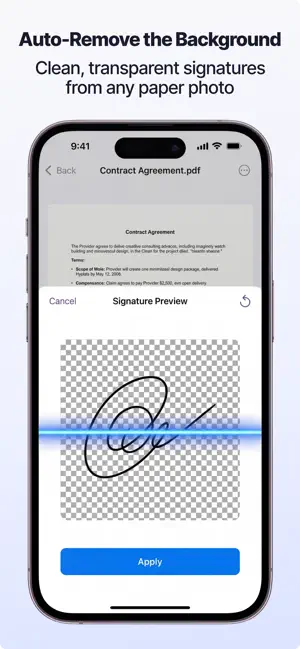
Signature Maker lets you create a professional e-signature from your handwritten signature, then use it to sign PDF documents — all on your device. HOW IT WORKS 1. Write your signature on paper 2. Take a photo or pick from your library 3. AI instantly removes the background 4. Place your signature on any PDF KEY FEATURES • Signature Scanner — Capture your real handwritten signature with your camera • AI Background Removal — Clean, transparent signature in one tap • PDF Signing — Drag & drop your signature onto any PDF • Document Scanner — Scan physical documents with your camera • Draw & Write — Add notes and drawings on your documents • AI Document Review — Get a quick summary before you sign important contracts • Smart Search — Find documents by searching for words inside them • Folder Organization — Keep your documents organized • Face ID / Touch ID — Lock your documents with your face or fingerprint • 100% Private — No account required. Your signatures and documents never leave your phone WHY SIGNATURE MAKER? Unlike DocuSign or SignNow, Signature Maker works completely offline with no account required. Your documents stay private on your device. Perfect for signing contracts, forms, invoices, and any PDF that needs your handwritten signature. SUBSCRIPTION Signature Maker Pro unlocks signing, scanning, export, smart search, AI review, and drawing tools. • Weekly: $6.99/week • Yearly: $39.99/year Payment will be charged to your Apple ID account at confirmation of purchase. Subscription automatically renews unless canceled at least 24 hours before the end of the current period. Your account will be charged for renewal within 24 hours prior to the end of the current period. Terms of Use: https://www.apple.com/legal/internet-services/itunes/dev/stdeula/ Privacy Policy: https://signaturemaker.14x.app/en/privacy
What’s new
Version 1.2.3 · Updated April 28, 2026
Bug fixes and performance improvements.
App privacy
The developer, ProcessFlow, Inc., reported these privacy practices to Apple.
Data Used to Track You
The following data may be used to track you across apps and websites owned by other companies:
- Identifiers: Device ID
Data Not Linked to You
The following data, which may be collected but is not linked to your identity, may be used for the following purposes:
- Identifiers: Device ID
- Purchases: Purchase History
- Usage Data: Product Interaction
- Diagnostics: Performance Data, Crash Data
Used for: Developer’s Advertising or Marketing, Analytics, App Functionality
Alternatives to Sign PDF & Document Scanner
Looking for apps like Sign PDF & Document Scanner? Here are 6 similar apps on the App Store. The highest rated is eSign PDF Documents: Signate (5.0/5), and all 6 are free to download.
-
 eSign PDF Documents: Signate
5.0
-
 Signature Maker - e Sign App
5.0
-
 SignScan: PDF Signer & Scanner
4.8
-
 PDF Editor Docs files scanner
4.1
-
 Sign Documents - DocInk
5.0
-
 Sign PDF documents
1.0
| App | Rating | Price | Last updated | Compare |
|---|---|---|---|---|
| Sign PDF & Document Scanner | – | Free | April 28, 2026 | |
| eSign PDF Documents: Signate | 5.0 / 5 (1) | Free | Sep 17, 2026 | Compare |
| Signature Maker - e Sign App | 5.0 / 5 (5) | Free | Sep 8, 2026 | Compare |
| SignScan: PDF Signer & Scanner | 4.8 / 5 (11) | Free | Sep 21, 2026 | Compare |
| PDF Editor Docs files scanner | 4.1 / 5 (18) | Free | Mar 26, 2026 | Compare |
| Sign Documents - DocInk | 5.0 / 5 (6) | Free | Oct 17, 2026 | Compare |
| Sign PDF documents | 1.0 / 5 (1) | Free | Aug 1, 2026 | Compare |