

Sign PDF documents
Emanuele Floris Productivity iPhoneiPadiPod touchMac
Sign PDF documents is a free Productivity app for iPhone and iPad by Emanuele Floris. Rated 1.0/5 from 1 ratings. Requires iOS 15.0. Updated August 1, 2026.
- Rating
- 1.0
- 1 ratings
- Price
- Free
- on the App Store
- Size
- 19 MB
- Age 4+
- Updated
- Aug 1
- 2026 · v5.0
Screenshots
About Sign PDF documents
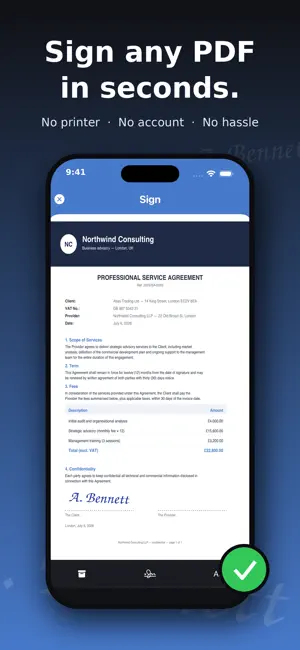
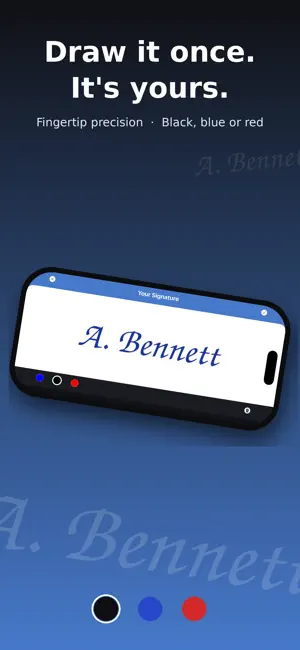
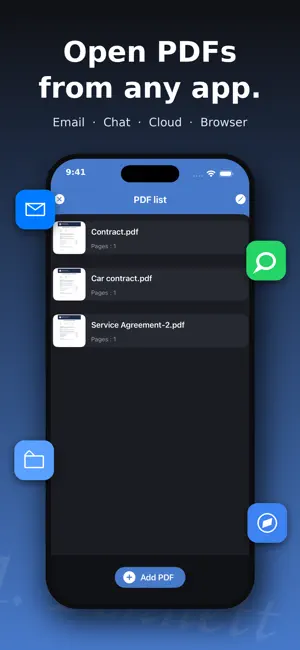
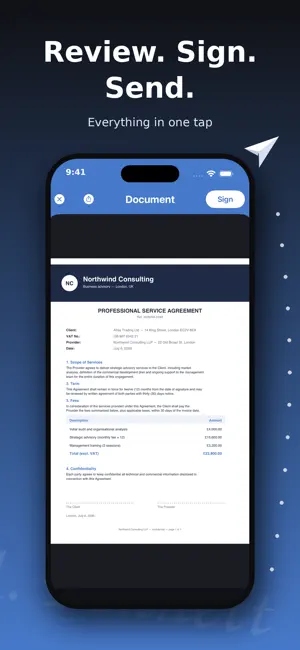
Sign any document in seconds — right from your iPhone and iPad. Got a contract by email? Sign it and send it back in under a minute: no printer, no scanner, no stress. SIGN IN 3 SIMPLE STEPS 1. Import any PDF or scan a paper document with your camera 2. Draw your signature with your finger — save it once, reuse it forever 3. Place it on the document, save and share EVERYTHING YOU NEED • Create and save multiple signatures and your initials • Built-in scanner: turn paper into a signable PDF • Add text and today's date with one tap • Fill and sign contracts, forms, quotes and leases • Sign multi-page documents, page by page • Your documents never leave your device: private and secure • Works offline — no account, no registration Perfect for freelancers, small businesses, real estate agents, HR — and anyone who hates printers. Download Sign PDF and sign your first document in less than a minute! Unlock all Sign PDF Pro features by choosing the plan that best fits your needs: Auto-Renewing Subscriptions * Monthly: Full access to all Pro features. * Yearly: Full access with a 3-day free trial. Subscription Details: * Payment will be charged to your iTunes account at confirmation of purchase. * Subscriptions automatically renew unless auto-renew is turned off at least 24 hours before the end of the current period. * Your account will be charged for renewal within 24 hours prior to the end of the current period. * You can manage your subscriptions and turn off auto-renewal by going to your Account Settings after purchase. * Any unused portion of a free trial period, if offered, will be forfeited when you purchase a subscription. One-Time Purchase * Lifetime Access: A one-time payment for lifetime access to all Pro features of Sign PDF. No recurring fees. Pro features include: unlimited signed documents, built-in document scanner, and an ad-free experience. Legal Information * Privacy Policy: https://www.freeprivacypolicy.com/privacy/view/000ea101de4e771dc9cc10e883deab0c * Terms of Use: https://www.apple.com/legal/internet-services/itunes/dev/stdeula/
What’s new
Version 5.0 · Updated August 1, 2026
• Sign multiple pages of the same PDF in one go • New page indicator and thumbnail grid to jump straight to the right page • Improved design and many small fixes
App privacy
The developer, Emanuele Floris, reported these privacy practices to Apple.
Data Used to Track You
The following data may be used to track you across apps and websites owned by other companies:
- Location: Coarse Location
- Identifiers: Device ID
- Usage Data: Product Interaction, Advertising Data
- Diagnostics: Crash Data, Performance Data
Data Linked to You
The following data, which may be collected and linked to your identity, may be used for the following purposes:
- Location: Coarse Location
- Identifiers: Device ID
- Usage Data: Product Interaction, Advertising Data
- Diagnostics: Crash Data, Performance Data
Used for: Third-Party Advertising
Alternatives to Sign PDF documents
Looking for apps like Sign PDF documents? Here are 6 similar apps on the App Store. The highest rated is Signeasy: Sign PDF Documents (4.9/5), and all 6 are free to download.
-
 Sign Documents - eSign PDF
4.7
Sign Documents - eSign PDF
4.7
-
 Signeasy: Sign PDF Documents
4.9
Signeasy: Sign PDF Documents
4.9
-
 JetSign: Fill & Sign PDF Docs
4.9
JetSign: Fill & Sign PDF Docs
4.9
-
 Signature Maker & Esign Now
4.7
Signature Maker & Esign Now
4.7
-
 Sign Documents: Signica
4.2
Sign Documents: Signica
4.2
-
 e-signature app SIGNply
| App | Rating | Price | Last updated | Compare |
|---|---|---|---|---|
| Sign PDF documents | 1.0 / 5 (1 rating) | Free | August 1, 2026 | |
| Sign Documents - eSign PDF | 4.7 / 5 (158) | Free | Oct 16, 2026 | Compare |
| Signeasy: Sign PDF Documents | 4.9 / 5 (34,154) | Free | Oct 22, 2026 | Compare |
| JetSign: Fill & Sign PDF Docs | 4.9 / 5 (1,459) | Free | Sep 15, 2026 | Compare |
| Signature Maker & Esign Now | 4.7 / 5 (9,978) | Free | Oct 14, 2026 | Compare |
| Sign Documents: Signica | 4.2 / 5 (6) | Free | Oct 22, 2026 | Compare |
| e-signature app SIGNply | – | Free | Sep 25, 2026 | Compare |
Compare Sign PDF documents with the top alternatives: ratings, updates, ASO score and keyword gaps →