

OpenWRT Manager
ZhenHua Wu Utilities iPhoneiPadiPod touch
OpenWRT Manager is a paid Utilities app for iPhone and iPad by ZhenHua Wu. Rated 5.0/5 from 1 ratings. Requires iOS 15.0. Updated October 13, 2026.
- Rating
- 5.0
- 1 ratings
- Price
- 0.99 USD
- on the App Store
- Size
- 29 MB
- Age 4+
- Updated
- Oct 13
- 2026 · v1.7.1
Screenshots
About OpenWRT Manager
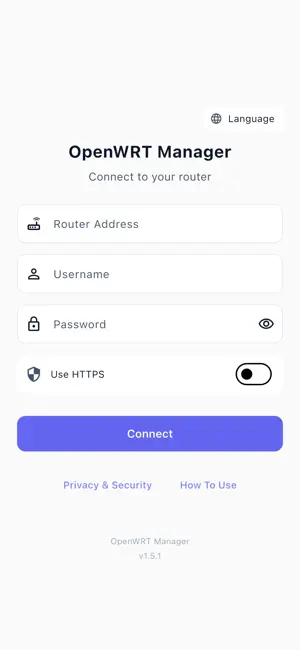
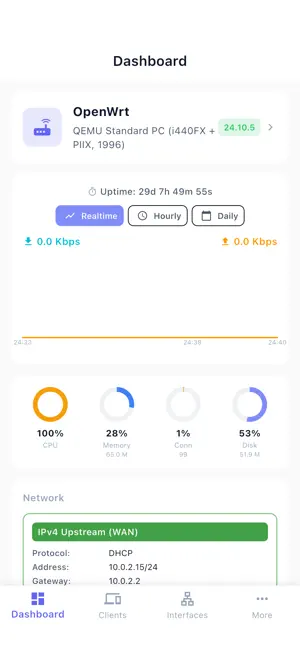
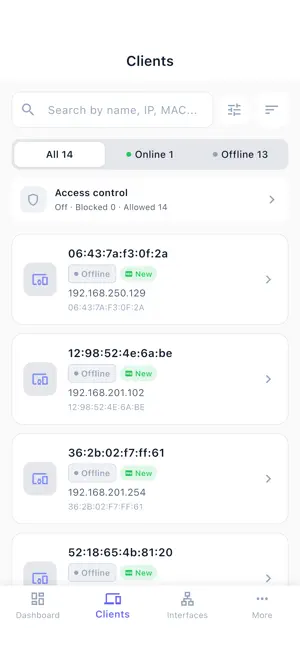
Take full control of your OpenWrt router — right from your iPhone. OpenWrt Manager is a native iOS app for home network administrators, parents, and power users who want complete visibility and control over every device on their local network. Smart Notifications That Reach You Anywhere • New-device alerts pushed to your iPhone the moment an unknown device joins your network — even when the app is closed • Both the toggle and the on-router agent install are explicit user actions; nothing runs in the background unless you ask • Notifications arrive in your preferred language • Smart de-duplication — the same device never bombards you with duplicates Manage Every Device on Your Network • Real-time list with IP, MAC, hostname, vendor, traffic usage, and connection type (wired/wireless/SSID) • Live "Online for" timer ticking by the second on every connected device • Sort by Name, IP, MAC, or online time — ascending or descending • Group devices into Family, Guest, IoT, Work, or your own custom groups • Static IP leases with optional custom gateway and DNS per device • Nickname any device for friendlier identification Per-Device Traffic Insights • Live download and upload speed for every connected device, shown right on the list under each row and refreshed automatically • Cumulative received / transmitted totals per device, preserved across router reboots when nlbwmon is enabled • Wireless devices additionally show the negotiated link rate alongside their live speed Powerful Access Control • Block — instantly cut off internet and LAN access for any device, one tap • LAN-only mode — allow local-network use while blocking the internet, perfect for IoT devices, kids' tablets, or guests • Custom gateway and DNS are automatically preserved during restrictions and seamlessly restored when lifted • Batch operations across multiple devices Scheduled Automation • Time-based rules to enable LAN-only or block mode on a schedule (e.g., block gaming consoles 9 PM–7 AM on school nights) • Per-device, per-day-of-week control • Rules take effect immediately, no waiting Full Router Dashboard • CPU, memory, storage, uptime, firmware version at a glance • Accurate link-speed detection for physical, bridge, PPPoE, and VLAN interfaces • Real-time and historical bandwidth charts per interface and per device • Per-port status: up/down, speed, traffic counters Network Configuration • WAN / LAN: DHCP, PPPoE, static IP, subnet, gateway, DNS • WiFi: enable/disable radios, change SSID, password, channel, TX power • Port forwarding (DNAT rules) • Firewall reload on demand Router Maintenance & Diagnostics • One-tap reboot, restart network, reload firewall, restart WiFi • Ping, DNS lookup, WAN reachability check, system log viewer Privacy First • Local-first by default — communicates only with your router on your LAN; no account, no signup, no telemetry • No third-party SDKs — no Firebase, no Google services, no analytics, no ad trackers, no crash reporting • Cloud push is optional and minimal — only when you enable it; uploads your APNs token, locale, and new-device events to our own backend (Cloudflare Worker → APNs). No browsing history, no traffic content. Disable any time. • HTTPS supported for the router connection • Full disclosure in our Privacy Policy Terms of Use (EULA): https://www.apple.com/legal/internet-services/itunes/dev/stdeula/
What’s new
Version 1.7.1 · Updated October 13, 2026
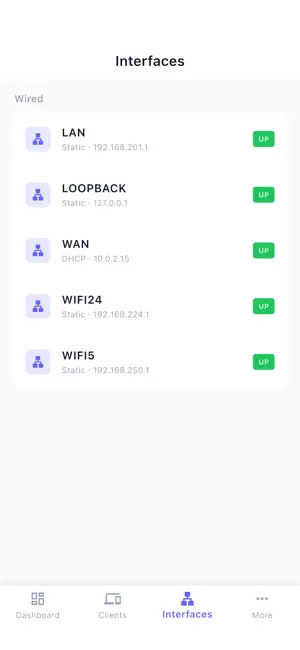
What's New in 1.7.1 • New Tools tab: the internet on/off switch and your most-used features — parental controls, Wi-Fi networks, remote access, speed test, diagnostics and maintenance — one tap from the tab bar. • Remote Access: see Cloudflare Tunnel, Tailscale and WireGuard on one page, with live status and a switch for each. • Interfaces now live on the dashboard, with traffic and link speed for each port. • Router-wide IPv6 switch in network settings. • Tap the active sort option again to reverse the order. • Wi-Fi settings now support automatic channels and keep security modes and transmit power the app doesn't list, without overwriting them. • Wi-Fi status now shows correctly on OpenWrt 25.12. • Fixes: interface details open instantly; the internet switch no longer flickers on load; routers sharing the same address are told apart; Cloudflare Access tokens follow the router address
App privacy
The developer, ZhenHua Wu, reported these privacy practices to Apple.
Data Not Collected
The developer does not collect any data from this app.
Alternatives to OpenWRT Manager
Looking for apps like OpenWRT Manager? Here are 6 similar apps on the App Store. The highest rated is Aquarium Planner & Tank Math (5.0/5), and 5 of the 6 are free to download.
-
 Aquarium Planner & Tank Math
5.0
Aquarium Planner & Tank Math
5.0
-
 PC View Mode for Safari
-
 DocuScan: PDF Scanner & Editor
-
 AmmoDB: Ammo & Firearm Log
5.0
AmmoDB: Ammo & Firearm Log
5.0
-
 Nucleo LLM by Marte AI
-
 WRTune for OpenWRT
| App | Rating | Price | Last updated | Compare |
|---|---|---|---|---|
| OpenWRT Manager | 5.0 / 5 (1 rating) | 0.99 USD | October 13, 2026 | |
| Aquarium Planner & Tank Math | 5.0 / 5 (3) | Free | Sep 11, 2026 | Compare |
| PC View Mode for Safari | – | 1.99 USD | Oct 15, 2026 | Compare |
| DocuScan: PDF Scanner & Editor | – | Free | Jun 4, 2026 | Compare |
| AmmoDB: Ammo & Firearm Log | 5.0 / 5 (1) | Free | Oct 8, 2026 | Compare |
| Nucleo LLM by Marte AI | – | Free | Apr 6, 2026 | Compare |
| WRTune for OpenWRT | – | Free | Aug 13, 2026 | Compare |
Compare OpenWRT Manager with the top alternatives: ratings, updates, ASO score and keyword gaps →