

SparkPDF: Scan, Sign & Fill
Moetez Theiri Productivity iPhoneiPadiPod touch
SparkPDF: Scan, Sign & Fill is a free Productivity app for iPhone and iPad by Moetez Theiri. Rated 5.0/5 from 2 ratings. Requires iOS 13.0.
- Rating
- 5.0
- 2 ratings
- Price
- Free
- on the App Store
- Size
- 111 MB
- Age 4+
- Updated
- Sep 27
- 2026 · v1.5.0
Screenshots

About SparkPDF: Scan, Sign & Fill
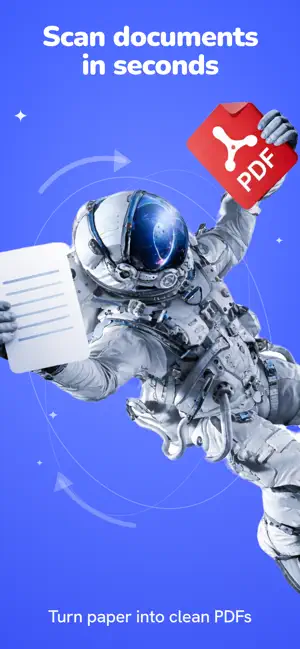
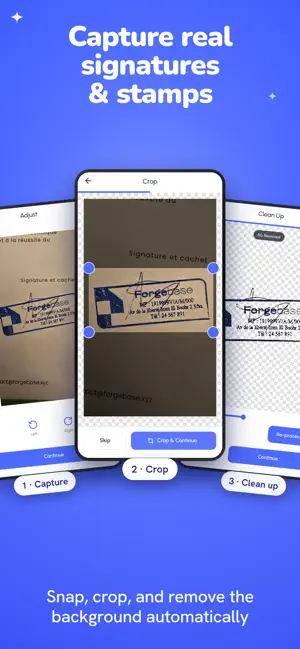
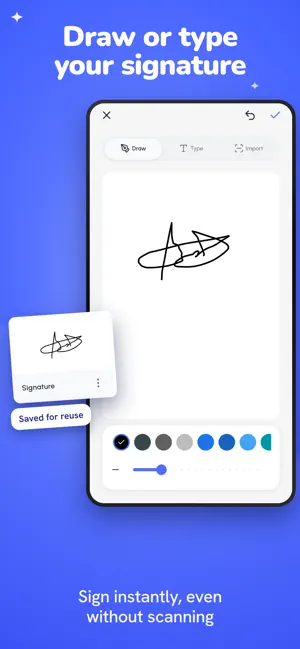
SparkPDF turns your phone into a document scanner, PDF filler and signing tool. Scan paper into clean PDFs, fill them in, sign them and share them — no subscription required. The core PDF tools are free. Some export, save, share and print actions may include a short ad, or you can remove ads permanently with a one-time purchase. With SparkPDF, you can: • Scan documents into clear, sharp PDFs • Fill in PDFs by adding text and dates • Sign by drawing, typing, importing — or by scanning your real signature • Scan a real stamp and place it on any page • Merge several PDFs into one, or split one into separate files • Turn photos and images into PDFs • Add, reorder and delete pages • Search inside text-based PDFs to find the right page • Organize your files into folders • Open PDFs straight from Files and other apps • Read in fullscreen, with the whole screen for your page • Export, share and print finished documents SparkPDF adds what a document needs on top of the page — your signature, text, dates and stamps — so everyday paperwork gets finished on your phone rather than at a desk. Your documents stay with you. SparkPDF processes files directly on your device wherever possible, so personal, school and work paperwork stays under your control. Download SparkPDF and get your paperwork done. Terms of Use: https://www.apple.com/legal/internet-services/itunes/dev/stdeula/
What’s new
Version 1.5.0 · Updated September 27, 2026
• Add images to your PDFs, then move, resize, rotate, crop or replace them. • Export Credits: watch an ad ahead of time, then use a credit to export later without watching another. • Select and delete several PDFs at once. • Cleaner backgrounds for scanned stamps and signatures. • Vietnamese language support. • Improved text export and more reliable saving.
App privacy
The developer, Moetez Theiri, reported these privacy practices to Apple.
Data Linked to You
The following data, which may be collected and linked to your identity, may be used for the following purposes:
- Location: Coarse Location
- Identifiers: Device ID, User ID
- Usage Data: Product Interaction, Advertising Data
- Contact Info: Email Address, Name
Used for: Third-Party Advertising, Analytics, App Functionality
Data Not Linked to You
The following data, which may be collected but is not linked to your identity, may be used for the following purposes:
- Diagnostics: Crash Data, Performance Data
Used for: Third-Party Advertising, Analytics, App Functionality
Alternatives to SparkPDF: Scan, Sign & Fill
Looking for apps like SparkPDF: Scan, Sign & Fill? Here are 6 similar apps on the App Store. The highest rated is Habit Tracker | HabitTRCKR (5.0/5), and all 6 are free to download.
-
 Unhook: App Blocker & Focus
4.9
-
 PDF Extractor: Image & OCR
-
 CliperX-Inspiration Collection
3.9
-
 Habit Tracker | HabitTRCKR
5.0
-
 AlignScan – Document Scanner
3.2
-
 FileMaster: Offline Scanner
1.0
| App | Rating | Price | Last updated | Compare |
|---|---|---|---|---|
| SparkPDF: Scan, Sign & Fill | 5.0 / 5 (2 ratings) | Free | September 27, 2026 | |
| Unhook: App Blocker & Focus | 4.9 / 5 (19) | Free | Oct 5, 2026 | Compare |
| PDF Extractor: Image & OCR | – | Free | Sep 7, 2026 | Compare |
| CliperX-Inspiration Collection | 3.9 / 5 (8) | Free | Sep 5, 2026 | Compare |
| Habit Tracker | HabitTRCKR | 5.0 / 5 (2) | Free | Jun 22, 2026 | Compare |
| AlignScan – Document Scanner | 3.3 / 5 (4) | Free | Sep 19, 2026 | Compare |
| FileMaster: Offline Scanner | 1.0 / 5 (1) | Free | Jul 27, 2026 | Compare |