

QuikPDF Pro
Souriya Vongchanh Productivity iPhoneiPadiPod touch
QuikPDF Pro is a free Productivity app for iPhone and iPad by Souriya Vongchanh. Requires iOS 15.0. Updated October 23, 2026.
- Price
- Free
- on the App Store
- Size
- 5 MB
- Age 4+
- Updated
- Oct 23
- 2026 · v2.1.0
Screenshots



About QuikPDF Pro
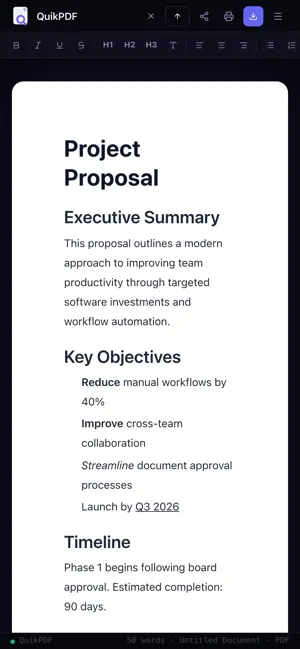
QuikPDF Pro is the fastest way to create, format, and export professional PDF documents on your iPhone or iPad — no account, no cloud, no subscription required. WHAT YOU CAN DO • Write rich documents with headings (H1–H3), bold, italic, underline, lists, and dividers • Start from a template: invoice, formal letter, meeting notes, or a blank page • Import text, Markdown, JSON, CSV, HTML, images, and existing PDFs — every PDF page comes in, in order • Draw your signature once and add it to any document • Export sharp PDFs with real, selectable text in A4, Letter, or Legal size UNIVERSAL IMPORT • CSV → styled table with headers • JSON → formatted code block • Text and Markdown → editable text • HTML → formatted content • Images → from your photo library, the camera, or Files • PDF → every page added to your document, ready to type around PROFESSIONAL PDF EXPORT Text stays crisp and selectable, and long documents break cleanly between lines. Share your PDF to Mail, Messages, AirDrop, or any app, or save it straight to the Files app. YOUR DOCUMENTS, ON YOUR DEVICE Documents save automatically as you type and appear in the Files app under QuikPDF Pro. Signatures you draw stay on your device. PRIVACY FIRST QuikPDF Pro collects zero data. No analytics, no tracking, no servers. Everything happens on your device, and no internet connection is required. SETTINGS & CUSTOMIZATION • Choose from 5 page margin presets (None to Extra Wide) • Pick your editor font, size, and line spacing • Set a filename prefix with an optional date stamp QuikPDF Pro works on all iPhone and iPad screen sizes.
What’s new
Version 2.1.0 · Updated October 23, 2026
• PDFs now keep real text, so it stays sharp, selectable and searchable • Import every page of a PDF, not just the first • Draw your signature once and add it to any document • Your documents are saved as files and appear in the Files app • Simpler Home: New Doc, Import, Signature and Templates
App privacy
The developer, Souriya Vongchanh, reported these privacy practices to Apple.
Data Not Collected
The developer does not collect any data from this app.
Alternatives to QuikPDF Pro
Looking for apps like QuikPDF Pro? Here are 6 similar apps on the App Store. The highest rated is Clew: Highlights and Notes (5.0/5), and all 6 are free to download.
-
 SumDoc — DOCX Document Editor
-
 Clew: Highlights and Notes
5.0
Clew: Highlights and Notes
5.0
-
 ArtPost : AI Text to Photo
1.0
ArtPost : AI Text to Photo
1.0
-
 Lattics - "Brain-like" Writing
-
 1ID - My Digital Profile
-
 SoftExpert Document
| App | Rating | Price | Last updated | Compare |
|---|---|---|---|---|
| QuikPDF Pro | – | Free | October 23, 2026 | |
| SumDoc — DOCX Document Editor | – | Free | Oct 25, 2026 | Compare |
| Clew: Highlights and Notes | 5.0 / 5 (3) | Free | Oct 10, 2026 | Compare |
| ArtPost : AI Text to Photo | 1.0 / 5 (2) | Free | Oct 15, 2024 | Compare |
| Lattics - "Brain-like" Writing | – | Free | Aug 26, 2026 | Compare |
| 1ID - My Digital Profile | – | Free | Oct 9, 2026 | Compare |
| SoftExpert Document | – | Free | Sep 1, 2026 | Compare |
Compare QuikPDF Pro with the top alternatives: ratings, updates, ASO score and keyword gaps →