
GPS Map Video Editor
Hemant Singh Lodhi Photo & Video iPhoneiPadiPod touch
GPS Map Video Editor is a free Photo & Video app for iPhone and iPad by Hemant Singh Lodhi. Requires iOS 17.6. Updated March 12, 2026.
- Price
- Free
- on the App Store
- Size
- 5 MB
- Age 4+
- Updated
- Mar 12
- 2026 · v1.0
Screenshots



About GPS Map Video Editor
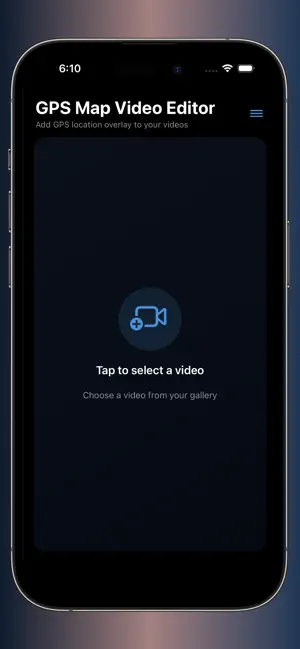
GPS Map Video Editor is a simple and powerful gps map video camera editor that lets you add location, date, time stamps, and map details to any video on your phone. Select a video from the gallery, apply geotag & timestamp overlays, and export high-quality videos directly to your gallery. Whether you are a traveler, vlogger, delivery worker, field reporter, or anyone who needs proof of place and time — this app makes it easy. Key Features Add GPS Location to Videos * Insert your real-time or custom location * Add full address, short address, latitude & longitude * Auto-fetches your current place or lets you search manually Map Overlay * Add a clean, high-quality static map * Customize location marker * Perfect for travel videos, field proof, or documentation Timestamp & Date * Add accurate date & time * Live-ticking time overlay (seconds update in real time) * Full control: choose custom date & time Overlay Templates * Classic, Modern, Minimal & Reporting layouts * Adjust position, spacing, colors, and styles * Professional and clean appearance Easy Video Selection & Export * Pick any video from your gallery * Preview overlay before saving * Export in high quality * Saves directly to your phone gallery Recent Videos & Saved Addresses * Revisit and reuse your previously edited videos * Save frequently-used addresses for quick access Best For * Field workers * Surveyors * Delivery & logistics teams * Construction & property inspection * Travelers & vloggers * Anyone who wants accurate proof-of-location videos Secure & Offline Support Your location & video data stays on your device. No uploads, no cloud storage, no tracking. Why Choose GPS Map Video Editor? * Easy UI * Accurate GPS tagging * Customizable timestamp * High-quality exports * Fast & reliable * Made for professionals
App privacy
The developer, Hemant Singh Lodhi, reported these privacy practices to Apple.
Data Not Linked to You
The following data, which may be collected but is not linked to your identity, may be used for the following purposes:
- Location: Coarse Location
- Identifiers: Device ID
- Usage Data: Advertising Data, Product Interaction
- Contact Info: Email Address, Name
- Diagnostics: Crash Data, Performance Data, Other Diagnostic Data
Used for: Third-Party Advertising, Developer’s Advertising or Marketing, Analytics, Product Personalization, App Functionality
Alternatives to GPS Map Video Editor
Looking for apps like GPS Map Video Editor? Here are 6 similar apps on the App Store. The highest rated is EasyWowCam - 40 Images pack (5.0/5), and 5 of the 6 are free to download.
-
 EasyWowCam - 40 Images pack
5.0
-
 Filter Album - Photo Organizer
4.0
-
 BlurPass: Face Blur & Pixelate
-
 Video Teleprompter Camera
-
 SnapBackdrop - BG Eraser
4.0
-
 Blink – Camera Messages
5.0
| App | Rating | Price | Last updated | Compare |
|---|---|---|---|---|
| GPS Map Video Editor | – | Free | March 12, 2026 | |
| EasyWowCam - 40 Images pack | 5.0 / 5 (3) | 3.99 USD | Oct 1, 2026 | Compare |
| Filter Album - Photo Organizer | 4.0 / 5 (2) | Free | Mar 28, 2026 | Compare |
| BlurPass: Face Blur & Pixelate | – | Free | Oct 24, 2026 | Compare |
| Video Teleprompter Camera | – | Free | Sep 30, 2026 | Compare |
| SnapBackdrop - BG Eraser | 4.0 / 5 (2) | Free | Mar 27, 2026 | Compare |
| Blink – Camera Messages | 5.0 / 5 (1) | Free | Apr 13, 2026 | Compare |