

ChatDrop File transfer & share
Veacheslav Kolesnik Productivity iPhoneiPadiPod touch
ChatDrop File transfer & share is a free Productivity app for iPhone and iPad by Veacheslav Kolesnik. Requires iOS 15.0. Updated May 28, 2026.
- Price
- Free
- on the App Store
- Size
- 88 MB
- Age 4+
- Updated
- May 28
- 2026 · v1.1.3
Screenshots



About ChatDrop File transfer & share
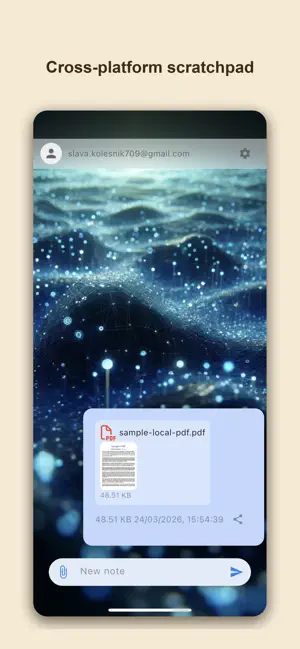
ChatDrop is the fastest way to transfer files between your iPhone and computer, or between your iPhone and other mobile devices — and back. No cables, no cloud uploads. Sign in with your Google or Apple account, connect to the ChatDrop Chrome extension or web app, or mobile app on other device and start sharing instantly. Your files are shared using WebRTC technology — in most cases directly between your devices, peer-to-peer. When a direct connection isn't possible, files are relayed through a secure TURN server but are never stored. HOW IT WORKS Open ChatDrop on your iPhone or iPad Open the ChatDrop Chrome extension or visit chatdrop.me on your computer Log in with the same Apple or Google account on both devices Share files in either direction — it takes seconds No USB cables. No email attachments. No uploading to iCloud or Google Drive just to download on another device. WHAT CAN YOU TRANSFER? Send any file type — photos, videos, documents, PDFs, music, zip archives, and more. Share one file or send multiple files at once. No file type restrictions. PRIVATE & SECURE ChatDrop doesn't store your files on any server. Files are transferred using encrypted WebRTC connections — directly between devices whenever possible, or relayed through a secure server when needed. Nothing is saved after the transfer is complete. Encrypted WebRTC connections Files are never stored on any server No data collection beyond basic crash analytics Sign in with your existing Apple or Google account WORKS WITH CHROME EXTENSION & WEB APP Install the ChatDrop Chrome extension on your laptop or desktop for one-click file sharing. Or use chatdrop.me from any browser — Chrome, Firefox, Edge, or Safari. WHEN TO USE CHATDROP Send photos from your iPhone to your laptop for editing Transfer documents between your phone and work PC Share videos without compressing them through iMessage or WhatsApp Move files without cables Share notes, links, and text snippets between devices Transfer files at home, at the office, or anywhere WHY CHATDROP? No cloud — files are never saved on any server No extra accounts — sign in with Apple or Google No ads in the free version Works cross-platform — iPhone or iPad to any computer Lightweight and fast Chrome extension for instant access on your computer Clean, simple interface Love ChatDrop? Leave a review — it helps others discover the app. Thank you! chatdrop.me EULA: https://www.apple.com/legal/internet-services/itunes/dev/stdeula/ Privacy policy: https://chatdrop.me/chatdropprivacypolicy.html
What’s new
Version 1.1.3 · Updated May 28, 2026
Bug fix
App privacy
The developer, Veacheslav Kolesnik, reported these privacy practices to Apple.
Data Not Linked to You
The following data, which may be collected but is not linked to your identity, may be used for the following purposes:
- Contact Info: Email Address, Name, Other User Contact Info, Phone Number
- Diagnostics: Crash Data, Performance Data, Other Diagnostic Data
- Other Data: Other Data Types
- User Content: Other User Content
Used for: Analytics, App Functionality, Other Purposes
Alternatives to ChatDrop File transfer & share
Looking for apps like ChatDrop File transfer & share? Here are 6 similar apps on the App Store. The highest rated is Tatar Translator Offline (5.0/5), and all 6 are free to download.
-
 AllCheck
-
 homePlan
-
 ClipCode – Connect & Transfer
-
 LookScanned : Document Scanner
-
 All Files Reader and Viewer
4.0
-
 Tatar Translator Offline
5.0
| App | Rating | Price | Last updated | Compare |
|---|---|---|---|---|
| ChatDrop File transfer & share | – | Free | May 28, 2026 | |
| AllCheck | – | Free | Jul 22, 2026 | Compare |
| homePlan | – | Free | Sep 27, 2026 | Compare |
| ClipCode – Connect & Transfer | – | Free | Jun 16, 2026 | Compare |
| LookScanned : Document Scanner | – | Free | Apr 13, 2026 | Compare |
| All Files Reader and Viewer | 4.0 / 5 (1) | Free | Mar 10, 2026 | Compare |
| Tatar Translator Offline | 5.0 / 5 (1) | Free | Jun 12, 2026 | Compare |