

Screenshot & Link - Keeply
sang woon kim Productivity iPhoneiPadiPod touch
Screenshot & Link - Keeply is a free Productivity app for iPhone and iPad by sang woon kim. Requires iOS 15.0. Updated September 8, 2026.
- Price
- Free
- on the App Store
- Size
- 73 MB
- Age 12+
- Updated
- Sep 8
- 2026 · v2.5.0
Screenshots

About Screenshot & Link - Keeply
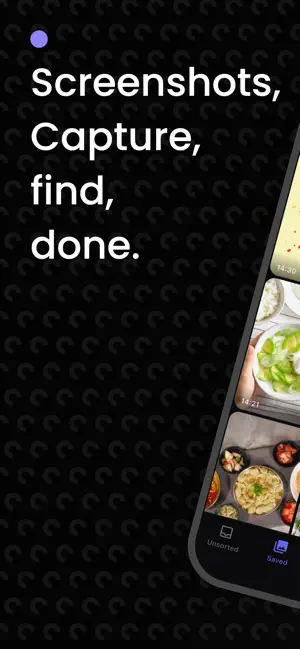
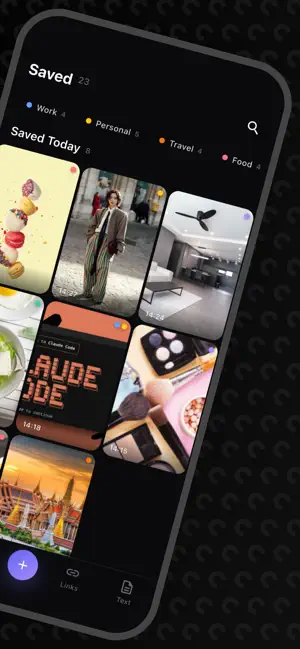
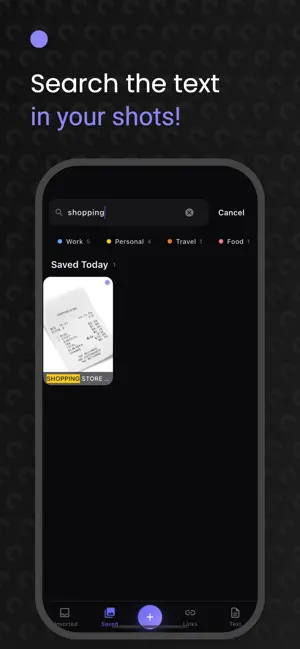
Keeply — your scattered screenshots and links, all in one place Screenshots piling up on your phone, links you saved but can't find again. Keeply keeps them tidy. [ Automatic screenshot organizing ] Open the app and your gallery's screenshots load automatically. No need to hunt them down one by one — just add tags and notes right away. [ Search text inside screenshots ] Keeply automatically recognizes the text in your saved screenshots (OCR). Even without a note, you can search by words you saw on screen and find them instantly. Existing screenshots are processed automatically too. [ Tap links, phone numbers & emails ] Keeply finds links, phone numbers, and emails inside your screenshots. Open a link, place a call, or write an email — all in one tap. [ Save links with previews ] Paste a link and Keeply pulls in preview details like the title and image automatically. Manage them with tags and notes, just like screenshots. [ Quick sorting with tags ] Create your own tags to organize screenshots and links however you like. Find them again later with a single tag. [ Add notes ] Leave a note on each item so you never forget why you saved it. [ Copy image ] Copy a saved screenshot to the clipboard and paste it anywhere. [ Offline ] All your data stays on your device. Organize and search even without a network. Tidy up your digital space with Keeply today.
What’s new
Version 2.5.0 · Updated September 8, 2026
• On tablets and foldables, your list and what's in it now sit side by side. On wide screens the menu moves to the left, and photos keep their size while more of them fit. • Share an image link and it's saved as a photo, not a link. • (iPhone) The "Allow Paste" prompt no longer shows every time you open the app — just once, when you tap to add.
App privacy
The developer, sang woon kim, reported these privacy practices to Apple.
Data Used to Track You
The following data may be used to track you across apps and websites owned by other companies:
- Identifiers: Device ID
- Usage Data: Product Interaction, Advertising Data
Data Not Linked to You
The following data, which may be collected but is not linked to your identity, may be used for the following purposes:
- Identifiers: Device ID
- Usage Data: Product Interaction, Advertising Data
Used for: Third-Party Advertising
Alternatives to Screenshot & Link - Keeply
Looking for apps like Screenshot & Link - Keeply? Here are 6 similar apps on the App Store.
-
 memme
memme
-
 SnapMind - Screenshot AI
-
 ツンドク - 後で読むリンク保存&ブックマーク管理
-
 PicLink-Save links with images
-
 ToDough: Bake & To-Do List
-
 Add Up: To-Do List & Planner
| App | Rating | Price | Last updated | Compare |
|---|---|---|---|---|
| Screenshot & Link - Keeply | – | Free | September 8, 2026 | |
| memme | – | Free | Sep 4, 2026 | Compare |
| SnapMind - Screenshot AI | – | Free | Jun 10, 2026 | Compare |
| ツンドク - 後で読むリンク保存&ブックマーク管理 | – | Free | Aug 1, 2026 | Compare |
| PicLink-Save links with images | – | Free | May 25, 2026 | Compare |
| ToDough: Bake & To-Do List | – | Free | Sep 14, 2026 | Compare |
| Add Up: To-Do List & Planner | – | Free | Oct 2, 2026 | Compare |