

Recordhz: Voice Recorder
Vikram Singh Productivity iPhoneiPadiPod touch
Recordhz: Voice Recorder is a free Productivity app for iPhone and iPad by Vikram Singh. Requires iOS 17.0. Updated October 2, 2026.
- Price
- Free
- on the App Store
- Size
- 2 MB
- Age 4+
- Updated
- Oct 2
- 2026 · v2.5
Screenshots
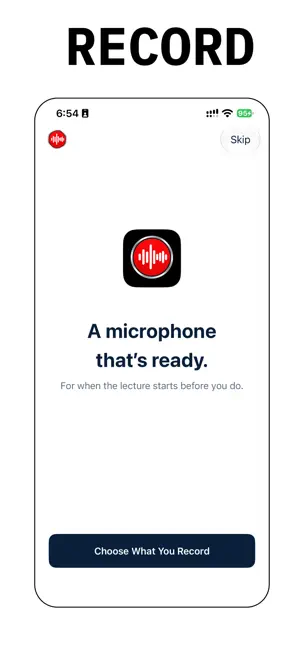


About Recordhz: Voice Recorder
Record lectures, voice notes, and meetings on your iPhone with Recordhz — a microphone app for capture, playback, and a clear library. TRY BEFORE YOU SUBSCRIBE Start with a 1-minute preview. Use tap-to-record on the Record tab, or press and hold the mic from any tab. Each method includes one 1-minute preview so you can hear how Recordhz records. Recordhz Pro is required for more recordings, sharing, export, noise reduction, and transcription. There is no free trial. Plans are sold as Recordhz Pro and renew until you cancel in App Store subscriptions. A SMALL FIRST STEP When a lecture, class, or idea starts, you need a microphone that is ready. Recordhz opens on Record so you can begin with one tap or a hold. Try the recorder first, then subscribe only if it fits how you work. WHAT YOU CAN DO • Record voice notes and lectures in AAC audio • Pause, resume, save, or discard a session • Hold-to-record from Library, Record, or Settings • Mark a moment while you record, then jump back to it • Keep recording with the screen locked • Play back from Library at 0.5×, 1×, 1.5×, or 2× speed • Reduce background noise on this iPhone (Recordhz Pro) • Transcribe with Apple Speech (Recordhz Pro) • Share audio and exported text (Recordhz Pro) • Copy recordings to Files or iCloud Drive (Recordhz Pro) • Save every recording to iCloud Drive as well (Recordhz Pro) • Rename recordings, and search titles and transcripts • Get a deleted recording back for 30 days from Recently Deleted • Keep recordings on this iPhone when you update the app ON YOUR IPHONE Noise reduction runs on device. Transcription uses Apple Speech. Files stay on this iPhone unless you copy them to Files or turn on iCloud Drive. RECORDHZ PRO Subscribe for more recordings, sharing, export, iCloud Drive, noise reduction, and transcription. Weekly and yearly prices and renewal terms are shown in the app by Apple. Restore Purchases is in Settings. Payment is charged to your Apple Account. The subscription renews automatically unless you cancel at least 24 hours before the period ends. Manage or cancel in App Store subscriptions. Privacy Policy: https://1kbapps.com/recordhz/ Terms of Use: https://www.apple.com/legal/internet-services/itunes/dev/stdeula/
What’s new
Version 2.5 · Updated October 2, 2026
## What's New in Version 2.5 • Recently Deleted: deleted recordings stay for 30 days, so nothing is lost by accident. • Save every recording to iCloud Drive as well (Recordhz Pro). • Mark a moment while you record and jump back to it. • Rename recordings. Search titles and transcripts. • New look, in light and dark mode. • Your existing recordings stay in the Library.
App privacy
The developer, Vikram Singh, reported these privacy practices to Apple.
Data Not Collected
The developer does not collect any data from this app.
Alternatives to Recordhz: Voice Recorder
Looking for apps like Recordhz: Voice Recorder? Here are 6 similar apps on the App Store. The highest rated is Sleep Sounds & Focus ADHD (4.3/5), and all 6 are free to download.
-
 Polmi: Lecture Transcription
1.0
-
 Voice Recorder, Voice Memos
-
 Picture to PDF: Document Scan
-
 EchoNote: Voice Recorder AI
-
 Sleep Sounds & Focus ADHD
4.3
-
 Binamod | Earthquake
| App | Rating | Price | Last updated | Compare |
|---|---|---|---|---|
| Recordhz: Voice Recorder | – | Free | October 2, 2026 | |
| Polmi: Lecture Transcription | 1.0 / 5 (1) | Free | Jul 16, 2026 | Compare |
| Voice Recorder, Voice Memos | – | Free | Dec 19, 2025 | Compare |
| Picture to PDF: Document Scan | – | Free | Jan 9, 2025 | Compare |
| EchoNote: Voice Recorder AI | – | Free | Jul 12, 2026 | Compare |
| Sleep Sounds & Focus ADHD | 4.3 / 5 (3) | Free | Jul 25, 2025 | Compare |
| Binamod | Earthquake | – | Free | Jul 31, 2026 | Compare |