

Picture to PDF: Document Scan
Metasol Technologies Productivity iPhoneiPadiPod touch
Picture to PDF: Document Scan is a free Productivity app for iPhone and iPad by Metasol Technologies. Requires iOS 14.0. Updated January 9, 2025.
- Price
- Free
- on the App Store
- Size
- 70 MB
- Age 4+
- Updated
- Jan 9
- 2025 · v1.0
Screenshots
About Picture to PDF: Document Scan
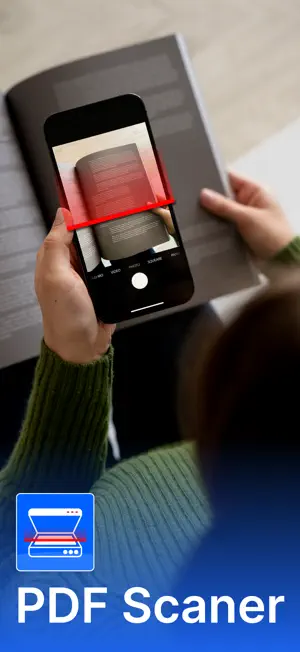
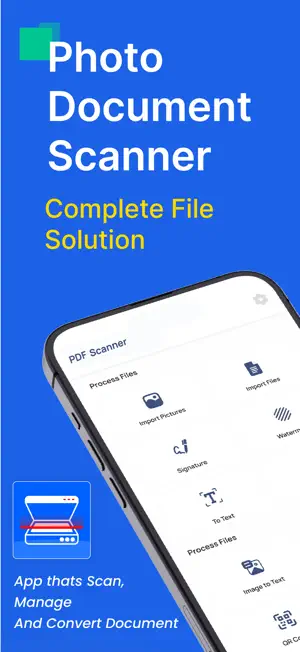
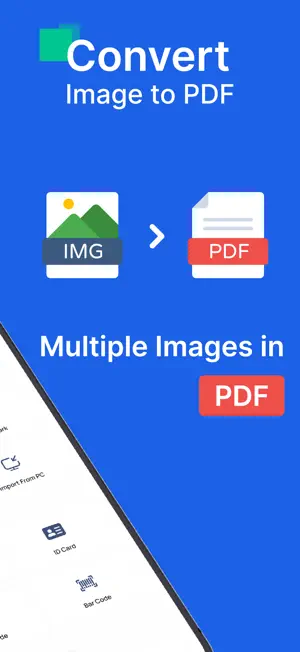
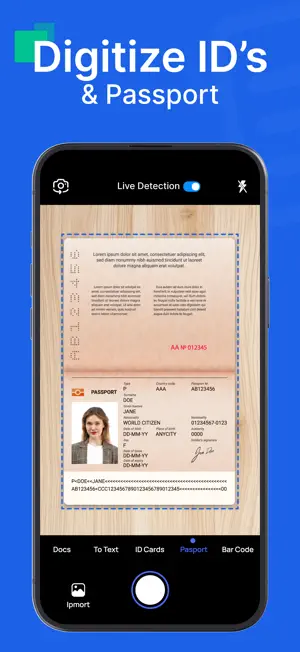
Transform your smartphone into a professional document scanner and simplify your daily tasks. With our Picture to PDF: Document Scan, you can quickly scan documents, photos, or ID cards and save them as high-quality PDFs. Whether you need a PDF scanner for work, a card scanner for personal use, or want to convert pictures to PDF, this app has got you covered. Turn any physical document into a digital file using our powerful document scanner. From contracts and receipts to invoices and handwritten notes, scan it all in seconds. Use the dedicated card scanner to digitize business cards, ID cards, or even passports. Save your files as PDF photos or share them instantly with just a tap. Organize your scans with precision and never lose an important document again. Easily convert JPG to PDF with just one tap. Select multiple images, and our app will seamlessly merge them into a single PDF document. Whether it’s certificates, homework, or creative projects, the PDF converter makes it simple to keep everything in a secure format. Say goodbye to bulky paper files and hello to lightweight, digital versions. Protect your files with personalized watermarks to ensure they remain secure. Need to sign a document on the go? Use the digital signature feature to add legally binding signatures directly to your PDFs. Whether you're signing contracts, invoices, or other important files, our app makes it easy and efficient. Our app features a specialized tool for scanning identity cards with high clarity. Whether it’s a driver’s license, national ID, or work badge, the identity card scanner captures every detail perfectly. Save the scanned cards as PDF photos or share them directly via email or messaging apps. Why Choose Our App? • Easy-to-use document scanner for all types of files. • High-quality PDF scanner for professional results. • Seamless JPG to PDF conversion in seconds. • Secure your files with watermarks and add digital signatures effortlessly. •Specialized card scanners and identity card tools for added convenience. Please check our privacy policy: Privacy Policy: https://sites.google.com/metasoltechnologies.com/metasol-technologies-privacy/home End User License Agreement (EULA): https://www.apple.com/legal/internet-services/itunes/dev/stdeula/
App privacy
The developer, Metasol Technologies, reported these privacy practices to Apple.
Data Used to Track You
The following data may be used to track you across apps and websites owned by other companies:
- Usage Data: Advertising Data
Data Linked to You
The following data, which may be collected and linked to your identity, may be used for the following purposes:
- Usage Data: Advertising Data
Used for: Third-Party Advertising, Developer’s Advertising or Marketing
Data Not Linked to You
The following data, which may be collected but is not linked to your identity, may be used for the following purposes:
- Diagnostics: Crash Data, Performance Data, Other Diagnostic Data
- User Content: Photos or Videos
Used for: Analytics, App Functionality
Alternatives to Picture to PDF: Document Scan
Looking for apps like Picture to PDF: Document Scan? Here are 6 similar apps on the App Store. The highest rated is PDF Scanner - Photos to PDF (5.0/5), and 5 of the 6 are free to download.
-
 ClearScan - PDF Scanner
-
 PDF Scanner - Photos to PDF
5.0
PDF Scanner - Photos to PDF
5.0
-
 Photo To PDF Convertor Pro: AI
-
 Voice Notes: Recordhz
-
 Liberty91
-
 SnapLog - AI Photo Memory
| App | Rating | Price | Last updated | Compare |
|---|---|---|---|---|
| Picture to PDF: Document Scan | – | Free | January 9, 2025 | |
| ClearScan - PDF Scanner | – | Free | Jan 9, 2025 | Compare |
| PDF Scanner - Photos to PDF | 5.0 / 5 (1) | Free | Nov 12, 2024 | Compare |
| Photo To PDF Convertor Pro: AI | – | 2.99 USD | Jan 7, 2025 | Compare |
| Voice Notes: Recordhz | – | Free | Aug 29, 2026 | Compare |
| Liberty91 | – | Free | Dec 27, 2023 | Compare |
| SnapLog - AI Photo Memory | – | Free | Sep 2, 2026 | Compare |