

Undertint: Watercolor Mixing
Justin Stach Graphics & Design iPhoneiPadiPod touch
Undertint: Watercolor Mixing is a free Graphics & Design app for iPhone and iPad by Justin Stach. Requires iOS 18.6. Updated October 19, 2026.
- Price
- Free
- on the App Store
- Size
- 10 MB
- Age 4+
- Updated
- Oct 19
- 2026 · v1.5
Screenshots



About Undertint: Watercolor Mixing
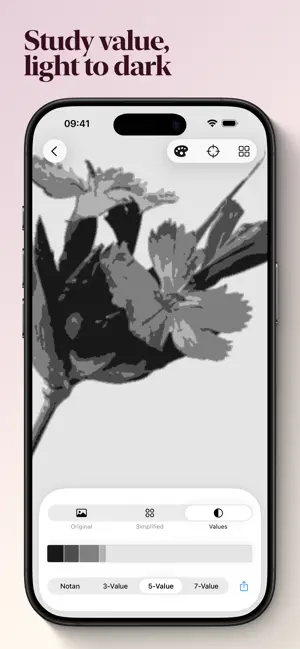
Undertint helps watercolor painters answer one question: how do I mix that color, with the paints I already have? Point Undertint at a photo. The app simplifies the image into the colors you would actually need to paint, then gives you a mixing recipe for each one, drawn from your own palette. Recipes use Kubelka-Munk pigment mixing, the same math color scientists use to model how watercolor pigments combine on paper. The output is a recipe you can mix at the page, not a color you can only see on a screen. Everything happens on your device, on iPhone and iPad. Photos never leave it. Free to try. Pro unlocks multi-paint mixing recipes and bookmarking, as a one-off purchase or a monthly subscription. Features • Photo simplification with adjustable detail. Pull the slider down for big color shapes, up for finer control. • Tap any region to see the color identified in painterly terms and a Munsell reading. • Mixing recipes built from your own paints, chosen from a catalog of over 200 and growing. • Dilution gradients show how a color shifts as you add water, so you can match the value as well as the hue. • Save value studies to your photo library to use as on-easel references. • Bookmark the recipe you'll mix for each color, and Undertint will use it to prioritize coherent recipes. Who Undertint is for Watercolorists who want to spend less time second-guessing color mixes and more time painting. Beginners learning what their paints can do, and experienced painters who want a quick second opinion when matching a tricky reference color. What Undertint isn't Undertint isn't a digital painting app. It doesn't replace mixing on your palette. It helps you decide and learn how to mix. About brand names Brand and product names referenced are trademarks of their respective owners, used only so you can identify your own paints. Undertint is independent of and not affiliated with any of them. Privacy Undertint does not collect, transmit, or sell your data. No analytics, no advertising, no third-party SDKs, and no network requests except to Apple's App Store for purchases. Photos you import are processed on your device and are never uploaded. Terms of use (EULA) See: https://www.apple.com/legal/internet-services/itunes/dev/stdeula/
What’s new
Version 1.5 · Updated October 19, 2026
Your palettes, your way • Start a palette from a manufacturer's preset, then edit it to match the paints on your table. • Choose a default palette, and pick a different one for any study. • Recipe cards name the brand of every paint. • Restore Purchases now tells you what happened, including when you're offline.
App privacy
The developer, Justin Stach, reported these privacy practices to Apple.
Data Linked to You
The following data, which may be collected and linked to your identity, may be used for the following purposes:
- Purchases: Purchase History
Used for: App Functionality
Alternatives to Undertint: Watercolor Mixing
Looking for apps like Undertint: Watercolor Mixing? Here are 6 similar apps on the App Store. The highest rated is Viridian: Paint Mixing (5.0/5), and all 6 are free to download.
-
 Muddy Waters
-
 Mixwell Watercolour
-
 Pochade – Reference Photo Prep
-
 Viridian: Paint Mixing
5.0
Viridian: Paint Mixing
5.0
-
 Drawing from Life
-
 Mixable - Paint Mixing Guide
4.9
Mixable - Paint Mixing Guide
4.9
| App | Rating | Price | Last updated | Compare |
|---|---|---|---|---|
| Undertint: Watercolor Mixing | – | Free | October 19, 2026 | |
| Muddy Waters | – | Free | Jun 21, 2026 | Compare |
| Mixwell Watercolour | – | Free | Oct 9, 2026 | Compare |
| Pochade – Reference Photo Prep | – | Free | Oct 27, 2026 | Compare |
| Viridian: Paint Mixing | 5.0 / 5 (2) | Free | Aug 1, 2026 | Compare |
| Drawing from Life | – | Free | Jun 17, 2026 | Compare |
| Mixable - Paint Mixing Guide | 4.9 / 5 (14) | Free | Oct 10, 2026 | Compare |