

Caply
Marc Idelberger Productivity iPhoneiPadiPod touchMac
Caply is a paid Productivity app for iPhone and iPad by Marc Idelberger. Requires iOS 26.2. Updated March 7, 2026.
- Price
- 4.99 USD
- on the App Store
- Size
- 4 MB
- Age 4+
- Updated
- Mar 7
- 2026 · v1.1
Screenshots

About Caply
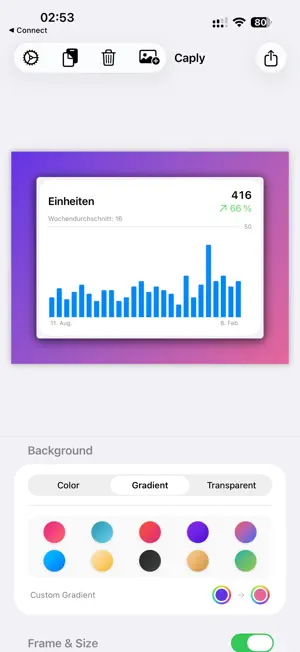
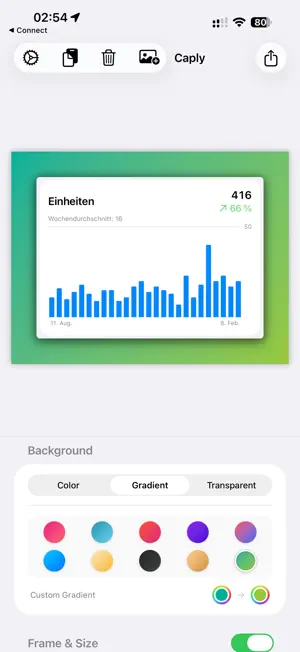
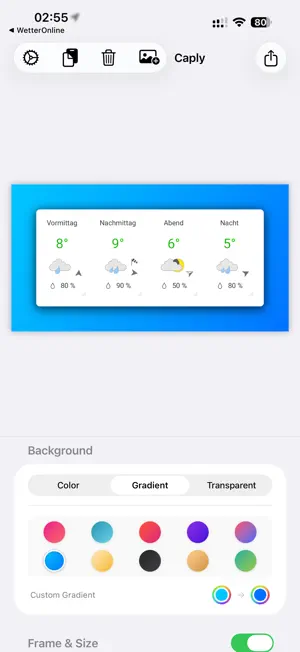
Welcome to Version 1.1! Caply is continuously evolving. You can send feedback and feature requests directly through the built-in feedback form – I look forward to your ideas! Transform boring screen captures into professional design assets – directly on your Mac, iPhone, and iPad. Tired of messy desktop backgrounds and flat screenshots? Caply is your personal design studio for screen captures. Whether you are a developer creating App Store assets, a designer presenting mockups, or a social media manager crafting the perfect post: Caply makes your work presentable in seconds. Why Caply? Caply combines powerful image processing with smart automation. It is the tool that saves you the tedious manual work in complex graphic design software. Key Features in Detail: - Intelligent Automation (Smart Features): Auto-Crop: Caply automatically detects borders around windows or objects and crops them pixel-perfectly. No more manual cropping required! Seamless Integration: Caply automatically detects your screenshot's background color to perfectly fill transparency within the frame. Background Selection: Choose the canvas background from curated gradients (like "Hyper", "Ocean", "Sunset") or solid colors. - Professional Styling: Perfect Framing: Add inner and outer padding and round the corners to create a modern, polished look. Depth with Shadows: Make your screenshots pop with precise control over shadow radius, opacity, and offset. - Seamless Workflow Across All Devices: Mac Power: Use global keyboard shortcuts to open screenshots directly in Caply, or use the convenient menu bar app. Drag & Drop is fully supported. Seamless iOS Integration: Send images directly to Caply using the 'Share' button in Safari, Photos, or Files – no extra steps. - Privacy by Default: We believe your data belongs to you. Caply processes all images 100% locally on your device. There is no cloud requirement, no account needed, and no hidden uploads. Even anonymous crash reporting is completely optional and can be disabled in Settings at any time. - Export & Share: Copy the finished result to your clipboard with one click (perfect for Slack, Teams, or Discord). Save it as a high-quality PNG file or export directly to your Photos library. - Who is Caply for? Developers: Create consistent screenshots for GitHub Readmes or the App Store. Designers: Share quick design iterations that look "finished". Content Creators: Post beautiful code snippets or UI details on Twitter/X and LinkedIn. Educators & Documentation: Create clean, distraction-free guides.
What’s new
Version 1.1 · Updated March 7, 2026
- Crop Feature - Bugfixes
App privacy
The developer, Marc Idelberger, reported these privacy practices to Apple.
Data Not Linked to You
The following data, which may be collected but is not linked to your identity, may be used for the following purposes:
- Diagnostics: Crash Data, Other Diagnostic Data
Used for: Analytics, App Functionality
Alternatives to Caply
Looking for apps like Caply? Here are 6 similar apps on the App Store. The highest rated is Quick Scan And Share (5.0/5), and 5 of the 6 are free to download.
-
 Quick Scan And Share
5.0
Quick Scan And Share
5.0
-
 MyMark – Sign PDF
-
 MyAdvo – Private AI Advisers
-
 Safelop
-
 TONT: Todo or Not Todo Groups
-
 Calistra Viewer
5.0
Calistra Viewer
5.0
| App | Rating | Price | Last updated | Compare |
|---|---|---|---|---|
| Caply | – | 4.99 USD | March 7, 2026 | |
| Quick Scan And Share | 5.0 / 5 (2) | Free | Oct 11, 2025 | Compare |
| MyMark – Sign PDF | – | Free | Jul 27, 2026 | Compare |
| MyAdvo – Private AI Advisers | – | Free | Apr 7, 2026 | Compare |
| Safelop | – | Free | Mar 19, 2026 | Compare |
| TONT: Todo or Not Todo Groups | – | 6.99 USD | Oct 12, 2026 | Compare |
| Calistra Viewer | 5.0 / 5 (4) | Free | Aug 23, 2026 | Compare |
Compare Caply with the top alternatives: ratings, updates, ASO score and keyword gaps →