

PeopleDrop
Johnny Riddick Productivity iPhoneiPadiPod touch
PeopleDrop is a free Productivity app for iPhone and iPad by Johnny Riddick. Rated 5.0/5 from 4 ratings. Requires iOS 18.6. Updated April 7, 2026.
- Rating
- 5.0
- 4 ratings
- Price
- Free
- on the App Store
- Size
- 13 MB
- Age 4+
- Updated
- Apr 7
- 2026 · v2.0
Screenshots
About PeopleDrop
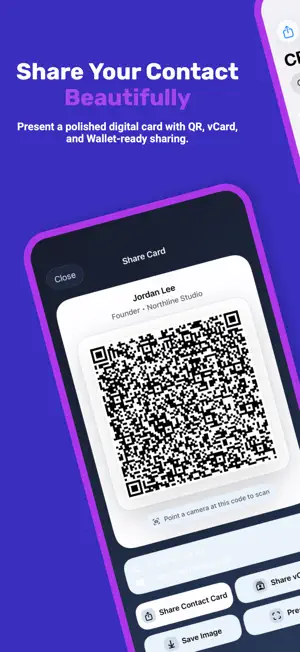
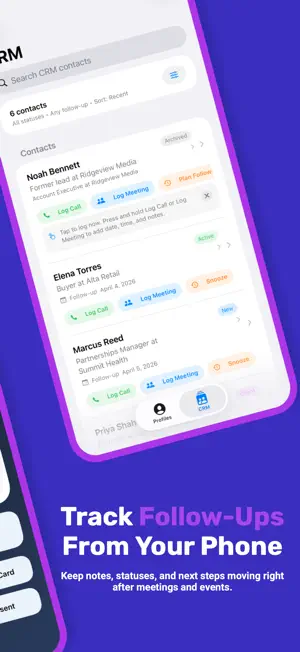
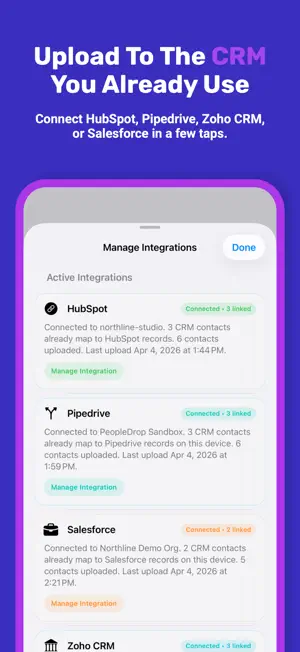
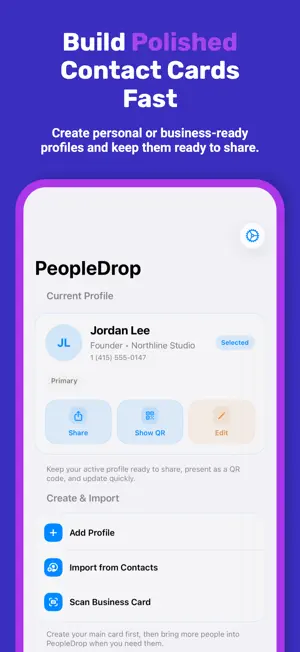
PeopleDrop helps you share your contact info beautifully, then keep up with the people you meet. Create personal, professional, or event-ready profiles. Choose what to share each time. Then present a polished digital contact card with QR, vCard, Messages, and more. Share your contact your way: • QR code that anyone can scan • iOS share sheet for Messages, Mail, and more • Messages extension for fast sharing in conversations • vCard export that works across major contact apps Bring new contacts in fast: • Import from Contacts • Edit before saving • Back up and restore your profiles anytime • Optional iCloud sync for your PeopleDrop profiles Make it feel like yours: • Multiple profiles for work, personal life, business, or events • Choose exactly which fields to include when you share • Customizable QR and card presentation • Keep a polished card ready to present at any time Unlock PeopleDrop Pro with a one-time purchase: • Apple Wallet card designer • Business card scanning • Widgets, themes, and deeper customization • Notes, tags, and contact status tracking • Due Today and Overdue follow-up views • Quick actions for logging calls, meetings, and next steps • A clean mobile workspace that stays useful after the event or introduction • Direct uploads to HubSpot, Pipedrive, Zoho CRM, and Salesforce PeopleDrop stays simple: • No PeopleDrop account required • No subscription required • No tracking across apps or websites • No selling your data • Your data stays on your device unless you choose to share it, add a Wallet pass, or connect a CRM Start free with polished contact sharing, then unlock Pro with a one-time purchase when you want Apple Wallet, business card scanning, widgets, CRM tools, and advanced follow-up workflow features.
What’s new
Version 2.0 · Updated April 7, 2026
PeopleDrop 2.0 brings contact sharing and follow-up into one cleaner workflow. • New CRM workspace for notes, tags, statuses, and follow-ups • Direct uploads to HubSpot, Pipedrive, Zoho CRM, and Salesforce • Quick actions for logging calls, meetings, and next steps • Due Today, Overdue, and Uploads Needed views to keep follow-ups clear • Cleaner integrations management and clearer connection status • Refreshed design across Profiles, CRM, Settings, sharing, and onboarding
App privacy
The developer, Johnny Riddick, reported these privacy practices to Apple.
Data Linked to You
The following data, which may be collected and linked to your identity, may be used for the following purposes:
- Contact Info: Physical Address, Email Address, Name, Phone Number, Other User Contact Info
- User Content: Other User Content
- Identifiers: User ID
Used for: App Functionality
Alternatives to PeopleDrop
Looking for apps like PeopleDrop? Here are 6 similar apps on the App Store. The highest rated is Jott - Simple To-Do App (5.0/5), and 5 of the 6 are free to download.
-
 review³ - todo list & planner
4.6
-
 Jott - Simple To-Do App
5.0
-
 MyMark – Sign PDF
-
 OffGrid : Offline Chat AI
-
 PillTime: Medication Reminder
3.0
-
 Quick Scan And Share
5.0
| App | Rating | Price | Last updated | Compare |
|---|---|---|---|---|
| PeopleDrop | 5.0 / 5 (4 ratings) | Free | April 7, 2026 | |
| review³ - todo list & planner | 4.6 / 5 (8) | 4.99 USD | Jul 13, 2026 | Compare |
| Jott - Simple To-Do App | 5.0 / 5 (2) | Free | Aug 26, 2026 | Compare |
| MyMark – Sign PDF | – | Free | Jul 27, 2026 | Compare |
| OffGrid : Offline Chat AI | – | Free | Mar 16, 2026 | Compare |
| PillTime: Medication Reminder | 3.0 / 5 (1) | Free | May 3, 2026 | Compare |
| Quick Scan And Share | 5.0 / 5 (2) | Free | Oct 11, 2025 | Compare |
Compare PeopleDrop with the top alternatives: ratings, updates, ASO score and keyword gaps →