

FreeInFive Screen Time Control
Bloomeasy Productivity iPhoneiPadiPod touch
FreeInFive Screen Time Control is a free Productivity app for iPhone and iPad by Bloomeasy. Rated 5.0/5 from 2 ratings. Requires iOS 17.0.
- Rating
- 5.0
- 2 ratings
- Price
- Free
- on the App Store
- Size
- 122 MB
- Age 4+
- Updated
- Sep 27
- 2026 · v6.1.2
Screenshots
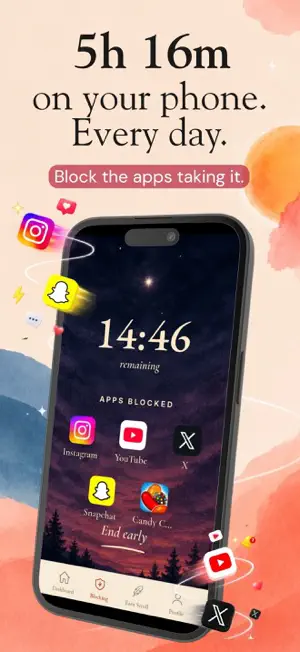

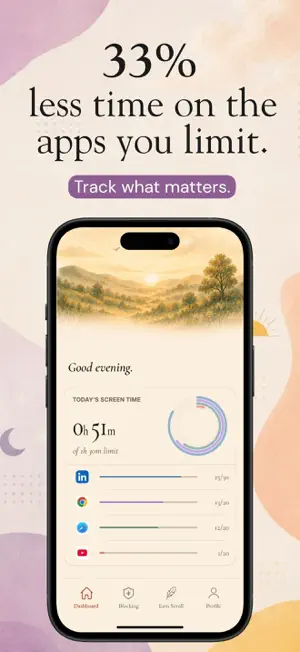

About FreeInFive Screen Time Control
Stop doomscrolling and get your time back with app limits that are calm, firm, and surprisingly fun. FreeInFive adds a little healthy friction between you and the apps that quietly steal your day. Choose the distracting apps, set your limits, and let FreeInFive step in when scrolling stops feeling intentional. GENTLE WHEN YOU NEED A NUDGE Get a calm reminder before reaching your daily limit. It’s a small pause that helps you notice the habit before another five minutes disappears. FIRM WHEN YOU’VE HAD ENOUGH Once your daily limit is reached, the app is blocked. No guilt, no dramatic warnings. just the boundary you chose for yourself. EARN 5 MORE MINUTES Truly need a little extra time? Earn it through a quick reset: • Take a guided breathing break • Write down your thoughts • Complete push-ups or arm raises • Try a playful movement challenge The point isn’t fitness or punishment. It’s making the moment of choice visible. BLOCK ON YOUR TERMS • Set daily limits for distracting apps • Schedule protected time for sleep, work or family • Start a Quick Block whenever you need to focus • See how your daily usage compares with your goal • Earn additional time through healthier activities PRIVATE BY DESIGN Screen-time monitoring happens on your device. FreeInFive cannot see your messages, photos, searches or what you do inside other apps. Your phone should be a tool, not a part-time job. Get your evenings, attention and quiet moments back with FreeInFive. Terms of Use (EULA): https://www.apple.com/legal/internet-services/itunes/dev/stdeula/ Privacy Policy: https://www.freeinfive.app/privacy
What’s new
Version 6.1.2 · Updated September 27, 2026
Improved push-up count detection for greater accuracy.
App privacy
The developer, Bloomeasy, reported these privacy practices to Apple.
Data Linked to You
The following data, which may be collected and linked to your identity, may be used for the following purposes:
- Purchases: Purchase History
- Contact Info: Email Address
- Identifiers: User ID, Device ID
- Diagnostics: Crash Data
Used for: App Functionality
Alternatives to FreeInFive Screen Time Control
Looking for apps like FreeInFive Screen Time Control? Here are 6 similar apps on the App Store. The highest rated is hey! - Screen Time Control (5.0/5), and all 6 are free to download.
-
 hey! - Screen Time Control
5.0
hey! - Screen Time Control
5.0
-
 App Guardian: App Blocker
-
 EMBO app - Screen Time Control
-
 LogicLock Screen Time Control
-
 HABITSS - Earn App Access
-
 Calm Lock: Mindful App Blocker
| App | Rating | Price | Last updated | Compare |
|---|---|---|---|---|
| FreeInFive Screen Time Control | 5.0 / 5 (2 ratings) | Free | September 27, 2026 | |
| hey! - Screen Time Control | 5.0 / 5 (1) | Free | Sep 25, 2026 | Compare |
| App Guardian: App Blocker | – | Free | Sep 13, 2026 | Compare |
| EMBO app - Screen Time Control | – | Free | Oct 23, 2026 | Compare |
| LogicLock Screen Time Control | – | Free | Oct 6, 2026 | Compare |
| HABITSS - Earn App Access | – | Free | Jun 15, 2026 | Compare |
| Calm Lock: Mindful App Blocker | – | Free | Jun 29, 2026 | Compare |