

Cast to TV - CastBrowser
ROTUNDA TECH LTD Photo & Video iPhoneiPadiPod touchMac
Cast to TV - CastBrowser is a free Photo & Video app for iPhone and iPad by ROTUNDA TECH LTD. Rated 4.1/5 from 15 ratings. Requires iOS 15.0.
- Rating
- 4.1
- 15 ratings
- Price
- Free
- on the App Store
- Size
- 77 MB
- Age 17+
- Updated
- Oct 24
- 2026 · v1.5.4
Screenshots


About Cast to TV - CastBrowser
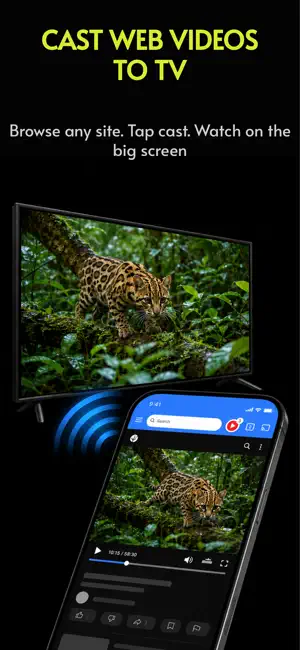
Cast web videos from your iPhone to your TV. CastBrowser is a browser built for video casting. Open a website, play a video, and send the stream to your TV while your phone stays free for browsing and playback control. WHY CASTBROWSER - Cast web videos and live streams from websites you browse - Built-in browser detects playable video links - Supports common formats including HLS, M3U8, and MP4 - Works with supported Chromecast devices, Fire TV where supported, AirPlay, DLNA/UPnP TVs, browser receivers, and Roku via the CastBrowser receiver channel where available - Use play, pause, seek, and volume controls where supported - Choose detected subtitle tracks on supported receivers - Block popups and redirects while browsing - Save bookmarks, history, and recent videos DIRECT CASTING, NOT SCREEN MIRRORING CastBrowser is built for web video casting. Instead of mirroring your entire iPhone screen, it sends the playable video stream to your TV when the source and receiver support it. That means a cleaner big-screen experience and fewer distractions on your TV. HOW TO CAST 1. Connect your iPhone and TV to the same Wi-Fi 2. Open a video website in CastBrowser 3. Play a video and tap the cast button 4. Choose your TV or receiver 5. Control playback from your phone SUPPORTED PLAYBACK CastBrowser works best with standard web videos and streams, including MP4, HLS, M3U8, and many HTML5 video sources. Compatibility depends on the video source, network, receiver device, and TV capabilities. Some DRM-protected services, unsupported codecs, paid streaming apps, or device-specific formats may not cast. CastBrowser does not host or provide video content. Videos are loaded from the original websites you visit. CastBrowser is not affiliated with Google, Roku, Amazon, Apple, Samsung, LG, Sony, Hisense, TCL, or other device manufacturers. Chromecast is a trademark of Google LLC. Roku is a trademark of Roku, Inc. Fire TV is a trademark of Amazon Technologies, Inc. AirPlay and Apple TV are trademarks of Apple Inc.
Ratings & reviews
4.1
15 ratings
What’s new
Version 1.5.4 · Updated October 24, 2026
Bug fixes and performance improvements.
App privacy
The developer, ROTUNDA TECH LTD, reported these privacy practices to Apple.
Data Not Linked to You
The following data, which may be collected but is not linked to your identity, may be used for the following purposes:
- Browsing History: Browsing History
- Search History: Search History
- Identifiers: Device ID
- Usage Data: Product Interaction
Used for: Third-Party Advertising, App Functionality
Alternatives to Cast to TV - CastBrowser
Looking for apps like Cast to TV - CastBrowser? Here are 6 similar apps on the App Store. The highest rated is Cast to TV: Web Video Browser (5.0/5), and all 6 are free to download.
-
 Cast to TV: Web Video Browser
5.0
-
 myTV - Cast Web Videos to TV
3.0
-
 Mirror Screen to TV
5.0
-
 Screen Mirroring・Smart Cast TV
3.4
-
 MirrorCast Pro Video TV Cast
-
 T Cast
3.7
| App | Rating | Price | Last updated | Compare |
|---|---|---|---|---|
| Cast to TV - CastBrowser | 4.1 / 5 (15 ratings) | Free | October 24, 2026 | |
| Cast to TV: Web Video Browser | 5.0 / 5 (1) | Free | Jun 28, 2026 | Compare |
| myTV - Cast Web Videos to TV | 3.0 / 5 (1) | Free | Sep 23, 2026 | Compare |
| Mirror Screen to TV | 5.0 / 5 (9) | Free | Sep 5, 2026 | Compare |
| Screen Mirroring・Smart Cast TV | 3.4 / 5 (5) | Free | Aug 25, 2026 | Compare |
| MirrorCast Pro Video TV Cast | – | Free | Jul 30, 2025 | Compare |
| T Cast | 3.7 / 5 (22) | Free | Nov 17, 2025 | Compare |