

Scratch Art - Rainbow Drawing
CHUNGKIL KIM Graphics & Design iPhoneiPadiPod touch
Scratch Art - Rainbow Drawing is a free Graphics & Design app for iPhone and iPad by CHUNGKIL KIM. Requires iOS 16.6. Updated October 29, 2026.
- Price
- Free
- on the App Store
- Size
- 21 MB
- Age 4+
- Updated
- Oct 29
- 2026 · v1.13.0
Screenshots

About Scratch Art - Rainbow Drawing
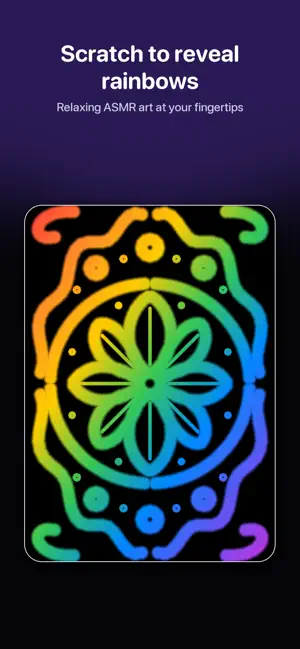
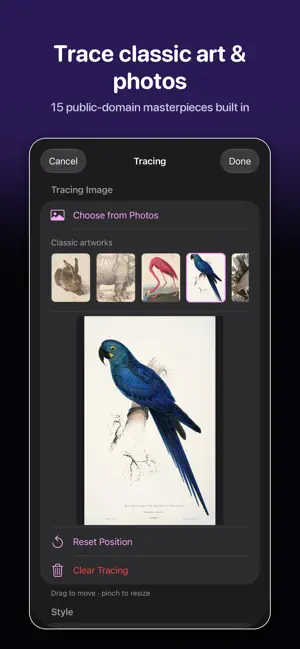
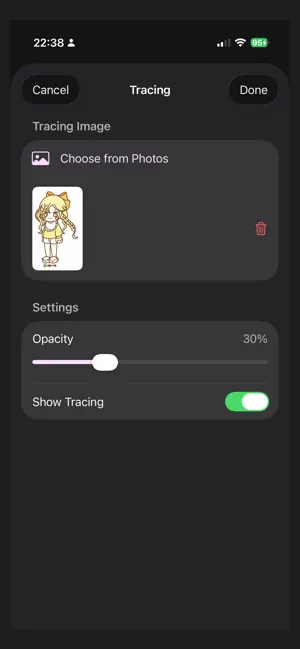
Scratch the black surface to reveal beautiful colors beneath! Scratch Art brings the nostalgic joy of scratch boards to your device. Simply draw with your finger or Apple Pencil to reveal stunning rainbows, auroras, and galaxies hidden beneath the black layer. KEY FEATURES Beautiful Background Patterns Choose from 27 stunning patterns including Rainbow, Aurora, Sunset, Ocean, Forest, Starry Night, Galaxy, Hologram, Neon City, Fire, Gold, Silver, Unicorn, Mermaid, Rose Gold, Cotton Candy, Peacock, Lavender, and seasonal themes like Christmas, Halloween, Spring Blossom, and Autumn Leaves. Premium Foil Effects 5 exclusive holographic patterns - Rainbow Foil, Gold Foil, Silver Foil, Holographic Foil, and Oil Slick - that shimmer and shift as you tilt your device! Create Your Own Patterns Design custom gradients with your favorite colors or use your own photos as backgrounds. Stamp Mode 8 beautiful stamp shapes: Circle, Star, Heart, Square, Diamond, Hexagon, Triangle, and Crescent. Perfect for creating decorations and patterns. Mirror Drawing 4 symmetry modes - Horizontal, Vertical, and Quad mirror - for creating perfectly balanced designs and mandalas. Customizable Brushes 4 brush presets with adjustable size, hardness, and opacity. Full Apple Pencil support with pressure and tilt sensitivity. Multiple Canvas Sizes 6 paper sizes (A3, A4, B5, Letter, Square, Widescreen) with 3 DPI options for screen or print quality. Timelapse Export Automatically record your drawing process and export amazing timelapse videos with adjustable playback speed. Gallery and Organization Save your artwork in organized groups. Rename, move, and manage your creations with beautiful foil-effect thumbnails. iCloud Sync Access your artwork on all your devices. Your creations sync automatically across iPhone and iPad. Home Screen Widgets Quick access to your favorite artworks right from your home screen. Minimap Navigation Overview your entire canvas and navigate large drawings with ease. Undo/Redo Made a mistake? Easily undo and redo your strokes with up to 30 steps. Left-handed Support Position the toolbar on either side for comfortable drawing. PERFECT FOR - Relaxation and mindfulness - Creative time with kids - Creating unique art for social media - Stress relief and unwinding - ASMR-style satisfying content Start creating magical scratch art today! -- [ScratchDraw Premium] Remove ads and unlock all features - Ad-Free experience - Export without watermark - All foil patterns unlocked - Unlimited timelapse export - Access to all premium features Payment will be charged to your iTunes Apple account upon confirmation of subscription. Subscription automatically renews unless auto-renewal is turned off at least 24 hours before the end of the current period. You can manage subscriptions and turn off auto-renewal in Settings > Account > Subscriptions. Terms of Use: http://www.apple.com/legal/itunes/appstore/dev/stdeula Privacy Policy: https://cksw.pe.kr/Scratch/privacy.html -- Third-party content - Setting -> License indication on scratch sound
What’s new
Version 1.13.0 · Updated October 29, 2026
What's New in 1.13.0 - New: Free Form canvas size — set your own width and height (Premium). - When today's free uses run out, choose between a short video or Premium — including a one-time Lifetime option. - The Premium screen on iPad now shows every plan and price clearly. - Stability improvements.
App privacy
The developer, CHUNGKIL KIM, reported these privacy practices to Apple.
Data Used to Track You
The following data may be used to track you across apps and websites owned by other companies:
- Usage Data: Product Interaction, Advertising Data
Data Not Linked to You
The following data, which may be collected but is not linked to your identity, may be used for the following purposes:
- Identifiers: Device ID
- Usage Data: Advertising Data, Product Interaction
- Diagnostics: Crash Data
Used for: Third-Party Advertising, Analytics, Product Personalization, App Functionality
Alternatives to Scratch Art - Rainbow Drawing
Looking for apps like Scratch Art - Rainbow Drawing? Here are 6 similar apps on the App Store. The highest rated is Scratch Art Bord : Healing (4.4/5), and all 6 are free to download.
-
 Scratch Art Bord : Healing
4.4
Scratch Art Bord : Healing
4.4
-
 Synergy Fine Art
-
 AI Print On Demand Designer
-
 AI House Designer Pro
-
 Escher Blocks
-
 MignonSketch: Watercolor Paint
| App | Rating | Price | Last updated | Compare |
|---|---|---|---|---|
| Scratch Art - Rainbow Drawing | – | Free | October 29, 2026 | |
| Scratch Art Bord : Healing | 4.4 / 5 (25) | Free | Oct 20, 2025 | Compare |
| Synergy Fine Art | – | Free | Mar 25, 2025 | Compare |
| AI Print On Demand Designer | – | Free | Jun 29, 2026 | Compare |
| AI House Designer Pro | – | Free | Oct 9, 2026 | Compare |
| Escher Blocks | – | Free | Aug 29, 2026 | Compare |
| MignonSketch: Watercolor Paint | – | Free | Oct 27, 2026 | Compare |