

SubLens: Card Statement PDF
Batuhan Kaplan Finance iPhoneiPadiPod touch
SubLens: Card Statement PDF is a free Finance app for iPhone and iPad by Batuhan Kaplan. Requires iOS 16.4. Updated September 13, 2026.
- Price
- Free
- on the App Store
- Size
- 56 MB
- Age 9+
- Updated
- Sep 13
- 2026 · v1.0.1
Screenshots

About SubLens: Card Statement PDF
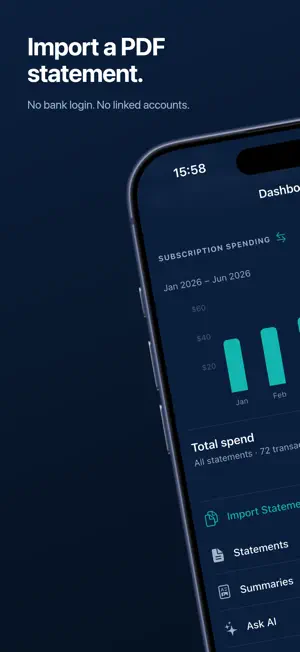
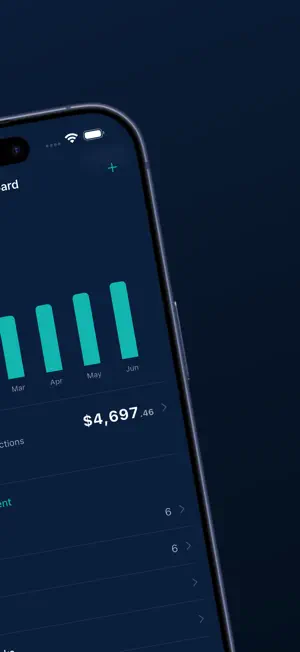
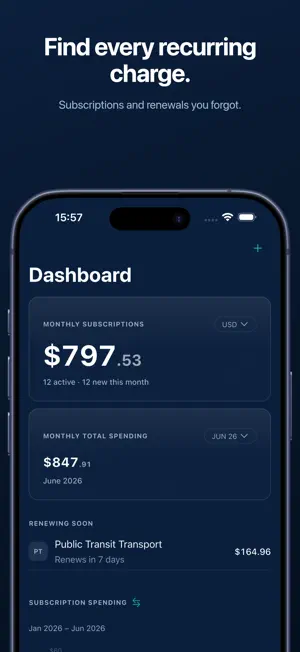
SubLens finds recurring charges hidden in your card statements — privately, on your iPhone. Import a statement, see every subscription, and decide what to keep or cancel. No account. No bank linking. Your statements never leave your device. HOW IT WORKS • Import a statement file: PDF, OFX, QFX, XML (camt.053) or CSV • SubLens reads it on your device and finds recurring charges • Review what it found, then mark each one Keep or Cancel FEATURES • Recurring charge and renewal-cadence detection • Monthly and yearly subscription totals • Multi-currency support with original-currency view • Keep / Cancel decisions with step-by-step cancel guidance • Renewal reminders via local notifications • Export a clean PDF summary report • An offline AI assistant that answers questions about your spending PRIVACY FIRST • All statement processing happens on your device • No account, no sign-in, no bank linking • Delete your local data at any time PRICING (United States; prices and the introductory offer vary by region — your own are shown in the app before you buy) • Free to download • Monthly Premium: $9.99/month • Annual Premium: $0.99 for your first month, then $34.99/year • Lifetime Unlock: $99.99, one time Subscriptions renew unless cancelled at least 24 hours before the period ends. Privacy Policy: https://getsublens.app/privacy/ Terms of Use: https://www.apple.com/legal/internet-services/itunes/dev/stdeula/
What’s new
Version 1.0.1 · Updated September 13, 2026
More room to try SubLens before you decide. The free tier now includes six statement imports and three assistant questions, so you can bring a few months of statements through and see real recurring charges first. Premium now opens with a low-priced introductory month on the annual plan. The price for your region is always shown on the upgrade screen and on Apple's purchase sheet before anything is charged. Plan terms read more plainly throughout: what each tier includes, what renews, and when. The first-run walkthrough is new. It shows what SubLens does with a statement — which files it accepts, how renewal reminders work, and what the free tier covers — before you import anything. Unchanged, as always: your statements are read on your iPhone. No account, no sign-in, nothing uploaded.
App privacy
The developer, Batuhan Kaplan, reported these privacy practices to Apple.
Data Not Linked to You
The following data, which may be collected but is not linked to your identity, may be used for the following purposes:
- Purchases: Purchase History
- Usage Data: Product Interaction
- Diagnostics: Other Diagnostic Data
Used for: Analytics, App Functionality
Alternatives to SubLens: Card Statement PDF
Looking for apps like SubLens: Card Statement PDF? Here are 6 similar apps on the App Store. The highest rated is Subscription Manager: SubIQ (4.8/5), and all 6 are free to download.
-
 Expense Tracker: Xify
-
 Suby: Subscription Tracker
-
 Money Manager - Budget Coach
4.5
Money Manager - Budget Coach
4.5
-
 DecentWealth Portfolio Tracker
4.5
DecentWealth Portfolio Tracker
4.5
-
 SubLens: Subscription Tracker
-
 Subscription Manager: SubIQ
4.8
Subscription Manager: SubIQ
4.8
| App | Rating | Price | Last updated | Compare |
|---|---|---|---|---|
| SubLens: Card Statement PDF | – | Free | September 13, 2026 | |
| Expense Tracker: Xify | – | Free | Nov 26, 2025 | Compare |
| Suby: Subscription Tracker | – | Free | Oct 15, 2026 | Compare |
| Money Manager - Budget Coach | 4.5 / 5 (2) | Free | Jan 25, 2026 | Compare |
| DecentWealth Portfolio Tracker | 4.5 / 5 (2) | Free | Oct 3, 2026 | Compare |
| SubLens: Subscription Tracker | – | Free | Oct 13, 2026 | Compare |
| Subscription Manager: SubIQ | 4.8 / 5 (22) | Free | Oct 25, 2026 | Compare |