

Pocket Scan: Offline Scanner
Haro LLC Productivity iPhoneiPadiPod touch
Pocket Scan: Offline Scanner is a free Productivity app for iPhone and iPad by Haro LLC. Rated 5.0/5 from 2 ratings. Requires iOS 15.1.
- Rating
- 5.0
- 2 ratings
- Price
- Free
- on the App Store
- Size
- 92 MB
- Age 4+
- Updated
- Oct 10
- 2026 · v1.0.13
Screenshots


About Pocket Scan: Offline Scanner
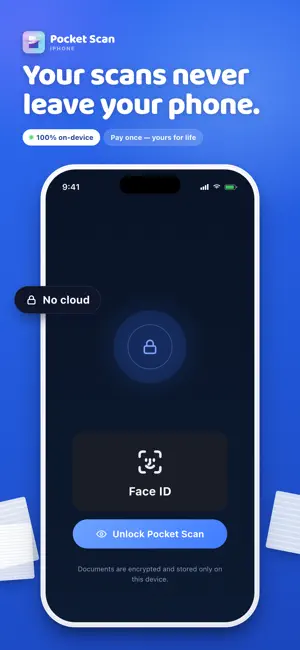
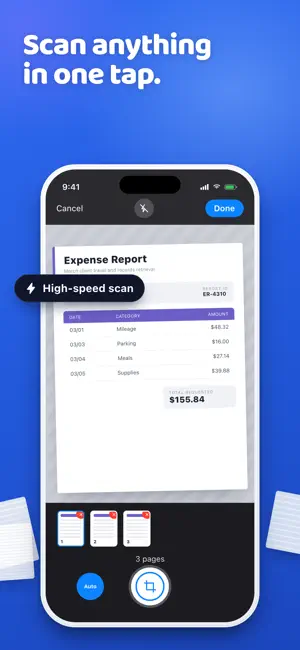
Scan paper, take photos, or upload documents and watch them become searchable files you can listen to or share. Plus, your files are completely private. Pocket Scan turns receipts, contracts, mail, notes, book pages, photos, and whiteboards into organized documents you can find again. No account. No subscriptions. No cloud storage. One-time purchase. Lifetime access. Private by default. Built for offline use. Use Pocket Scan when a document matters and you cannot afford to lose it. - Scan multi-page paperwork fast - Clean up each page - Sign documents - Highlight, underline, redact, or search for files - Listen to your scans - Organize and share your files Your scans become searchable PDFs, so names, dates, totals, clauses, notes, and page details are easy to find later. What you can do with Pocket Scan • Scan multi-page documents as PDF or JPG • Add pages to an existing scan • Clean up scans with crop, rotate, and page adjustment tools • Sign, highlight, underline, and redact important pages • Search text inside every scan • Listen to scanned documents with built-in text-to-speech • Organize, rename, and manage scans • Share scans by text, email, AirDrop, or other apps • Send scans to your Mac over your local network A scanner built for real life: Scan mail before it disappears. Scan receipts before they fade. Scan contracts before the details get buried. Scan book pages, research notes, forms, and whiteboards when you need a record that lasts. Pocket Scan keeps the process simple: capture, clean, search, and share. Your documents stay on your device unless you choose to send them somewhere else. Download Pocket Scan today. Scan once. Find forever.
What’s new
Version 1.0.13 · Updated October 10, 2026
• Bring in PDFs with confidence. Password-protected files now get a clear message instead of blank pages. • A more secure connection to your Mac. Update Pocket Scan Receiver to keep sending scans. • Buying and restoring Pro is more reliable, including purchases that need family approval. • Smoother first scans, plus cleaner layouts on wide and short screens, especially iPad.
App privacy
The developer, Haro LLC, reported these privacy practices to Apple.
Data Linked to You
The following data, which may be collected and linked to your identity, may be used for the following purposes:
- Purchases: Purchase History
- Identifiers: Device ID
- Usage Data: Product Interaction, Other Usage Data
- Diagnostics: Performance Data, Crash Data, Other Diagnostic Data
Used for: Analytics, App Functionality
Alternatives to Pocket Scan: Offline Scanner
Looking for apps like Pocket Scan: Offline Scanner? Here are 6 similar apps on the App Store. The highest rated is iScanKit: Offline Scanner (5.0/5), and all 6 are free to download.
-
 PDFify: PDF Converter & Scan
-
 Image to pdf: easy converter
4.3
Image to pdf: easy converter
4.3
-
 iScanKit: Offline Scanner
5.0
iScanKit: Offline Scanner
5.0
-
 CiFile: Scan & Manage PDFs
-
 PDF Scanner - Document Scanner
4.8
PDF Scanner - Document Scanner
4.8
-
 PDF Signer - Sign PDFs Offline
| App | Rating | Price | Last updated | Compare |
|---|---|---|---|---|
| Pocket Scan: Offline Scanner | 5.0 / 5 (2 ratings) | Free | October 10, 2026 | |
| PDFify: PDF Converter & Scan | – | Free | Jul 1, 2026 | Compare |
| Image to pdf: easy converter | 4.3 / 5 (14) | Free | Sep 7, 2026 | Compare |
| iScanKit: Offline Scanner | 5.0 / 5 (1) | Free | Mar 24, 2026 | Compare |
| CiFile: Scan & Manage PDFs | – | Free | Jun 9, 2026 | Compare |
| PDF Scanner - Document Scanner | 4.8 / 5 (99) | Free | Oct 13, 2026 | Compare |
| PDF Signer - Sign PDFs Offline | – | Free | Apr 20, 2025 | Compare |