

PDF Signer - Sign PDFs Offline
Binaryscript Private Limited Productivity iPhoneiPadiPod touch
PDF Signer - Sign PDFs Offline is a free Productivity app for iPhone and iPad by Binaryscript Private Limited. Requires iOS 16.6. Updated April 20, 2025.
- Price
- Free
- on the App Store
- Size
- 15 MB
- Age 17+
- Updated
- Apr 20
- 2025 · v1.07
Screenshots

About PDF Signer - Sign PDFs Offline
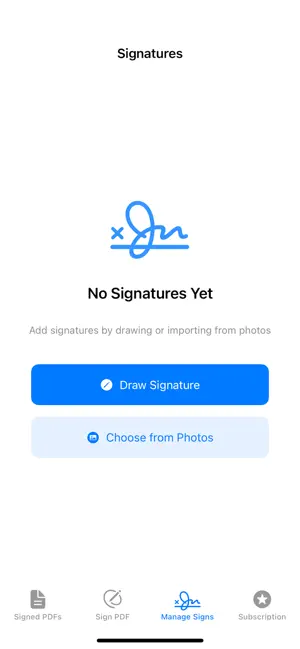
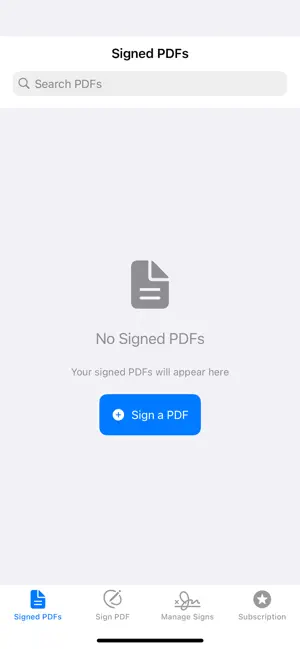
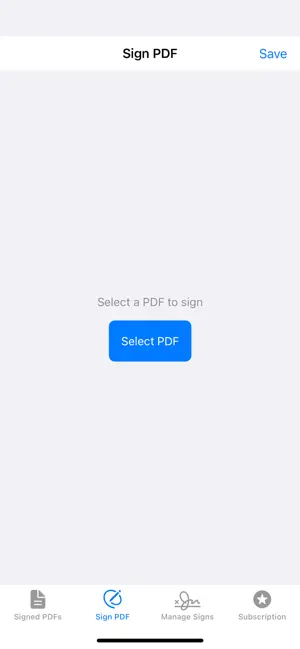
Say goodbye to printing, signing, scanning, and faxing documents! PDF Signer is your all-in-one digital solution for signing and managing PDFs on the go. With our intuitive interface and advanced features, you can quickly add your handwritten signature, adjust its size and position, and easily save or share your signed PDFs. Subscription Options: • Monthly Plan ($9.99/month, automatically renews) - Unlimited signed PDFs - Multiple signatures per page - Priority support - All premium features • Annual Plan ($69.99/year, automatically renews) - All Monthly Plan features - Save 42% compared to monthly plan - Priority email support - Best value option Key Features: • Easy PDF Signing: - Open any PDF and add your unique signature with a simple tap. - Use our intuitive drawing tools to create a signature directly on your device or import an existing one from your photos. • Precision Editing: - Drag, resize, and rotate your signature with real-time preview. - Our robust signature placement engine ensures your signature appears exactly where you intend it to be. • Manage Your Signatures: - Save multiple signatures and easily select the one you need for each document. - Organize and edit your saved signatures in one convenient place. • Seamless PDF Conversion: - Automatically convert PDF pages to images for on‑screen editing. - Preserve the document’s original quality and formatting when saving the final signed PDF. • Share Instantly: - Save signed PDFs directly to your device and share via email, cloud services, or social media. - Securely store your signed documents and keep track of your signing history. Why Choose PDF Signer? PDF Signer is designed for professionals, students, and anyone who needs to sign documents quickly and securely. Our app leverages the latest Apple technologies like SwiftUI, PDFKit, and PencilKit to provide a smooth, efficient, and accurate signing experience—all without the hassle of paper. How it Works: 1. Select Your Document: Choose a PDF from your device or cloud storage. 2. Place Your Signature: Tap the desired location and adjust your signature’s size and orientation with intuitive drag-and-drop gestures. 3. Save & Share: Once satisfied, save your signed PDF and share it immediately with colleagues, clients, or family. Subscription Information: • Subscription automatically renews unless auto-renewal is turned off at least 24 hours before the end of the current period • Account will be charged for renewal within 24 hours prior to the end of the current period • Subscriptions may be managed by the user and auto-renewal may be turned off by going to the user's Account Settings after purchase • Any unused portion of a free trial period, if offered, will be forfeited when the user purchases a subscription Privacy Policy: https://binaryscript.com/pdfsigner/privacy/ Terms of Use: https://binaryscript.com/pdfsigner/terms/ Free Version Includes: • Up to 5 PDFs per month • Basic PDF signing features
What’s new
Version 1.07 · Updated April 20, 2025
Added remove background from added sign & stamp images.
App privacy
The developer, Binaryscript Private Limited, reported these privacy practices to Apple.
Data Not Linked to You
The following data, which may be collected but is not linked to your identity, may be used for the following purposes:
- Identifiers: User ID
Used for: Analytics, App Functionality
Alternatives to PDF Signer - Sign PDFs Offline
Looking for apps like PDF Signer - Sign PDFs Offline? Here are 6 similar apps on the App Store. The highest rated is Signature Scanner: SignLeaf (5.0/5), and all 6 are free to download.
-
 PDF Signature Validator
-
 PDF Rocket: Signature Creator
4.9
PDF Rocket: Signature Creator
4.9
-
 PDF Signer - Signing Documents
4.9
PDF Signer - Signing Documents
4.9
-
 Signature Scanner: SignLeaf
5.0
Signature Scanner: SignLeaf
5.0
-
 Sign AI - Signature Maker App
4.5
Sign AI - Signature Maker App
4.5
-
 PDFNext: Editor & Reader
5.0
PDFNext: Editor & Reader
5.0
| App | Rating | Price | Last updated | Compare |
|---|---|---|---|---|
| PDF Signer - Sign PDFs Offline | – | Free | April 20, 2025 | |
| PDF Signature Validator | – | Free | Jul 7, 2026 | Compare |
| PDF Rocket: Signature Creator | 4.9 / 5 (50) | Free | Oct 13, 2026 | Compare |
| PDF Signer - Signing Documents | 4.9 / 5 (16) | Free | Jun 24, 2025 | Compare |
| Signature Scanner: SignLeaf | 5.0 / 5 (1) | Free | Oct 19, 2026 | Compare |
| Sign AI - Signature Maker App | 4.5 / 5 (62) | Free | Oct 7, 2026 | Compare |
| PDFNext: Editor & Reader | 5.0 / 5 (2) | Free | Sep 11, 2026 | Compare |