

RazorScan
Ranbijay SinghDeo Productivity iPhoneiPadiPod touch
RazorScan is a free Productivity app for iPhone and iPad by Ranbijay SinghDeo. Requires iOS 17.0. Updated October 7, 2026.
- Price
- Free
- on the App Store
- Size
- 3 MB
- Age 4+
- Updated
- Oct 7
- 2026 · v1.1.0
Screenshots


About RazorScan
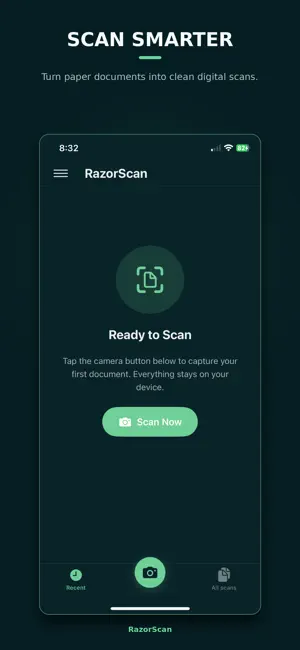
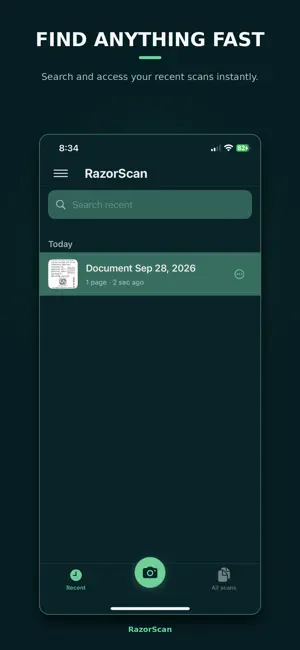
RazorScan — razor-sharp document scanning. Scan multipage documents with your camera, edit pages, save as PDF, organize into folders, and extract text — entirely on your device. Features • Fast document scanning • Edit, rotate, and rearrange pages before saving • Save as PDF on your iPhone • Organize scans into folders • On-device text extraction (OCR) • Share documents with other apps • Themes: Forest and Cosmic • No account, no cloud, no ads Privacy RazorScan works offline. Your documents stay on your device. We don’t collect personal data or use tracking.
What’s new
Version 1.1.0 · Updated October 7, 2026
What’s new in RazorScan 1.1 • New dashboard with Recent and All scans • Organize documents into folders • Extract text from scans on your device (OCR) • Push into document detail with Share and Extract • Refreshed Forest theme and clearer alerts • Improved scan preview layout
App privacy
The developer, Ranbijay SinghDeo, reported these privacy practices to Apple.
Data Not Collected
The developer does not collect any data from this app.
Alternatives to RazorScan
Looking for apps like RazorScan? Here are 6 similar apps on the App Store. The highest rated is ANY Calculator (5.0/5), and all 6 are free to download.
-
 ANY Calculator
5.0
-
 DocScanner AI: Smart PDF Scan
-
 Control for GitLab
3.9
-
 miMind - Mind Map, Brainstorm
4.8
-
 Xmind: AI Mind Map, Brainstorm
4.8
-
 Camera Scanner: PDF Converter
4.7
| App | Rating | Price | Last updated | Compare |
|---|---|---|---|---|
| RazorScan | – | Free | October 7, 2026 | |
| ANY Calculator | 5.0 / 5 (1) | Free | Nov 16, 2025 | Compare |
| DocScanner AI: Smart PDF Scan | – | Free | May 6, 2026 | Compare |
| Control for GitLab | 3.9 / 5 (260) | Free | Feb 24, 2026 | Compare |
| miMind - Mind Map, Brainstorm | 4.8 / 5 (360) | Free | Aug 27, 2026 | Compare |
| Xmind: AI Mind Map, Brainstorm | 4.8 / 5 (6,982) | Free | Oct 20, 2026 | Compare |
| Camera Scanner: PDF Converter | 4.7 / 5 (789) | Free | Oct 16, 2026 | Compare |
Compare RazorScan with the top alternatives: ratings, updates, ASO score and keyword gaps →