

Keylo: AI on Your Keyboard
AYDIN YUMUSAK Productivity iPhoneiPadiPod touch
Keylo: AI on Your Keyboard is a free Productivity app for iPhone and iPad by AYDIN YUMUSAK. Requires iOS 16.6. Updated March 7, 2026.
- Price
- Free
- on the App Store
- Size
- 28 MB
- Age 12+
- Updated
- Mar 7
- 2026 · v2.4
Screenshots

About Keylo: AI on Your Keyboard
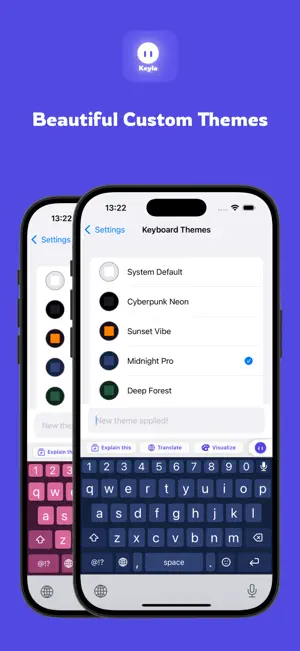
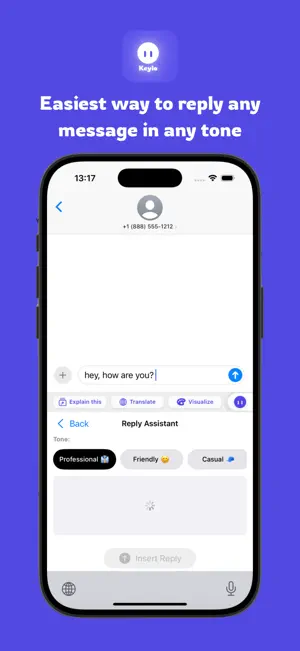
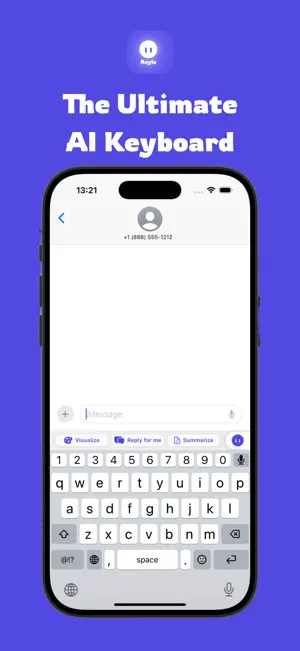
Keylo is an AI-powered keyboard that helps you write better, faster, and more creatively—directly where you type. Whether you’re sending messages, replying to emails, creating content, or practicing a new language, Keylo brings smart AI tools into your keyboard so you don’t need to switch apps or copy and paste text. Write Better Improve grammar, fix spelling, complete sentences, and adjust tone to match your intent. Choose from multiple writing styles such as casual, formal, concise, friendly, or professional. Smart Replies & Situations Generate helpful replies for common situations like greetings, invitations, apologies, or supportive messages. Perfect when you’re not sure what to say. Get Informed Check clarity and sentiment, get quick explanations, and review your text before sending—all inside the keyboard. Fun & Creative Tools Create jokes, generate memes using built-in templates, and explore creative writing styles to make your messages more engaging. Image Tools Generate images, edit visuals, or combine multiple images without leaving your conversation. Language Support Use live bilingual typing with instant translations to chat or practice a new language naturally. Designed for Everyday Typing Smart word suggestions and autocomplete Emoji, symbols, and number access Smooth typing experience with modern design Customizable keyboard themes Privacy & Control Keylo is designed with privacy in mind. Text is processed securely to provide AI features, and no account or login is required. Free Daily Usage Enjoy a limited number of free AI actions each day to explore Keylo’s features. Keylo helps you communicate more clearly, creatively, and confidently—right from your keyboard. Privacy policy: https://www.keyloai.com/privacy-policy Terms of use: https://www.keyloai.com/terms-of-use
What’s new
Version 2.4 · Updated March 7, 2026
+ New Feature: Adaptive Word Suggestions — Learns from your typing style and delivers smarter, faster predictions for a smoother and more personalized typing experience. + Performance Improvements + Bug fixes
App privacy
The developer, AYDIN YUMUSAK, reported these privacy practices to Apple.
Data Not Linked to You
The following data, which may be collected but is not linked to your identity, may be used for the following purposes:
- Identifiers: User ID, Device ID
- Usage Data: Product Interaction
- Diagnostics: Crash Data, Performance Data
- User Content: Photos or Videos, Customer Support, Other User Content
Used for: Analytics, App Functionality
Alternatives to Keylo: AI on Your Keyboard
Looking for apps like Keylo: AI on Your Keyboard? Here are 6 similar apps on the App Store.
-
 KeyboardAI - AI Writer
-
 TypeMat: AI Writing Keyboard
-
 Inksong
-
 Native Say
-
 Owlkey: AI Keyboard & Writer
-
 Nova AI Assistant: Smart Chat
| App | Rating | Price | Last updated | Compare |
|---|---|---|---|---|
| Keylo: AI on Your Keyboard | – | Free | March 7, 2026 | |
| KeyboardAI - AI Writer | – | Free | Oct 22, 2025 | Compare |
| TypeMat: AI Writing Keyboard | – | Free | Oct 5, 2026 | Compare |
| Inksong | – | Free | Jun 26, 2026 | Compare |
| Native Say | – | Free | Mar 12, 2025 | Compare |
| Owlkey: AI Keyboard & Writer | – | Free | Oct 23, 2026 | Compare |
| Nova AI Assistant: Smart Chat | – | Free | Sep 26, 2026 | Compare |