

Vendora DS
Ahmed Chebbi Developer Tools iPhoneiPadiPod touch
Vendora DS is a free Developer Tools app for iPhone and iPad by Ahmed Chebbi. Requires iOS 17.0. Updated January 26, 2026.
- Price
- Free
- on the App Store
- Size
- 2 MB
- Age 4+
- Updated
- Jan 26
- 2026 · v1.1.0
Screenshots


About Vendora DS
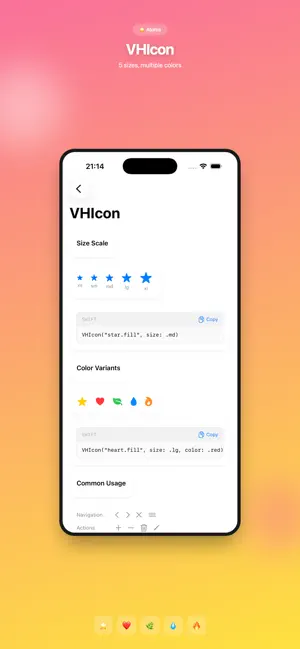
VendoraHUB Design System Showcases is your complete interactive guide to the VendoraHUB Design System for SwiftUI. Browse, explore, and copy production-ready code for 50+ beautifully crafted components. EXPLORE THE DESIGN SYSTEM Navigate through a comprehensive library of SwiftUI components organized by category: • Design Tokens - Colors, typography, spacing, and more • Atoms - Basic building blocks like icons and text • Molecules - Buttons, text fields, badges, toggles • Organisms - Cards, list rows, empty states, forms • View Modifiers - Custom SwiftUI modifiers COPY CODE INSTANTLY Every component comes with ready-to-use Swift code. Simply tap to copy and paste directly into your Xcode project. No more searching documentation or guessing syntax. COMPONENT LIBRARY Buttons: • VHButton - Primary, secondary, ghost, destructive variants • VHIconButton - Icon-only buttons • Loading states and icon support Text Inputs: • VHTextField - Text inputs with labels and validation • VHCurrencyField - Formatted currency inputs • VHFormField - Complete form field with label Display Components: • VHCard - Cards with shadows and styling • VHListRow - Configurable list rows with icons • VHBadge - Status badges and indicators • VHQuickStat - Statistics display Feedback: • VHProgressBar - Progress indicators • VHEmptyState - Empty state views with actions • VHLoadingState - Loading indicators Controls: • VHToggle - Switch controls • VHChip - Selectable chips and tags DESIGN TOKENS Explore the complete token system: Colors: • Semantic colors (textPrimary, background, surface) • Brand colors (primary, secondary, accent) • Status colors (success, warning, error) • All colors adapt to Light and Dark mode Typography: • Display, headline, body, caption styles • Consistent font weights and sizes Spacing: • 4pt grid system • Semantic spacing tokens LIGHT & DARK MODE Preview every component in both Light and Dark appearances. See exactly how colors and styles adapt to the user's system preference. LIVE PREVIEWS Interactive previews show each component in action. See different states, variants, and configurations before copying the code. PERFECT FOR DEVELOPERS Whether you're building a new app with VendoraHUB Design System or maintaining an existing project, this app is your essential companion: • Quick reference while coding • Learn component APIs and usage patterns • Discover available variants and options • Copy code snippets without leaving your workflow ALWAYS UP TO DATE The showcase reflects the latest version of VendoraHUB Design System, ensuring you always have access to current components and APIs. Built with SwiftUI. Designed for developers.
What’s new
Version 1.1.0 · Updated January 26, 2026
Add new components in design system
App privacy
The developer, Ahmed Chebbi, reported these privacy practices to Apple.
Data Not Collected
The developer does not collect any data from this app.
Alternatives to Vendora DS
Looking for apps like Vendora DS? Here are 6 similar apps on the App Store. The highest rated is UI Playground (5.0/5), and all 6 are free to download.
-
 MF Components
-
 SwiftCatalog: SwiftUI Code
-
 UI Components Playground
-
 UI Playground
5.0
UI Playground
5.0
-
 Haptic Hero
-
 SF Search
5.0
SF Search
5.0
| App | Rating | Price | Last updated | Compare |
|---|---|---|---|---|
| Vendora DS | – | Free | January 26, 2026 | |
| MF Components | – | Free | Feb 24, 2026 | Compare |
| SwiftCatalog: SwiftUI Code | – | Free | Jul 21, 2026 | Compare |
| UI Components Playground | – | Free | Oct 17, 2026 | Compare |
| UI Playground | 5.0 / 5 (3) | Free | Jul 23, 2026 | Compare |
| Haptic Hero | – | Free | Jul 21, 2025 | Compare |
| SF Search | 5.0 / 5 (5) | Free | Oct 31, 2026 | Compare |
Compare Vendora DS with the top alternatives: ratings, updates, ASO score and keyword gaps →