

PDF Converter: Doc File Pro
坤坤 马 Utilities iPhoneiPadiPod touch
PDF Converter: Doc File Pro is a free Utilities app for iPhone and iPad by 坤坤 马. Rated 5.0/5 from 1 ratings. Requires iOS 15.0. Updated September 13, 2026.
- Rating
- 5.0
- 1 ratings
- Price
- Free
- on the App Store
- Size
- 37 MB
- Age 4+
- Updated
- Sep 13
- 2026 · v1.0.5
Screenshots

About PDF Converter: Doc File Pro
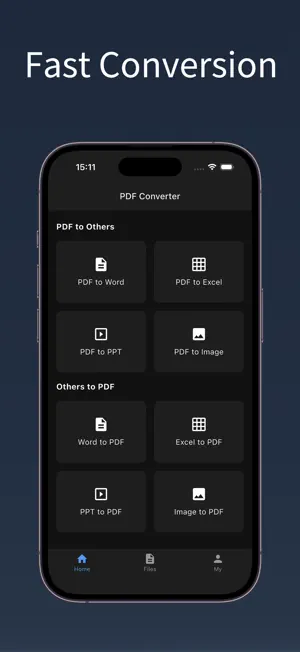
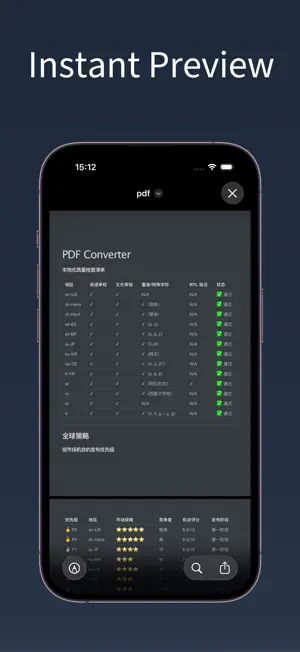
Easily convert and manage your documents with a fast and reliable file processing tool designed for everyday work and study needs. Key Features • Convert PDF to Word, Excel, PPT, and images • Convert Word, Excel, PPT, and images to PDF • Support multiple document formats with high accuracy • Preserve original layout, text, and formatting • Batch conversion for improved efficiency • Fast processing with stable output quality • Simple and clean interface, easy to use Supported File Types • PDF • Word (DOC / DOCX) • Excel (XLS / XLSX) • PowerPoint (PPT / PPTX) • Images (JPG / PNG) Common Use Cases • Edit PDF files by converting them into editable documents • Create PDF files from office documents and images • Share documents in a universal and secure PDF format • Prepare reports, presentations, and spreadsheets on the go • Handle contracts, invoices, resumes, and study materials • Quickly process files for work, school, or daily tasks Why Choose This App • Designed for productivity and efficiency • Works well for both professionals and students • No complicated steps — convert files in just a few taps • Reliable performance for daily document tasks Manage your documents more efficiently and get your work done faster, wherever you are. Subscription and Auto-Renewal 1. Offers one-week, one-month, and twelve-month auto-renewable subscription plans. 2. Payment: Charges will be applied to your iTunes account upon confirmation of purchase. 3. Renewal: Subscriptions with free trials will automatically convert to paid subscriptions. Charges will be applied to your iTunes account within 24 hours before the end of the current period. The subscription period will be extended after successful payment. 4. Cancelation: To cancel auto-renewal, turn off automatic renewal in iTunes / Apple ID settings at least 24 hours before the current subscription period ends. User Agreement: http://oss.honghukeji.work/h5/pdf_converter/ios/user.html Privacy Policy: http://oss.honghukeji.work/h5/pdf_converter/ios/privacy.html Subscription Agreement: http://oss.honghukeji.work/h5/pdf_converter/ios/subscribe.html
What’s new
Version 1.0.5 · Updated September 13, 2026
Fix bugs.
App privacy
The developer, 坤坤 马, reported these privacy practices to Apple.
Data Not Linked to You
The following data, which may be collected but is not linked to your identity, may be used for the following purposes:
- Identifiers: Device ID
- Usage Data: Product Interaction
Used for: Analytics
Alternatives to PDF Converter: Doc File Pro
Looking for apps like PDF Converter: Doc File Pro? Here are 6 similar apps on the App Store.
-
 Word to PDF Converter DOCX
-
 Voice to Text - Speech to Text
-
 PDF Assist - File Converter
-
 QR Maker – Custom QR Code
-
 Audio to Text - Record to Text
-
 Document Converter PDF
| App | Rating | Price | Last updated | Compare |
|---|---|---|---|---|
| PDF Converter: Doc File Pro | 5.0 / 5 (1 rating) | Free | September 13, 2026 | |
| Word to PDF Converter DOCX | – | Free | Jan 8, 2026 | Compare |
| Voice to Text - Speech to Text | – | Free | Sep 16, 2026 | Compare |
| PDF Assist - File Converter | – | Free | Sep 16, 2026 | Compare |
| QR Maker – Custom QR Code | – | Free | Sep 17, 2026 | Compare |
| Audio to Text - Record to Text | – | Free | Sep 5, 2026 | Compare |
| Document Converter PDF | – | Free | Sep 29, 2026 | Compare |