

DocScan+: QR & PDF Scanner App
Robust Research And Development Ltd. Productivity iPhoneiPadiPod touch
DocScan+: QR & PDF Scanner App is a free Productivity app for iPhone and iPad by Robust Research And Development Ltd. Rated 5.0/5 from 3 ratings.
- Rating
- 5.0
- 3 ratings
- Price
- Free
- on the App Store
- Size
- 10 MB
- Age 4+
- Updated
- Feb 14
- 2026 · v1.0.3
Screenshots


About DocScan+: QR & PDF Scanner App
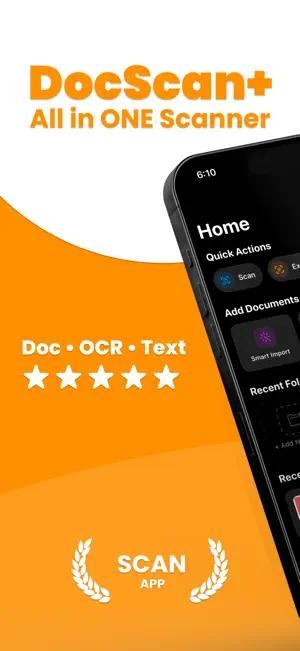
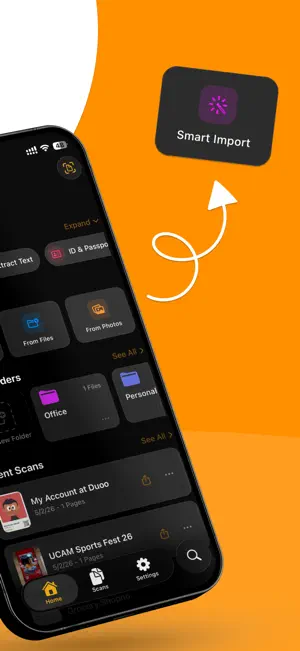
Introducing DocScan+ QR & PDF Scanner App, the ultimate document scanning solution that transforms your iPhone, iPad, Mac, and Vision Pro into a powerful portable scanner. Whether you're a student, professional, or simply need to digitize important documents, DocScan+ QR & PDF Scanner App makes scanning quick, easy, and secure. SMART DOCUMENT SCANNING • Scan documents instantly using your device's camera • Advanced edge detection automatically crops and straightens pages • Smart Import automatically detects and imports documents from your photo library • Automatic category detection organizes your scans (Receipts, IDs, Tax Forms, Handwritten notes) • Batch scan multiple pages into a single document • Import from Photos, Files, or scan directly SPECIALIZED SCANNERS • ID & Passport Scanner with optimized detection • QR Code Scanner with real-time detection and data extraction • Tax Form Scanner for financial documents • Text Extraction (OCR) with multi-language support • Handwriting detection for notes and journals SMART RECEIPT PARSING • Automatically extract merchant name, address, and contact info • Parse individual items with quantities and prices • Detect totals, discounts, tax, and tips • Extract VAT/BIN numbers and invoice details • Track loyalty points and payment methods • Perfect for expense reports and bookkeeping SMART ORGANIZATION • Automatic folder categorization • Create custom folders with icons and colors • Move documents between folders easily • Mark favorites for quick access • Search through all documents instantly • Grid and list view options PROFESSIONAL PDF EXPORT • Export scans as high-quality PDF files • Share via email, messaging, cloud storage, or AirDrop • Optimized file sizes without compromising quality • Perfect for contracts, receipts, notes, IDs, and more ICLOUD SYNC (PRO) • Seamlessly sync documents across all your Apple devices • Access your scans on iPhone, iPad, Mac, and Vision Pro • Signatures and settings sync automatically • Your documents are always up to date everywhere BANK-LEVEL SECURITY • Protect sensitive documents with Face ID and Touch ID • Lock individual documents for extra privacy • Your documents stay secure on your device • iCloud sync uses end-to-end encryption WORKS ACROSS ALL YOUR DEVICES • Native support for iPhone, iPad, Mac, and Vision Pro • Optimized layouts for every screen size • Seamless experience across the Apple ecosystem DocScan+ QR & PDF Scanner PRO FEATURES Upgrade to Pro for the complete scanning experience: • Unlimited document scans & PDF exports • Unlimited document storage • Smart Import from photo library • iCloud Sync across all devices • Signature management • Biometric security • Ad-free experience PERFECT FOR: • Students scanning notes, textbooks, and assignments • Professionals digitizing contracts, invoices, and receipts • Accountants tracking expenses and receipts • Travelers keeping digital copies of passports and IDs • Anyone needing to archive important documents • Home organization and paperless filing • Teams that need documents on multiple devices Have a question? Need assistance? Contact us at: https://docscan.rrad.ltd/contact Privacy Policy: https://docscan.rrad.ltd/privacy-policy Terms of Use: https://docscan.rrad.ltd/terms-of-use
What’s new
Version 1.0.3 · Updated February 14, 2026
We’re excited to bring you new updates in this version! • Fixes and improvements to make the app run better. If you’re enjoying the app, please consider rating us on the App Store — your support really helps
App privacy
The developer, Robust Research And Development Ltd., reported these privacy practices to Apple.
Data Used to Track You
The following data may be used to track you across apps and websites owned by other companies:
- Identifiers: Device ID
Data Linked to You
The following data, which may be collected and linked to your identity, may be used for the following purposes:
- Location: Coarse Location
- Identifiers: Device ID
- Usage Data: Product Interaction, Advertising Data
Used for: Third-Party Advertising, Developer’s Advertising or Marketing, Analytics, App Functionality
Data Not Linked to You
The following data, which may be collected but is not linked to your identity, may be used for the following purposes:
- Diagnostics: Performance Data, Other Diagnostic Data, Crash Data
- User Content: Photos or Videos
Used for: Third-Party Advertising, Developer’s Advertising or Marketing, Analytics, Product Personalization, App Functionality, Other Purposes
Alternatives to DocScan+: QR & PDF Scanner App
Looking for apps like DocScan+: QR & PDF Scanner App? Here are 6 similar apps on the App Store. The highest rated is SendScan: Scanner + Automation (5.0/5), and all 6 are free to download.
-
 Letters - free your inbox
-
 SendScan: Scanner + Automation
5.0
SendScan: Scanner + Automation
5.0
-
 PDF Scan - Sign, Edit Document
-
 Scan Photos to PDF: Docsy
-
 PDF Pocket: Scanner & Editor
4.0
PDF Pocket: Scanner & Editor
4.0
-
 DocScan: Document Scanner+OCR
5.0
DocScan: Document Scanner+OCR
5.0
| App | Rating | Price | Last updated | Compare |
|---|---|---|---|---|
| DocScan+: QR & PDF Scanner App | 5.0 / 5 (3 ratings) | Free | February 14, 2026 | |
| Letters - free your inbox | – | Free | Oct 25, 2026 | Compare |
| SendScan: Scanner + Automation | 5.0 / 5 (1) | Free | Sep 14, 2026 | Compare |
| PDF Scan - Sign, Edit Document | – | Free | Mar 19, 2026 | Compare |
| Scan Photos to PDF: Docsy | – | Free | Apr 21, 2026 | Compare |
| PDF Pocket: Scanner & Editor | 4.0 / 5 (1) | Free | Mar 10, 2026 | Compare |
| DocScan: Document Scanner+OCR | 5.0 / 5 (2) | Free | Aug 17, 2026 | Compare |