

SplitMap - Compare and Measure
Petrus Sprangers Utilities iPhoneiPadiPod touch
SplitMap - Compare and Measure is a free Utilities app for iPhone and iPad by Petrus Sprangers. Requires iOS 26.0. Updated March 9, 2026.
- Price
- Free
- on the App Store
- Size
- 9 MB
- Age 4+
- Updated
- Mar 9
- 2026 · v1.2
Screenshots

About SplitMap - Compare and Measure
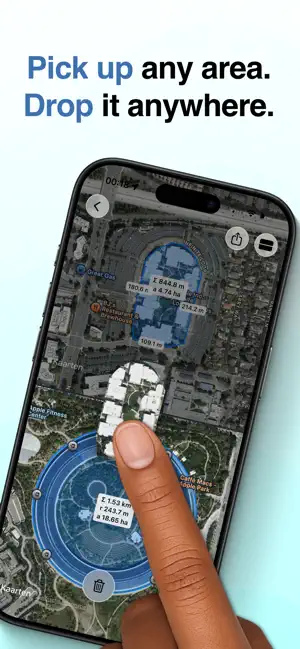
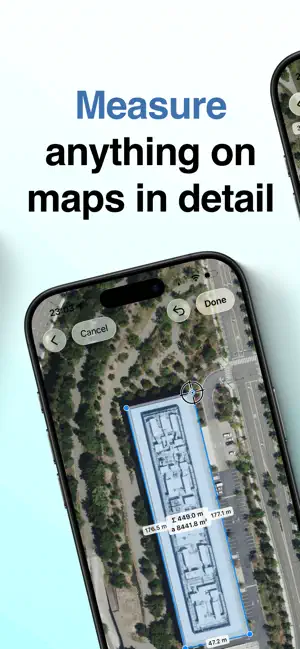
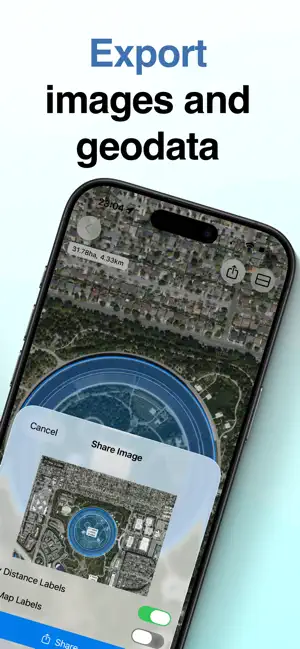
Measure and compare anything on a map with precision tools designed for speed and accuracy. MEASURE WITH CONFIDENCE Place points exactly where they belong using the precision crosshair. Draw lines to measure distances, circles for radius calculations, and custom polygons to calculate surface areas. Every measurement is accurate down to the details. PICK UP AND PLACE AREAS — ANYWHERE Turn measurements into movable objects. Press and hold any drawn area to lift it, then drag a copy to a new location. Drop it elsewhere on the same map — or onto a second map showing a completely different place in the world. Instantly see if a park fits inside a city block, compare property sizes across continents, or test how a landmark would scale somewhere else. No other map app lets you move measured areas this freely. SIDE-BY-SIDE COMPARISON Open two maps simultaneously and compare locations directly. Move shapes between maps, test ideas visually, and evaluate alternatives — all without switching views. SEAMLESS WORKFLOW Export your measurements as images or GeoJSON files to continue working in other apps and professional tools. Your data goes where you need it. SYNC ACROSS DEVICES Use SplitMap on iPhone and iPad with a single purchase. Your locations and measurements sync automatically, so you can start on one device and pick up on another. BUILT FOR EVERYONE • Supports metric and imperial units • Available in 11 languages • Adapts naturally to any screen size Whether you’re planning a project, researching property boundaries, comparing hiking trails, or simply exploring the world, SplitMap gives you the tools to measure — and reposition — what matters.
What’s new
Version 1.2 · Updated March 9, 2026
New: Move measured areas anywhere You can now press and hold any drawn area to pick it up and drag a copy to another location — even to a second map showing a different place in the world. Instantly compare sizes across cities, countries, or continents. Test if something fits somewhere else without redrawing it. This is a unique SplitMap feature, and a powerful new way to compare spaces visually.
App privacy
The developer, Petrus Sprangers, reported these privacy practices to Apple.
Data Not Collected
The developer does not collect any data from this app.
Alternatives to SplitMap - Compare and Measure
Looking for apps like SplitMap - Compare and Measure? Here are 6 similar apps on the App Store. The highest rated is Changemonitor (4.5/5), and all 6 are free to download.
-
 MapMiro2
-
 Easy FTP&SMB Client
-
 FollowSight
-
 MapLab: GPS Area Measure
-
 ThreadMapper
3.0
ThreadMapper
3.0
-
 Changemonitor
4.5
Changemonitor
4.5
| App | Rating | Price | Last updated | Compare |
|---|---|---|---|---|
| SplitMap - Compare and Measure | – | Free | March 9, 2026 | |
| MapMiro2 | – | Free | May 7, 2026 | Compare |
| Easy FTP&SMB Client | – | Free | Jun 15, 2026 | Compare |
| FollowSight | – | Free | Aug 25, 2026 | Compare |
| MapLab: GPS Area Measure | – | Free | Jul 14, 2026 | Compare |
| ThreadMapper | 3.0 / 5 (2) | Free | Oct 13, 2026 | Compare |
| Changemonitor | 4.5 / 5 (2) | Free | Oct 2, 2026 | Compare |