

MapLab: GPS Area Measure
Artem Kedrov Utilities iPhoneiPadiPod touch
MapLab: GPS Area Measure is a free Utilities app for iPhone and iPad by Artem Kedrov. Requires iOS 18.2. Updated July 14, 2026.
- Price
- Free
- on the App Store
- Size
- 16 MB
- Age 4+
- Updated
- Jul 14
- 2026 · v2.9
Screenshots


About MapLab: GPS Area Measure
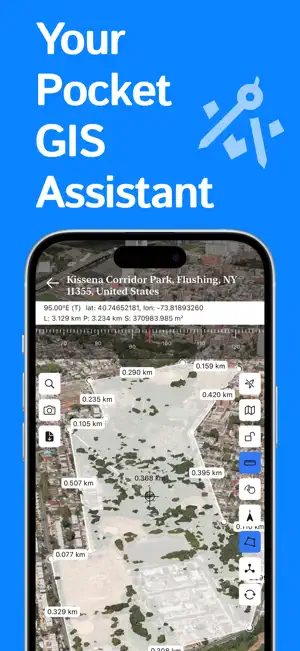
MapLab — Create, Measure & Explore MapLab helps you work with maps, land, and coordinates in a simple and practical way. Create projects, save points, measure distances and areas, and organize important location data — all in one place. Key Features • Organize projects — manage map areas, points, and settings with clarity. • Save detailed points — add names, notes, coordinates, addresses, and photos. • Measure directly on the map — calculate distance, perimeter, and area with precision. • Draw shapes visually — use polygons and lines to outline land, fields, and zones. • Personalize your setup — choose colors, coordinate formats, and measurement units. • Search locations — quickly find places and move around the map with ease. • Review project history — keep track of edits and actions. • Work offline — open your saved projects anytime, even without a connection. Why MapLab MapLab is designed for people who need more than a basic map. It gives you the tools to measure, organize, and explore locations in a clear and flexible way. Subscriptions Upgrade to MapLab Premium to unlock advanced features and get more flexibility for larger and more powerful map workflows. Terms of Use: https://www.apple.com/legal/internet-services/itunes/dev/stdeula/
What’s new
Version 2.9 · Updated July 14, 2026
• Added iCloud sync support — your projects can now stay synchronized across your devices. • Added polygon styling on the polygon overview screen. • Fixed minor issues and improved overall stability and performance.
App privacy
The developer, Artem Kedrov, reported these privacy practices to Apple.
Data Not Collected
The developer does not collect any data from this app.