

Screenshot Editor - SnapHub
Dzmitry Biruk Graphics & Design iPhoneiPadiPod touch
Screenshot Editor - SnapHub is a free Graphics & Design app for iPhone and iPad by Dzmitry Biruk. Rated 5.0/5 from 2 ratings. Requires iOS 16.0.
- Rating
- 5.0
- 2 ratings
- Price
- Free
- on the App Store
- Size
- 67 MB
- Age 4+
- Updated
- Feb 13
- 2026 · v1.0.2
Screenshots


About Screenshot Editor - SnapHub
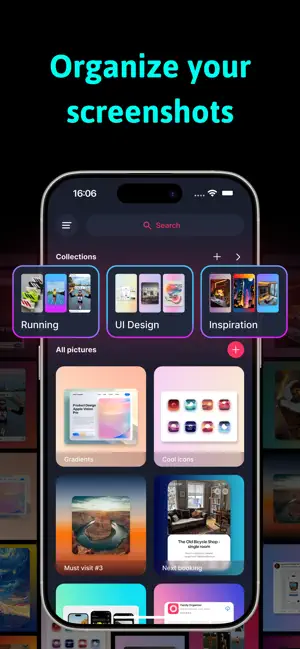
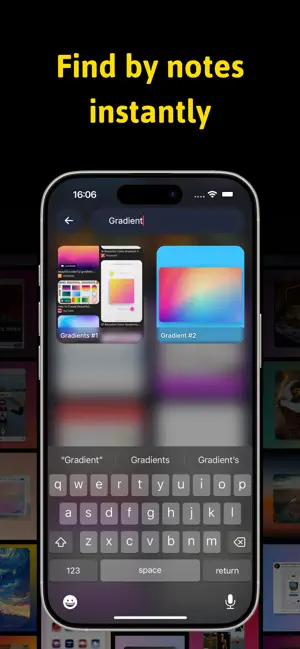
SnapHub – Screenshot Editor & Organizer Transform your screenshots with SnapHub, the ultimate screenshot editor and image organizer! Edit, enhance, and organize all your captures effortlessly in one hub. Key Features: • Organize Photos & Screenshots – Keep all your captures neatly sorted in collections. Never lose a screenshot again! • Edit Backgrounds & Images – Crop, rotate, flip, and scale your screenshots. Add gradient backgrounds or change the aspect ratio to create the perfect layout. • Shadow Styling – Add shadows with customizable position, transparency, and color. • Stylize Your Screenshots – Round corners, scale images, and adjust layers for standout visuals. • Add Captions & Notes – Annotate your screenshots with titles and labels for quick reference. • Search & Find – Easily locate screenshots by captions or collections. Why SnapHub? • Perfect for screen capture, snap edits, and mockups. • Combine multiple images with pic stitch or create custom layouts. • Enhance your screenshots with background editing, gradients, and shadow effects. • Keep everything private and organized in your personal photo hub. Whether you’re a designer, student, or casual user, SnapHub makes it easy to organize, edit, and annotate screenshots in a snap. Some features are available with limited free usage. A paid subscription unlocks full access to pro features, including: • Unlimited exports • High-quality image export • Unlimited collections • Unlimited notes search • Additional shadow colors Subscription is optional. All personal data is protected in accordance with the Terms of Use and Privacy Policy: https://birapps.com/privacy https://birapps.com/terms
What’s new
Version 1.0.2 · Updated February 13, 2026
- Fixing Bugs
App privacy
The developer, Dzmitry Biruk, reported these privacy practices to Apple.
Data Not Linked to You
The following data, which may be collected but is not linked to your identity, may be used for the following purposes:
- Identifiers: User ID, Device ID
- Usage Data: Product Interaction
- Diagnostics: Crash Data
- Purchases: Purchase History
Used for: Analytics, App Functionality
Alternatives to Screenshot Editor - SnapHub
Looking for apps like Screenshot Editor - SnapHub? Here are 6 similar apps on the App Store. The highest rated is AI Video Generator - Al Studio (4.9/5), and all 6 are free to download.
-
 Tattoo AI: Design Generator +
-
 AI Interior Design: SpaceDecor
4.2
-
 AI Video Generator - Al Studio
4.9
-
 AI Home Design, Room Planner
4.6
-
 Banana AI - image generation
4.3
-
 Screenshot Editor - SnapIt
4.7
| App | Rating | Price | Last updated | Compare |
|---|---|---|---|---|
| Screenshot Editor - SnapHub | 5.0 / 5 (2 ratings) | Free | February 13, 2026 | |
| Tattoo AI: Design Generator + | – | Free | Aug 7, 2026 | Compare |
| AI Interior Design: SpaceDecor | 4.2 / 5 (5) | Free | May 4, 2026 | Compare |
| AI Video Generator - Al Studio | 4.9 / 5 (99) | Free | Sep 2, 2026 | Compare |
| AI Home Design, Room Planner | 4.6 / 5 (23) | Free | Oct 5, 2026 | Compare |
| Banana AI - image generation | 4.3 / 5 (9) | Free | Oct 26, 2026 | Compare |
| Screenshot Editor - SnapIt | 4.7 / 5 (90) | Free | Apr 5, 2025 | Compare |