

Screenshot Editor - SnapIt
Mehroz Sheikh Graphics & Design iPhoneiPadiPod touchMac
Screenshot Editor - SnapIt is a free Graphics & Design app for iPhone and iPad by Mehroz Sheikh. Rated 4.7/5 from 90 ratings. Requires iOS 12.0.
- Rating
- 4.7
- 90 ratings
- Price
- Free
- on the App Store
- Size
- 90 MB
- Age 4+
- Updated
- Apr 5
- 2025 · v1.1.4
Screenshots


About Screenshot Editor - SnapIt
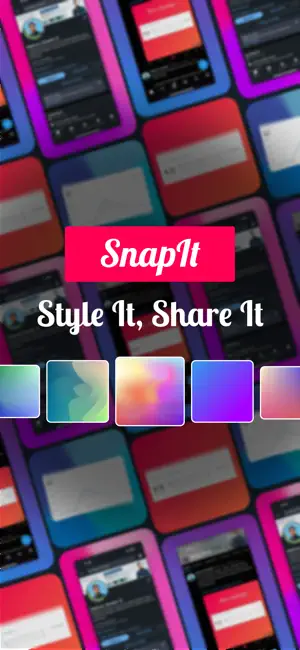
SnapIt is a simple yet powerful tool for creating and editing images. Whether you need to highlight key details, blur sensitive information, or style your visuals with backgrounds and effects, SnapIt makes it quick and easy. With advanced editing tools, you can add text, annotations, and shapes to your images. Adjust backgrounds with solid colors, gradients, or blur effects. Resize and crop your images to fit different formats, and add borders and shadows for a polished look. SnapIt also lets you share directly to LinkedIn in one tap, making it the perfect tool for professionals, marketers, and content creators. Key Features: - Edit and Customize – Add text, annotations, and shapes to highlight key points. - Background Control – Apply solid colors, gradients, or blur effects. - Aspect Ratio & Resizing – Crop and adjust images for social media, presentations, and more. - Screenshot Annotation – Redact, highlight, underline, and mark up your visuals. - Professional Touch – Add shadows, borders, and overlays for a refined look. - Instant Sharing – Post directly to LinkedIn or save in high quality. - SnapIt is designed for professionals, social media managers, educators, and designers who need a fast and reliable way to enhance and share their visuals. Create polished images in just a few taps and streamline your workflow. Download SnapIt today and start editing with ease! Terms of use: https://www.apple.com/legal/internet-services/itunes/dev/stdeula Privacy Policy: https://techrozsolutions.netlify.app/snapit/privacy_policy
Ratings & reviews
4.7
90 ratings
What’s new
Version 1.1.4 · Updated April 5, 2025
- Custom Watermark Support. - Bug Fixes.
App privacy
The developer, Mehroz Sheikh, reported these privacy practices to Apple.
Data Not Linked to You
The following data, which may be collected but is not linked to your identity, may be used for the following purposes:
- Usage Data: Product Interaction
- User Content: Photos or Videos
Used for: Analytics, App Functionality
Alternatives to Screenshot Editor - SnapIt
Looking for apps like Screenshot Editor - SnapIt? Here are 6 similar apps on the App Store. The highest rated is Poster Generator: Flyer Maker (4.7/5), and all 6 are free to download.
-
 Poster Generator: Flyer Maker
4.7
Poster Generator: Flyer Maker
4.7
-
 Logo Maker Pro
3.3
Logo Maker Pro
3.3
-
 Remove Objects & Photo Eraser
4.6
Remove Objects & Photo Eraser
4.6
-
 AI Video & Photo Generator
4.5
AI Video & Photo Generator
4.5
-
 DS Card - Markdown text card
4.0
DS Card - Markdown text card
4.0
-
 Photo2Art - Aesthetic Drawing
4.7
Photo2Art - Aesthetic Drawing
4.7
| App | Rating | Price | Last updated | Compare |
|---|---|---|---|---|
| Screenshot Editor - SnapIt | 4.7 / 5 (90 ratings) | Free | April 5, 2025 | |
| Poster Generator: Flyer Maker | 4.7 / 5 (172) | Free | May 22, 2026 | Compare |
| Logo Maker Pro | 3.3 / 5 (91) | Free | Sep 24, 2026 | Compare |
| Remove Objects & Photo Eraser | 4.6 / 5 (265) | Free | May 29, 2025 | Compare |
| AI Video & Photo Generator | 4.5 / 5 (508) | Free | Oct 22, 2026 | Compare |
| DS Card - Markdown text card | 4.0 / 5 (8) | Free | Dec 15, 2025 | Compare |
| Photo2Art - Aesthetic Drawing | 4.7 / 5 (76) | Free | Jan 21, 2025 | Compare |