

Text to PDF - Txtly
BoldScap Utilities iPhoneiPadiPod touch
Text to PDF - Txtly is a free Utilities app for iPhone and iPad by BoldScap. Requires iOS 15.1. Updated December 26, 2025.
- Price
- Free
- on the App Store
- Size
- 51 MB
- Age 4+
- Updated
- Dec 26
- 2025 · v1.0.1
Screenshots



About Text to PDF - Txtly
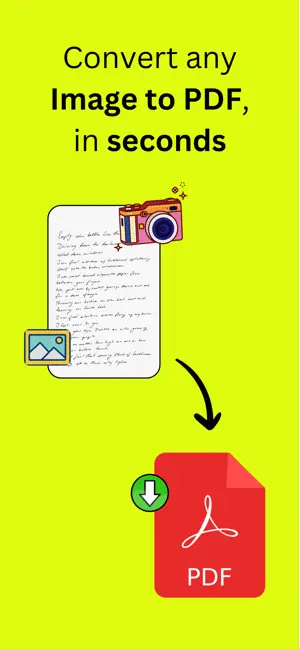
Txtly turns photos into clean, editable text in seconds. Snap a picture of handwritten notes, printed documents, or pages from a book and instantly convert them into accurate text using AI. Organize, improve, and export your content effortlessly without retyping a single word. Perfect for students, professionals, and anyone who works with notes. Why Txtly Txtly is more than a scanner. It understands your content and helps you make sense of it. Whether you are capturing lecture notes, meeting notes, study materials, or written ideas, Txtly helps you turn messy images into structured, meaningful text. Key Features • Capture text from photos or upload multiple images at once • Extract text from handwritten notes and printed documents using AI • Enhance and restructure your notes with AI for better clarity and readability • Turn rough notes into clean summaries, lists, or organized content • Export your text as a PDF for easy sharing and storage • Save time by eliminating manual typing • Clean and simple interface designed for speed and ease of use How It Works 1 Take a photo or upload images of your notes or documents 2 Let AI extract the text instantly 3 Improve and structure your content using AI tools 4 Export your final text as a PDF or copy it anywhere Who Txtly Is For • Students digitizing handwritten notes • Professionals scanning meeting notes or documents • Researchers and writers organizing ideas • Anyone who wants fast and accurate text extraction Turn your photos into usable text. Organize your thoughts faster. Work smarter with Txtly. Download Txtly and transform the way you capture and manage text. Why Choose Billster? Unlike the reminder app that comes with your phone, Billster is designed specifically for bills. It’s not just a notification—it’s your monthly bill planner, bills organizer reminder, and financial accountability partner, all rolled into one. Camera & Photo Access - Txtly requires permission to access your camera and photo gallery so you can take photos or select images to scan and extract text. These permissions are used solely to enable text recognition and note conversion features within the app. - Txtly does not share your images with other users or third parties, and your photos are not saved to your account or made publicly accessible. Your images remain private and are used only for generating text results requested by you. File Storage Access - Txtly requires access to your device’s storage to save generated PDFs and exported text files directly to your iPhone. This permission allows you to download, store, and manage your files locally for offline access and sharing. - Txtly does not access, modify, or upload files without your explicit action. All exported files remain on your device unless you choose to share them. Subscription Information - Txtly offers premium features through auto-renewing subscriptions available via the Apple App Store. - Payment will be charged to your iTunes Account at confirmation of purchase. - Subscription automatically renews unless auto-renew is turned off at least 24 hours before the end of the current period. - Account will be charged for renewal within 24 hours prior to the end of the current period, and the renewal cost will be clearly identified. - Subscriptions may be managed by the user, and auto-renewal may be turned off in the user’s Account Settings after purchase. - Refunds are handled by Apple, in accordance with their policies. - Access to premium features will end when the subscription expires or is canceled. Txtly's subscription plan unlocks unlimited access to advanced features designed to make your notes management effortless and worry-free. Privacy Policy: https://lumbar-watcher-bfc.notion.site/Privacy-Policy-Txtly-2ccd33a68d6f803299dcf0abae338909 Terms of Service (EULA): https://lumbar-watcher-bfc.notion.site/Terms-of-Service-Txtly-2ccd33a68d6f80c8b894cfb24ee1ead3
App privacy
The developer, BoldScap, reported these privacy practices to Apple.
Data Not Linked to You
The following data, which may be collected but is not linked to your identity, may be used for the following purposes:
- Usage Data: Product Interaction
- Diagnostics: Crash Data
Used for: Analytics
Alternatives to Text to PDF - Txtly
Looking for apps like Text to PDF - Txtly? Here are 6 similar apps on the App Store. The highest rated is PDF to Excel: Table Converter (5.0/5), and all 6 are free to download.
-
 SmartAlbum Pro
1.0
-
 Dhoadhi
-
 PDF to Excel: Table Converter
5.0
-
 Text to PDF - Text document
-
 JocoProxy: Proxy Client
1.0
-
 PDF Maker & Edit: Text to PDF
3.0
| App | Rating | Price | Last updated | Compare |
|---|---|---|---|---|
| Text to PDF - Txtly | – | Free | December 26, 2025 | |
| SmartAlbum Pro | 1.0 / 5 (1) | Free | Sep 4, 2026 | Compare |
| Dhoadhi | – | Free | Aug 17, 2025 | Compare |
| PDF to Excel: Table Converter | 5.0 / 5 (1) | Free | May 6, 2026 | Compare |
| Text to PDF - Text document | – | Free | Mar 3, 2026 | Compare |
| JocoProxy: Proxy Client | 1.0 / 5 (1) | Free | Oct 24, 2026 | Compare |
| PDF Maker & Edit: Text to PDF | 3.0 / 5 (2) | Free | May 14, 2026 | Compare |