

Text to PDF - Text document
Fenuku Kekeli Utilities iPhoneiPadiPod touch
Text to PDF - Text document is a free Utilities app for iPhone and iPad by Fenuku Kekeli. Requires iOS 17.6. Updated March 3, 2026.
- Price
- Free
- on the App Store
- Size
- 12 MB
- Age 4+
- Updated
- Mar 3
- 2026 · v1.6
Screenshots


About Text to PDF - Text document
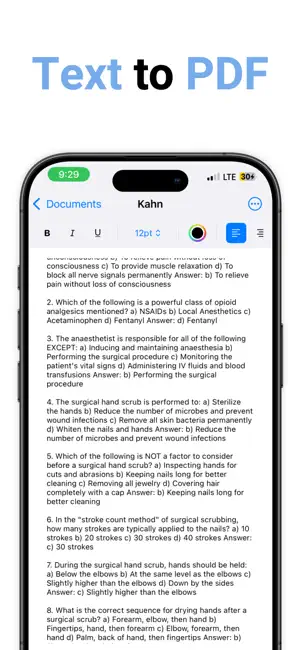
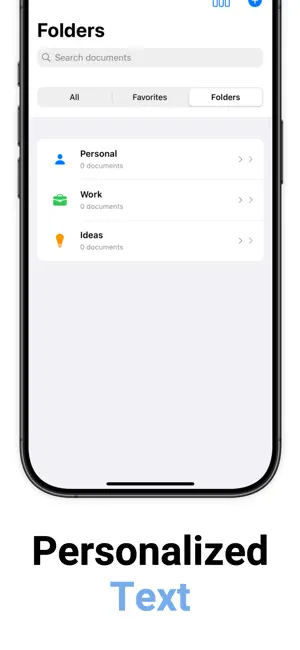
Turn your text and photos into high-quality PDFs in seconds. Write, paste, or snap an image then save or share your custom PDF instantly. No ads. No watermarks. Fully offline. New Features Added: 1. Advanced Sorting & Organization Multiple sort options: Title, Modified Date, Created Date, Word Count Sort direction toggle: Ascending/Descending Document statistics: Shows count and current sort method Enhanced search: Now searches both titles and document content 2. Document Statistics & Analytics Word count calculation: Real-time word counting Character counting: With and without spaces Paragraph counting: Number of paragraphs Document info sheet: Detailed statistics view 3. Find & Replace Functionality Find and Replace bar: Toggle on/off from menu Case-insensitive search: Finds text regardless of case Replace All: Bulk replacement functionality Clean interface: Integrated into the editor toolbar 4. Enhanced Export Options Multiple export formats: PDF, RTF, and plain text Better file handling: Improved temporary file management Unified sharing: Single function for all export types 5. Improved Text Editor Better text container insets: More comfortable editing experience Improved selection handling: Better cursor position management Enhanced attribute detection: More reliable formatting state updates Better bounds checking: Prevents crashes with selection changes 6. Better User Experience Document info view: Complete document statistics and metadata Enhanced context menus: Better organization of actions Improved navigation: Cleaner toolbar organization Better visual feedback: More intuitive UI states 7. Robust Error Handling Better file import handling: Supports more text file types Improved document persistence: Better error recovery Safe array operations: Prevents crashes during deletion Key Technical Improvements: Performance: More efficient document sorting and filtering Memory Management: Better handling of large documents Thread Safety: Proper main thread dispatching for UI updates Data Persistence: More robust encoding/decoding File Handling: Better security-scoped resource management Subscription Details: • Title: Savory All Access • Length: 1 year • Price: $9.99 per year and $0.99 per month (auto-renews) • Terms of Use: https://www.apple.com/legal/internet-services/itunes/dev/stdeula/ privacy https://docs.google.com/document/d/1lWef7xVBIFYq1NUP0K3201pJgM_h-i2IU7js9fuqZkk/edit?usp=sharing
What’s new
Version 1.6 · Updated March 3, 2026
Bug fixes: Resolved issues or crashes. Performance improvements: Faster loading, smoother animations, reduced memory usage.
App privacy
The developer, Fenuku Kekeli, reported these privacy practices to Apple.
Data Not Collected
The developer does not collect any data from this app.
Alternatives to Text to PDF - Text document
Looking for apps like Text to PDF - Text document? Here are 6 similar apps on the App Store. The highest rated is Messages and Chat Export PDF (4.5/5), and all 6 are free to download.
-
 Text to PDF | Text document
-
 Text to PDF - TextDoc
-
 PDF Converter - Text to PDF
4.3
PDF Converter - Text to PDF
4.3
-
 Chat PDF: PDF Maker
4.4
Chat PDF: PDF Maker
4.4
-
 TextPort: Text Message Export
4.4
TextPort: Text Message Export
4.4
-
 Messages and Chat Export PDF
4.5
Messages and Chat Export PDF
4.5
| App | Rating | Price | Last updated | Compare |
|---|---|---|---|---|
| Text to PDF - Text document | – | Free | March 3, 2026 | |
| Text to PDF | Text document | – | Free | Apr 21, 2026 | Compare |
| Text to PDF - TextDoc | – | Free | Feb 9, 2026 | Compare |
| PDF Converter - Text to PDF | 4.3 / 5 (6) | Free | May 27, 2026 | Compare |
| Chat PDF: PDF Maker | 4.4 / 5 (16) | Free | Jun 2, 2026 | Compare |
| TextPort: Text Message Export | 4.4 / 5 (1,380) | Free | Oct 11, 2026 | Compare |
| Messages and Chat Export PDF | 4.5 / 5 (4,189) | Free | Feb 18, 2026 | Compare |