

EPS Viewer
Vaibhav Singhal Graphics & Design iPhoneiPadiPod touch
EPS Viewer is a free Graphics & Design app for iPhone and iPad by Vaibhav Singhal. Rated 1.0/5 from 1 ratings. Requires iOS 16.6. Updated October 13, 2026.
- Rating
- 1.0
- 1 ratings
- Price
- Free
- on the App Store
- Size
- 35 MB
- Age 4+
- Updated
- Oct 13
- 2026 · v1.8
Screenshots


About EPS Viewer
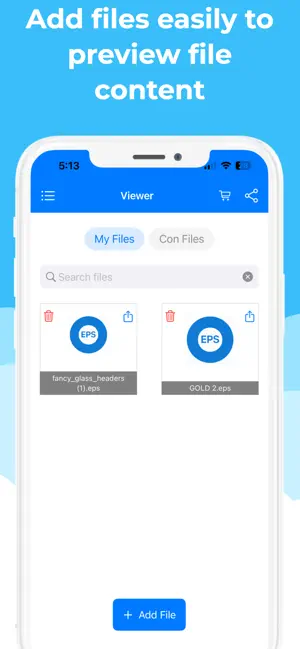
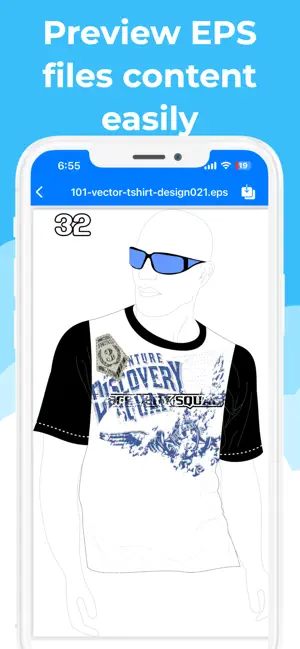
EPS Viewer – Preview & Convert EPS Files Easily preview, open, and convert EPS (Encapsulated PostScript) files to PNG, JPG, and PDF formats with a simple, user-friendly interface. Key Features Offline File Processing: Process supported EPS files directly on your device without needing to upload them to a server. Preview EPS Files: Open and view EPS file content quickly and easily. Convert EPS Files: Convert EPS files to PNG, JPG, and PDF formats. Easy Sharing: Share converted files directly from within the app. Dark & Light Themes: Choose between dark and light appearances for a comfortable viewing experience. Simple Interface: Easily add files, preview their content, and convert them in just a few steps. Multiple Language Support: Available in Arabic, Bangla, Chinese, Hindi, English, French, German, Indonesian, Italian, Japanese, Korean, Portuguese, Spanish, Russian, Thai, and Vietnamese. Whether you need to view EPS artwork, convert graphics for other applications, or share files in a more accessible format, EPS Viewer makes the process simple and convenient. Terms of Use (EULA): https://www.apple.com/legal/internet-services/itunes/dev/stdeula/
What’s new
Version 1.8 · Updated October 13, 2026
**What's New in This Version** Introducing new features to make viewing and converting EPS files easier and more convenient! • **Offline EPS File Processing:** Open and convert supported EPS files directly on your device without requiring an internet connection for processing. • **Dark & Light Themes:** Choose your preferred appearance for a more comfortable experience when viewing and working with EPS files. • **EPS to PDF, PNG & JPG Conversion:** Convert Encapsulated PostScript (EPS) files into widely used formats for easier viewing, sharing, and compatibility. • **Easy File Sharing:** Share your converted EPS files directly from the app. • **Improved User Experience:** Enjoy a simple, user-friendly interface for adding files, previewing EPS content, and converting files. • **Multiple Language Support:** Use the app in Arabic, Bangla, Chinese, Hindi, English, French, German, Indonesian, Italian, Japanese, Korean, Portuguese, Spanish, Russian, Thai, or Vietnamese. Update now and enjoy a more convenient way to view, preview, and convert EPS files!
App privacy
The developer, Vaibhav Singhal, reported these privacy practices to Apple.
Data Used to Track You
The following data may be used to track you across apps and websites owned by other companies:
- Location: Coarse Location
- Identifiers: Device ID
Data Linked to You
The following data, which may be collected and linked to your identity, may be used for the following purposes:
- Identifiers: Device ID
Used for: Third-Party Advertising, Analytics
Data Not Linked to You
The following data, which may be collected but is not linked to your identity, may be used for the following purposes:
- Location: Coarse Location
- Diagnostics: Crash Data, Performance Data, Other Diagnostic Data
Used for: Third-Party Advertising, Analytics
Alternatives to EPS Viewer
Looking for apps like EPS Viewer? Here are 6 similar apps on the App Store. The highest rated is Cob Paint (5.0/5), and 4 of the 6 are free to download.
-
 Ai Pin Dou
-
 scanbust 3D
-
 Cob Paint
5.0
-
 XCard: Markdown Card Maker
5.0
-
 VectorView - File Organizer
-
 LiveGrab - Video to Live
4.7
| App | Rating | Price | Last updated | Compare |
|---|---|---|---|---|
| EPS Viewer | 1.0 / 5 (1 rating) | Free | October 13, 2026 | |
| Ai Pin Dou | – | 0.99 USD | Jun 9, 2026 | Compare |
| scanbust 3D | – | 24.49 USD | Jan 9, 2026 | Compare |
| Cob Paint | 5.0 / 5 (5) | Free | Oct 20, 2026 | Compare |
| XCard: Markdown Card Maker | 5.0 / 5 (1) | Free | Nov 28, 2025 | Compare |
| VectorView - File Organizer | – | Free | Oct 21, 2026 | Compare |
| LiveGrab - Video to Live | 4.7 / 5 (16) | Free | Oct 28, 2026 | Compare |
Compare EPS Viewer with the top alternatives: ratings, updates, ASO score and keyword gaps →