

Brutal Time: Typographic Clock
Forager Lab LLC Utilities iPhoneiPadiPod touch
Brutal Time: Typographic Clock is a free Utilities app for iPhone and iPad by Forager Lab LLC. Requires iOS 17.0. Updated September 18, 2026.
- Price
- Free
- on the App Store
- Size
- 9 MB
- Age 4+
- Updated
- Sep 18
- 2026 · v3.0.3
Screenshots
About Brutal Time: Typographic Clock
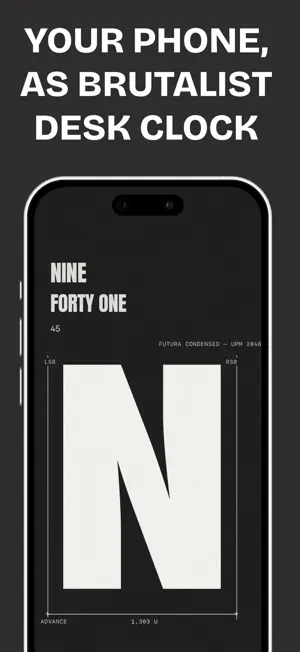
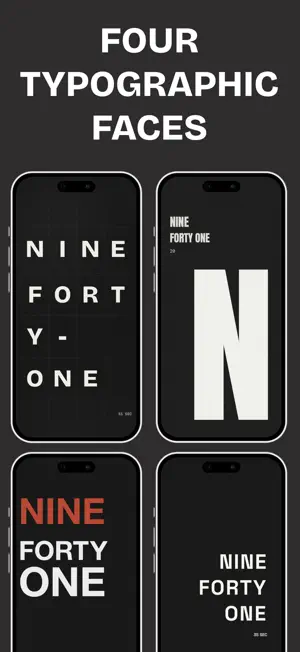
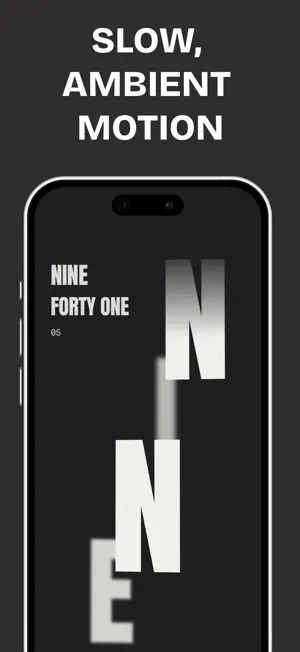
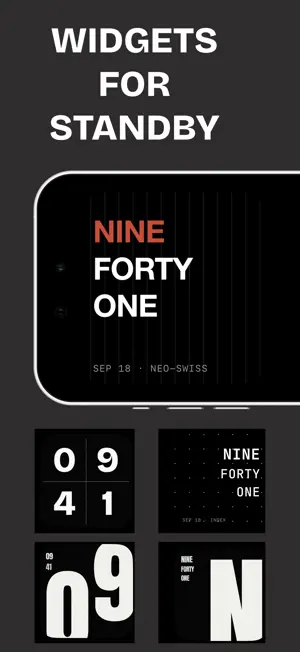
Brutal Time turns your iPhone into a brutalist desk clock. Put it on a charger and it fills the screen, edge to edge, with nothing but type. It tells time without decoration, distraction, or gimmicks. ON THE CHARGER StandBy widgets for every clock face, and widgets for the Home Screen. A full-screen, StandBy-style display for the app itself, with the status bar hidden so the clock owns the whole screen. Add a Shortcut and it opens by itself the moment you plug in. Always-On keeps it lit while charging and dims it after a few seconds, then lets the phone sleep again as soon as you unplug. FOUR TYPOGRAPHIC FACES Four distinct designs, each built on a different typographic system: digits locked to a ruled grid, editorial Swiss with a red accent, oversized poster glyphs cropped by the frame, and mono type over a dot-indexed field. Each reads as words or numerals, in dark or light, portrait or landscape. UNLOCK AMBIENT MOTION WITH THE FULL EDITION Each face can come alive. Continuous, ambient motion runs through the type — letters that breathe, sway, and resolve on their own unhurried rhythm, with several motions for every face. Calm and deliberate, never a screensaver. Ambient Motion is the only paid feature, and the Full Edition is a one-time purchase — buy it once, keep it forever. Everything else is free: every clock face, every typeface, every widget, the full-screen display and Always-On. Also included: - Three typefaces per face - Custom accent colors - Home Screen and StandBy widgets - No subscription. No ads. Ever. Brutal Time is shaped by brutalist design principles: visible structure, a restrained palette, and the removal of unnecessary ornament. Time is shown as type, grid, and rhythm — clear, functional, and deliberate.
What’s new
Version 3.0.3 · Updated September 18, 2026
- NEW: StandBy widgets for every clock face, alongside new small widgets for the Home Screen. - Full-screen: the status bar is hidden, so the clock owns the whole display. - Always-On now runs only while charging, and dims itself after a few seconds. Add a Shortcut and Brutal Time opens by itself when you plug in. - Bug fixes.
App privacy
The developer, Forager Lab LLC, reported these privacy practices to Apple.
Data Not Linked to You
The following data, which may be collected but is not linked to your identity, may be used for the following purposes:
- Usage Data: Product Interaction
Used for: Analytics
Alternatives to Brutal Time: Typographic Clock
Looking for apps like Brutal Time: Typographic Clock? Here are 6 similar apps on the App Store. The highest rated is Calculator Calcora (4.7/5), and 5 of the 6 are free to download.
-
 LS3
LS3
-
 FindID – Know Where It Is
-
 SharkZip - Zip with Password
-
 ZeroZip
-
 Calculator Calcora
4.7
Calculator Calcora
4.7
-
 YgciPerf3
4.0
YgciPerf3
4.0
| App | Rating | Price | Last updated | Compare |
|---|---|---|---|---|
| Brutal Time: Typographic Clock | – | Free | September 18, 2026 | |
| LS3 | – | Free | Aug 19, 2026 | Compare |
| FindID – Know Where It Is | – | Free | Jan 15, 2026 | Compare |
| SharkZip - Zip with Password | – | 1.99 USD | Jan 20, 2026 | Compare |
| ZeroZip | – | Free | Jul 2, 2026 | Compare |
| Calculator Calcora | 4.7 / 5 (3) | Free | Oct 21, 2025 | Compare |
| YgciPerf3 | 4.0 / 5 (1) | Free | Sep 8, 2025 | Compare |