

ZeroZip
genghong Xie Utilities iPhoneiPadiPod touch
ZeroZip is a free Utilities app for iPhone and iPad by genghong Xie. Requires iOS 13.0. Updated July 2, 2026.
- Price
- Free
- on the App Store
- Size
- 28 MB
- Age 4+
- Updated
- Jul 2
- 2026 · v0.0.4
Screenshots



About ZeroZip
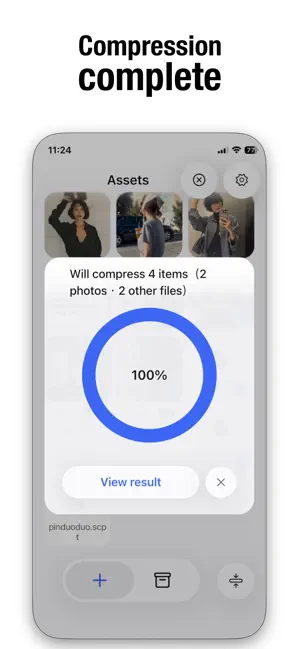
ZeroZip is a fast, efficient, and secure file-processing tool designed for seamless compression, archiving, encryption, and EXIF privacy cleaning. Built with a native iOS 26 fluid glass interface, the app delivers a light, intuitive experience that lets you handle even the most complex file-management tasks in just a few steps. ZeroZip uses an advanced compression engine to significantly reduce file size while preserving visual quality. Multiple compression presets—such as High Quality, Balanced, and Size Priority—allow you to choose the best option for your needs. You can also select from various resolution presets (Original, 4096, 2048, 1024, etc.) to balance clarity and output size. Combine multiple photos or files into a single archive with one tap, with optional encryption support. Zip0 supports ZIP, TAR, TAR.GZ, and TAR.BZ2 formats, making it suitable for different workflows and platforms. Sharing via email, cloud storage, or messaging apps becomes faster and more efficient. Protect your privacy by removing sensitive EXIF metadata such as location, timestamp, and camera information from photos. This ensures safe sharing on social networks or with others without exposing personal data. Save processed files to the default output directory or choose a custom path. The built-in smart naming system automatically appends a sequence number to avoid overwriting when files share the same name. ZeroZip follows the latest iOS 26 design guidelines with a transparent, lightweight, and fluid interface. Minimalistic interaction logic makes it easy for anyone to use, with smooth transitions and a consistent experience across all iPhone and iPad models. By using ZeroZip, you agree to comply with Apple’s Standard End User License Agreement (EULA). Apple EULA: https://www.apple.com/legal/internet-services/itunes/dev/stdeula/
What’s new
Version 0.0.4 · Updated July 2, 2026
ZeroZip is now faster, more stable, and more direct. • Faster file opening with reduced processing wait times • Crash issues resolved, stability improved • New shortcut access for one-step common operations • Smoother overall experience with fewer interruptions
App privacy
The developer, genghong Xie, reported these privacy practices to Apple.
Data Not Collected
The developer does not collect any data from this app.
Alternatives to ZeroZip
Looking for apps like ZeroZip? Here are 6 similar apps on the App Store. The highest rated is SnapPDF (5.0/5), and all 6 are free to download.
-
 SnapPDF
5.0
-
 Codifier
5.0
-
 Loked - Avoid Photo Swiping
-
 SmartZip Pro: ZIP, RAR & 7Z
3.0
-
 Calculator Calcora
4.7
-
 image_to_pdf_app
| App | Rating | Price | Last updated | Compare |
|---|---|---|---|---|
| ZeroZip | – | Free | July 2, 2026 | |
| SnapPDF | 5.0 / 5 (1) | Free | Sep 29, 2025 | Compare |
| Codifier | 5.0 / 5 (2) | Free | Oct 15, 2026 | Compare |
| Loked - Avoid Photo Swiping | – | Free | Sep 3, 2025 | Compare |
| SmartZip Pro: ZIP, RAR & 7Z | 3.0 / 5 (2) | Free | Dec 29, 2025 | Compare |
| Calculator Calcora | 4.7 / 5 (3) | Free | Oct 21, 2025 | Compare |
| image_to_pdf_app | – | Free | Dec 14, 2025 | Compare |
Compare ZeroZip with the top alternatives: ratings, updates, ASO score and keyword gaps →