

Printora
BestForce Photo & Video iPhoneiPadiPod touch
Printora is a free Photo & Video app for iPhone and iPad by BestForce. Requires iOS 26.2. Updated October 28, 2026.
- Price
- Free
- on the App Store
- Size
- 19 MB
- Age 4+
- Updated
- Oct 28
- 2026 · v2.1.0
Screenshots



About Printora
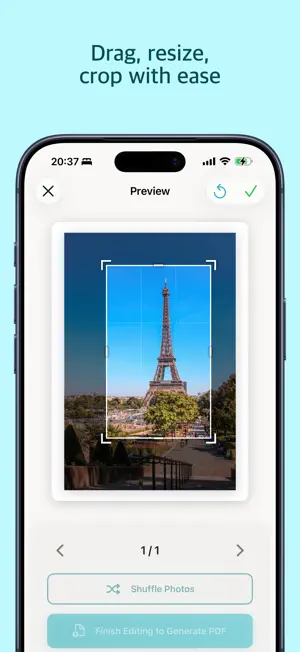
Printora makes printing your favorite photos effortless. Simply select your photos, and our intelligent AI will analyze them to create beautiful A4 layouts optimized for printing. SMART LAYOUTS, ZERO EFFORT Mixing portrait and landscape photos for printing is frustrating. Printora solves this automatically. Our Vision AI detects people and arranges photos optimally - no manual adjustments needed. THREE LAYOUT STYLES • Diagonal - Magazine-style layouts with dynamic visual flow • Grid - Traditional balanced arrangements • Overlap - Sophisticated layered designs with depth POWERFUL EDITING TOOLS Fine-tune every detail: • Drag to reposition photos freely • Drag-to-swap in Grid/Diagonal modes for instant reordering • Shuffle to randomize photo order on the page • Overlap mode supports layered positioning • Pinch to resize with intelligent auto-adjustment • Rotate photos 90 degrees • Crop with precision 8-handle controls • Delete unwanted photos SMART ORGANIZATION Photos are automatically organized by location and time. Pictures from the same event stay together across pages. PRINT-READY OUTPUT Generate high-quality 300 DPI PDFs perfect for: • Home printing on A4 paper • Professional print services • Sharing with family and friends FOR PERSONAL & BUSINESS USE Perfect for family albums, event documentation, real estate listings, product catalogs, and professional presentations. Print multiple photos per page or one photo per page - your choice. KEY FEATURES • Visual threshold previews with real-time feedback • AI-powered person detection • 3 layout modes: Diagonal, Grid, Overlap • Per-page layout customization • Intelligent resize system • Location-based photo grouping • 300 DPI PDF export • AirPrint support Download Printora and transform your photos into beautiful prints today. Terms of Use: https://www.printora.app/terms Privacy Policy: https://www.printora.app/privacy
What’s new
Version 2.1.0 · Updated October 28, 2026
• Add a title to your prints: set it in Project Info and it appears at the top of the first page. Up to eight lines, in four sizes. • Photos keep their size when the title fits above them, and are spaced evenly between the title and the bottom of the page. • Fixed a crash when selecting many photos at once. • Fixed a crash when exporting a PDF of a large project.
App privacy
The developer, BestForce, reported these privacy practices to Apple.
Data Not Linked to You
The following data, which may be collected but is not linked to your identity, may be used for the following purposes:
- Purchases: Purchase History
Used for: Analytics, App Functionality
Alternatives to Printora
Looking for apps like Printora? Here are 6 similar apps on the App Store. The highest rated is 拼图派 - 照片布局与打印 (5.0/5), and all 6 are free to download.
-
 Photo Layout Editor-Collage-A4
-
 拼图派 - 照片布局与打印
5.0
-
 PicBoard - 朋友圈排版工具,批量长图拼接
-
 Metrochrome
-
 Immersive Collage
-
 PhotoBooks by GraphicMeat
| App | Rating | Price | Last updated | Compare |
|---|---|---|---|---|
| Printora | – | Free | October 28, 2026 | |
| Photo Layout Editor-Collage-A4 | – | Free | Nov 3, 2026 | Compare |
| 拼图派 - 照片布局与打印 | 5.0 / 5 (1) | Free | Apr 6, 2026 | Compare |
| PicBoard - 朋友圈排版工具,批量长图拼接 | – | Free | Oct 19, 2026 | Compare |
| Metrochrome | – | Free | Oct 26, 2026 | Compare |
| Immersive Collage | – | Free | Oct 24, 2026 | Compare |
| PhotoBooks by GraphicMeat | – | Free | Sep 8, 2026 | Compare |
Compare Printora with the top alternatives: ratings, updates, ASO score and keyword gaps →