
Extract Text from Image
HYPER IGNITION SYSTEMS Utilities iPhoneiPadiPod touch
Extract Text from Image is a free Utilities app for iPhone and iPad by HYPER IGNITION SYSTEMS. Requires iOS 17.6. Updated July 28, 2026.
- Price
- Free
- on the App Store
- Size
- 15 MB
- Age 4+
- Updated
- Jul 28
- 2026 · v1.2
Screenshots


About Extract Text from Image
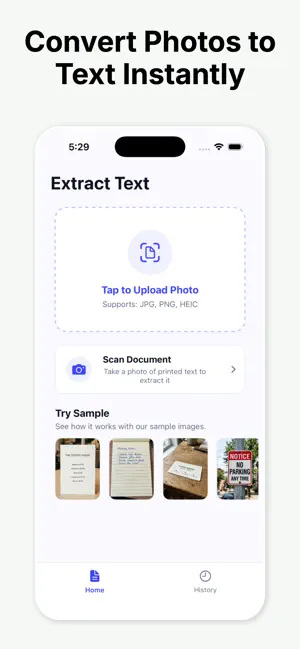
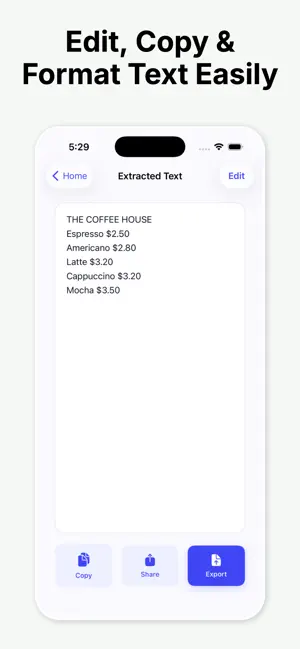
Extract text from photo instantly and accurately using our powerful scanning utility. Whether you need to digitize a document, copy notes, or grab information from an image, this application is designed to simplify your workflow. With our advanced recognition technology, you can easily convert photo to text in a matter of seconds. No more manual typing or tedious transcription. Simply capture a picture or select an image from your library to extract text from photo files seamlessly. Key Features: - High-accuracy recognition that lets you extract text from photo sources in real time. - Support for multiple languages to ensure you can convert photo to text globally. - Quick copy and share functionality to send your digitized results to notes, emails, or messages. - History log to keep track of your previous scans and extracted documents. How to use it: 1. Open the app and take a picture or import an image from your gallery. 2. Let the system extract text from photo documents automatically. 3. Edit, copy, or share your digital results instantly. Streamline your productivity today and experience how simple it is to convert photo to text. Subscription Information: – App usage is limited and needs a subscription for unlimited access. – Subscription Length: Weekly and Yearly – Free Trial: If offered, it will automatically convert to a paid subscription unless canceled. – Payment: Charged to your Apple ID account at confirmation of purchase. – Auto-Renewal: Automatically renews unless canceled at least 24 hours before the end of the current period. – Renewal Charge: Your account will be charged within 24 hours before the end of the current period, based on the selected plan. – Managing Subscription: Users can manage subscriptions and turn off auto-renewal in Account Settings on the App Store. – Free Trial Policy: Any unused portion of a free trial will be forfeited upon purchasing a subscription. Terms of Use: https://www.apple.com/legal/internet-services/itunes/dev/stdeula/ Privacy Policy: https://hyperignitionsystems.com/privacy-policy
What’s new
Version 1.2 · Updated July 28, 2026
Improve app experience and performance
App privacy
The developer, HYPER IGNITION SYSTEMS, reported these privacy practices to Apple.
Data Not Collected
The developer does not collect any data from this app.
Alternatives to Extract Text from Image
Looking for apps like Extract Text from Image? Here are 6 similar apps on the App Store. The highest rated is Photo to Text: Photex AI (5.0/5), and all 6 are free to download.
-
 CamScan: Image to Text
-
 Photo to Text: Photex AI
5.0
-
 PicText - Picture To Text
4.8
-
 Image to Text - Scanora OCR
-
 Image to Text: AI Text Scanner
4.5
-
 Image to Text - Scan & Convert
4.5
| App | Rating | Price | Last updated | Compare |
|---|---|---|---|---|
| Extract Text from Image | – | Free | July 28, 2026 | |
| CamScan: Image to Text | – | Free | Dec 3, 2025 | Compare |
| Photo to Text: Photex AI | 5.0 / 5 (3) | Free | Nov 17, 2025 | Compare |
| PicText - Picture To Text | 4.8 / 5 (5) | Free | Sep 9, 2026 | Compare |
| Image to Text - Scanora OCR | – | Free | Apr 24, 2026 | Compare |
| Image to Text: AI Text Scanner | 4.5 / 5 (35) | Free | Sep 8, 2026 | Compare |
| Image to Text - Scan & Convert | 4.5 / 5 (69) | Free | Sep 28, 2026 | Compare |