

image_to_pdf_app
Uiseong Joo Utilities iPhoneiPadiPod touch
image_to_pdf_app is a free Utilities app for iPhone and iPad by Uiseong Joo. Requires iOS 13.0. Updated December 14, 2025.
- Price
- Free
- on the App Store
- Size
- 26 MB
- Age 4+
- Updated
- Dec 14
- 2025 · v1.0.1
Screenshots

About image_to_pdf_app
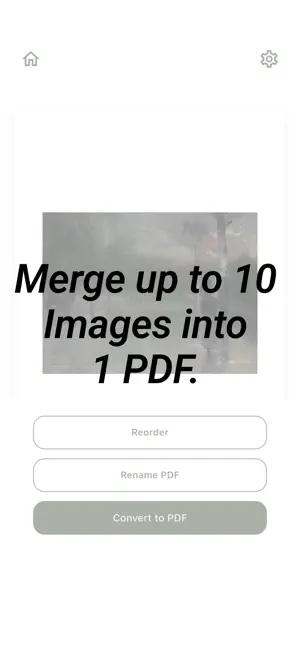
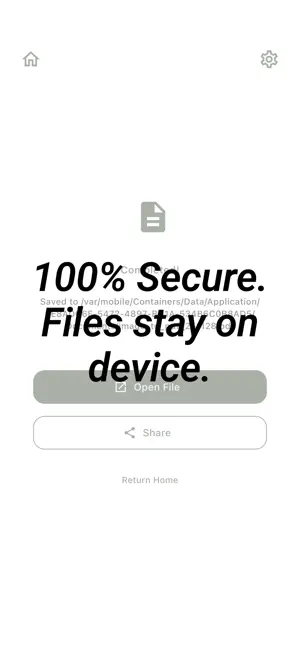
Launch Special: Download now for Lifetime FREE Access! Image to PDF started from this very question. We created the most essential, clean, and non-intrusive utility. To celebrate our launch, the full version (scheduled to be paid by next July) is currently free. If you download it now, you own it forever with no future charges, even when it switches to paid. Why should you download this app now? 1. Get Premium Features for $0 We are offering the full premium version (valued at $0.99) for free during this event. This is not a "trial." It is your only chance to own the unlimited full version for free. 2. The "3-No" Policy: We removed everything that annoys you. No Subscriptions: No worries about monthly recurring costs. No Ads: Not a single popup ad to interrupt your workflow. No Logins: No personal data or sign-ups required. Install and use immediately. 3. Intuitive & Powerful Merge up to 10 Images: Select multiple photos to create one perfect PDF file. Easy Reordering: Freely change the page order with simple Drag & Drop. Super Fast: Optimized Flutter-based engine generates results in under 1 second. Highly Recommended For: Students: Scanning lecture notes, whiteboard writing, or assignments into a clean PDF. Professionals: Organizing receipts, contracts, or documents into a single file for email. Creatives: Arranging portfolio images or references in order for sharing. Minimalists: Those who prefer apps with solid functionality and clean design. Key Features Guide [Step 1: Import] Select photos from your gallery or scan documents directly with the camera. [Step 2: Edit] Don't like the order? Just long-press and drag to move. Delete accidental selections instantly. [Step 3: Share] One tap to convert! Save to files or share instantly via Email, Messenger, or Cloud. Privacy & Security Your documents are safe. This app does not use a server; all processing happens On-Device. Neither the developer nor anyone else can see your photos or documents. Hello, users. Amidst apps filled with complex features, we wanted to build a "tool faithful to the basics." Experience the clutter-free design and snappy performance. It is the cheapest right now. In fact, it's free. Once the event ends, it will switch to a paid app. Don't miss out—tap the download button now and keep it forever! If you have any feedback or feature requests, please leave a review. We listen to you
What’s new
Version 1.0.1 · Updated December 14, 2025
Minor bug fixes
App privacy
The developer, Uiseong Joo, reported these privacy practices to Apple.
Data Not Collected
The developer does not collect any data from this app.
Alternatives to image_to_pdf_app
Looking for apps like image_to_pdf_app? Here are 6 similar apps on the App Store. The highest rated is Codifier (5.0/5), and all 6 are free to download.
-
 ZeroZip
-
 LED Banner – GlowScroll Text
4.0
LED Banner – GlowScroll Text
4.0
-
 BlindOTP - Fast & Secure
-
 Codifier
5.0
Codifier
5.0
-
 Loked - Avoid Photo Swiping
-
 SmartZip Pro: ZIP, RAR & 7Z
3.0
SmartZip Pro: ZIP, RAR & 7Z
3.0
| App | Rating | Price | Last updated | Compare |
|---|---|---|---|---|
| image_to_pdf_app | – | Free | December 14, 2025 | |
| ZeroZip | – | Free | Jul 2, 2026 | Compare |
| LED Banner – GlowScroll Text | 4.0 / 5 (1) | Free | Nov 10, 2025 | Compare |
| BlindOTP - Fast & Secure | – | Free | Dec 4, 2025 | Compare |
| Codifier | 5.0 / 5 (2) | Free | Oct 15, 2026 | Compare |
| Loked - Avoid Photo Swiping | – | Free | Sep 3, 2025 | Compare |
| SmartZip Pro: ZIP, RAR & 7Z | 3.0 / 5 (2) | Free | Dec 29, 2025 | Compare |
Compare image_to_pdf_app with the top alternatives: ratings, updates, ASO score and keyword gaps →