

Sign PDF Documents eSignDocPDF
Mazanik Yury Business iPhoneiPadiPod touch
Sign PDF Documents eSignDocPDF is a free Business app for iPhone and iPad by Mazanik Yury. Requires iOS 15.0. Updated January 25, 2026.
- Price
- Free
- on the App Store
- Size
- 89 MB
- Age 4+
- Updated
- Jan 25
- 2026 · v1.0
Screenshots


About Sign PDF Documents eSignDocPDF
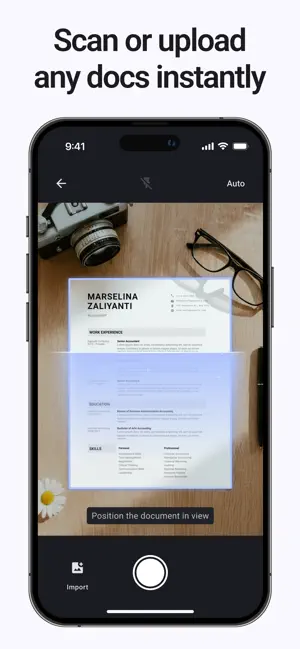
eSignDocPDF — The Ultimate PDF Signing App Take control of your documents with eSignDocPDF, the fastest and most secure PDF signing app for iPhone and iPad. Whether you need to sign PDF documents, create digital signatures, fill forms, or sign contracts, eSignDocPDF makes the process seamless and professional. Why Choose eSignDocPDF? Sign PDFs Anywhere: Add your digital signature to any PDF quickly. Create Digital Signatures: Draw, type, or insert your personal signature. Fill Forms Effortlessly: Complete PDF forms accurately and save time. Sign Contracts and Agreements: Perfect for business, legal, or personal documents. Secure and Private: Your documents are stored securely only on your phone! Easy Sharing: Send signed PDFs directly via email, cloud storage, or messaging apps. Advanced Features: Track and manage all signed documents efficiently Optimized for speed and low battery consumption Perfect For: - Professionals and businesses needing fast PDF signing - Legal teams requiring digital signature verification - Students and teachers for forms and assignments - Personal use: contracts, applications, or agreements How It Works: - Open your PDF document in eSignDocPDF - Create or choose your digital signature - Place your signature in the desired location - Fill in any required forms or fields - Save and share your signed PDF instantly Benefits: - Eliminate printing, scanning, and faxing - Sign and send documents on the go - Ensure document integrity and authenticity - Compatible with all major PDF formats - Boost productivity and reduce turnaround time Trusted Worldwide: eSignDocPDF is trusted by thousands of professionals globally for secure PDF signing and digital document management. Download eSignDocPDF today and experience the easiest way to sign PDFs, create digital signatures, and fill forms — fast, secure, and convenient.
App privacy
The developer, Mazanik Yury, reported these privacy practices to Apple.
Data Used to Track You
The following data may be used to track you across apps and websites owned by other companies:
- Usage Data: Product Interaction
Data Not Linked to You
The following data, which may be collected but is not linked to your identity, may be used for the following purposes:
- Usage Data: Product Interaction, Other Usage Data
- Diagnostics: Crash Data
Used for: Analytics
Alternatives to Sign PDF Documents eSignDocPDF
Looking for apps like Sign PDF Documents eSignDocPDF? Here are 6 similar apps on the App Store. The highest rated is Sign documents: SwiftSign (5.0/5), and all 6 are free to download.
-
 Sign documents: SwiftSign
5.0
-
 Sign PDF - eSign & Fill Docs
5.0
-
 Sign Documents: Signature App
5.0
-
 E Sign PDF: Document Signer
5.0
-
 SignPaper: eSign PDF Documents
-
 Sigmax: Fill & Sign Documents
| App | Rating | Price | Last updated | Compare |
|---|---|---|---|---|
| Sign PDF Documents eSignDocPDF | – | Free | January 25, 2026 | |
| Sign documents: SwiftSign | 5.0 / 5 (1) | Free | Mar 17, 2026 | Compare |
| Sign PDF - eSign & Fill Docs | 5.0 / 5 (1) | Free | Jun 6, 2026 | Compare |
| Sign Documents: Signature App | 5.0 / 5 (1) | Free | Oct 5, 2026 | Compare |
| E Sign PDF: Document Signer | 5.0 / 5 (2) | Free | Sep 29, 2026 | Compare |
| SignPaper: eSign PDF Documents | – | Free | Jul 9, 2026 | Compare |
| Sigmax: Fill & Sign Documents | – | Free | Oct 13, 2026 | Compare |